
Viewing updates for Linux middleware applications
You can view all the contents of the site after the site gathers the required information. Use Show Non-Relevant Content to view all available contents. The contents includes both the relevant and non-relevant items.
Procedure
To view the Fixlets and tasks, click in the All content tab.
Note: Use Show Non-Relevant Content to
view all available contents. The contents includes both the relevant and
non-relevant content.

Click Fixlets and Tasks.
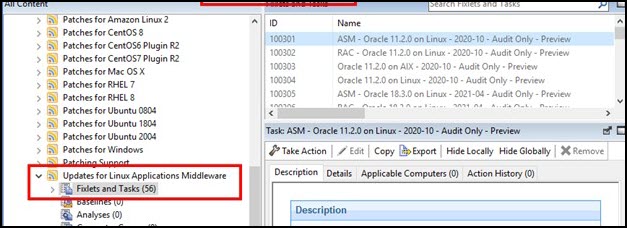
Note: You can expand the Fixlets and
Tasks node on the navigation tree to view the Fixlets and
tasks that you can act on.
Note: When performing a patch upgrade, it is recommended
to stop the services and create a backup of essential data and
configurations.
Note: Some software, like Redhat JBoss, performs relevance
checks on specified folders and paths.