
Site Subscription - Enabling updates for Linux middleware applications
You can enable updates for Linux middleware applications from BigFix console.
Procedure
Complete the following steps to enable Updates for Linux applications from
the BigFix console license
overview dashboard:
-
Click License Overview on the BigFix Management navigation tree.
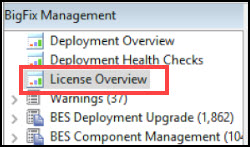
-
Click Compliance or Lifecycle tab
on the License Overview dashboard.

-
Navigate the site list and click Enable.
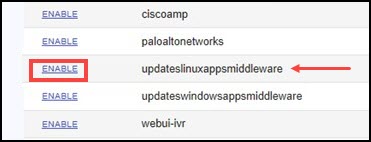
Note: The site name is updateslinuxappsmiddleware or Updates for Linux Applications Middleware.