Starting a peer to peer collaboration session
About this task
To start a collaboration session and allow others to join the session, start a peer to peer session with the required target and become the master controller by completing the following steps:
Procedure
- Start a peer to peer session with a target. For details on how to start a peer to peer session, see Starting a peer to peer session.
- Click Open the collaboration panel for multiple
controllers in the controller window toolbarwhen the session starts.
TVT instruction:collaborate.jpg - not translated

The Collaboration Control Panel opens and you are now the master controller for the session.
TVT instruction:collaborationwindow.jpg A copy of this file with a .gif extension is also required for the XHTML version of the document.
Figure 1. Collaboration Control Panel 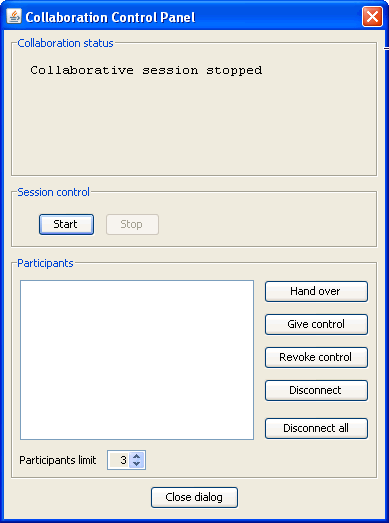
- Click Start.
Results
You can allow other participants to join this remote control session. When other participants join the session, use the functions within the Collaboration Control Panel to control the activity within the session. For more details, seeControlling session activity as the master controller.
Click Handover to pass full control of the session over to another controller user. For more details of this feature, see Handing over a peer to peer collaboration session.