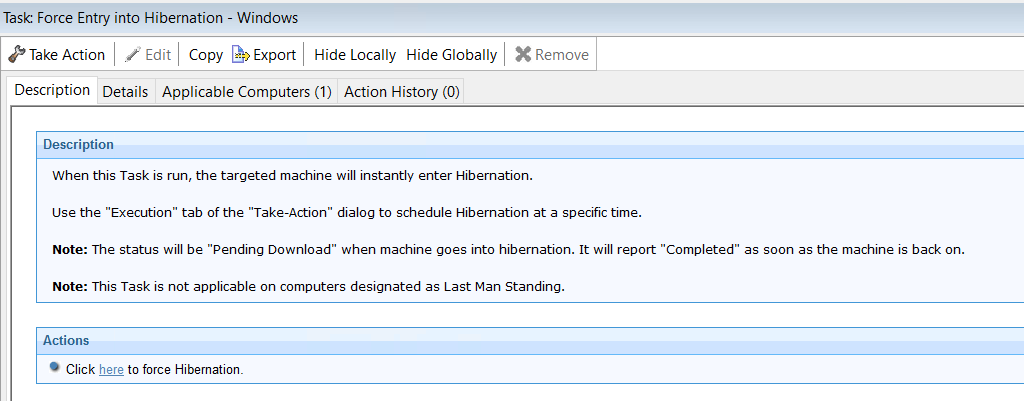
Change current power state
BigFix Power Management includes tasks to immediately force endpoints into standby or hibernation, overriding the active power profile and user activity on those computers.
Power Management includes tasks that immediately change the power state of targeted endpoints, regardless of the currently active power profile or user activity. This is useful for driving endpoints into a low-power state on demand — for example, at the end of a shift, during a maintenance window, or as part of a scheduled energy-saving operation.
Two tasks are available:
- Force Entry into Standby
- Puts targeted computers into standby (sleep) mode immediately. Standby preserves the current session in memory and resumes faster than hibernation, but requires continuous power to maintain the memory state.
- Force Entry into Hibernation
- Saves the current session to disk and powers the computer off. Hibernation consumes no power while the computer is in this state and is suitable for longer periods of inactivity where wake-up latency is acceptable.
To run either task, navigate to Change Current Power State in the Power Management navigation tree, select the appropriate task in the List Panel, and click the action link in the task window to target the relevant computers.