
Uninstalling Z and I Emulator for Web using Console Mode
This option enables the user to uninstall language packs from the product.
Refer the below table to uninstall the Z and I Emulator for Web using console mode. Required file to perform console mode modify installation under ZIEWEB installation directory (<Installation Path>\install).
| Operating System | Command | More Information |
|---|---|---|
| Windows | setup.exe -i console -uninstall | Administrator user Command Prompt |
| AIX, Linux, Ubuntu | sh ./setup -i console -uninstall | Root user Terminal client |
| I5/OS | Java -jar uninstaller.jar -i console -uninstall | Root (qsh) shell Prompt |
| Z/OS | Java -jar uninstaller.jar -i console -uninstall | Root user account OMVS or ISPF shell Prompt |
Execute the following steps to remove the language packs in console mode:
- Open the Command Prompt.
- Navigate to the Z and I Emulator for Web install directory and execute the below
command:
setup.exe -i console -uninstall

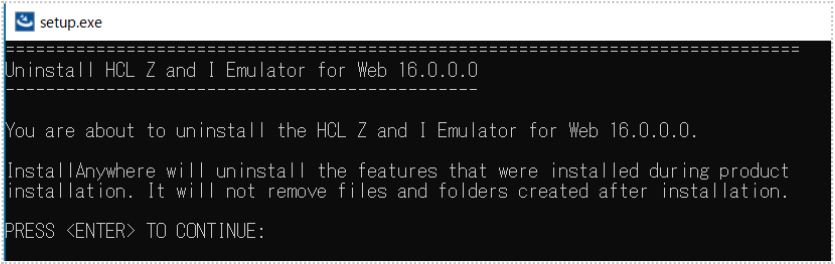
- The Uninstall HCL Z and I Emulator for Web 16.0.0 console appears.
- Read the information carefully, and press Enter to continue.
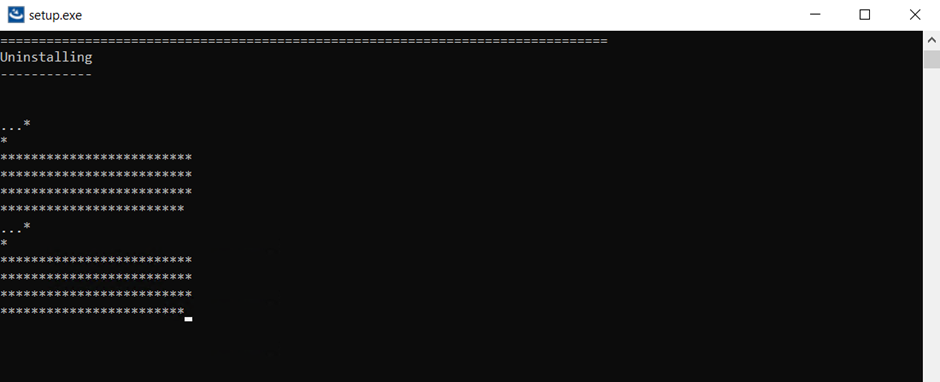
- The Uninstalling console appears, which displays the uninstallation progress.
- After successful uninstallation, the Uninstall Complete console appears.
- Press Enter to exit.
