Adding reminders to action
Add time reminders and milestone reminders to an action to send messages while a customer progresses toward the action goal.
Procedure
-
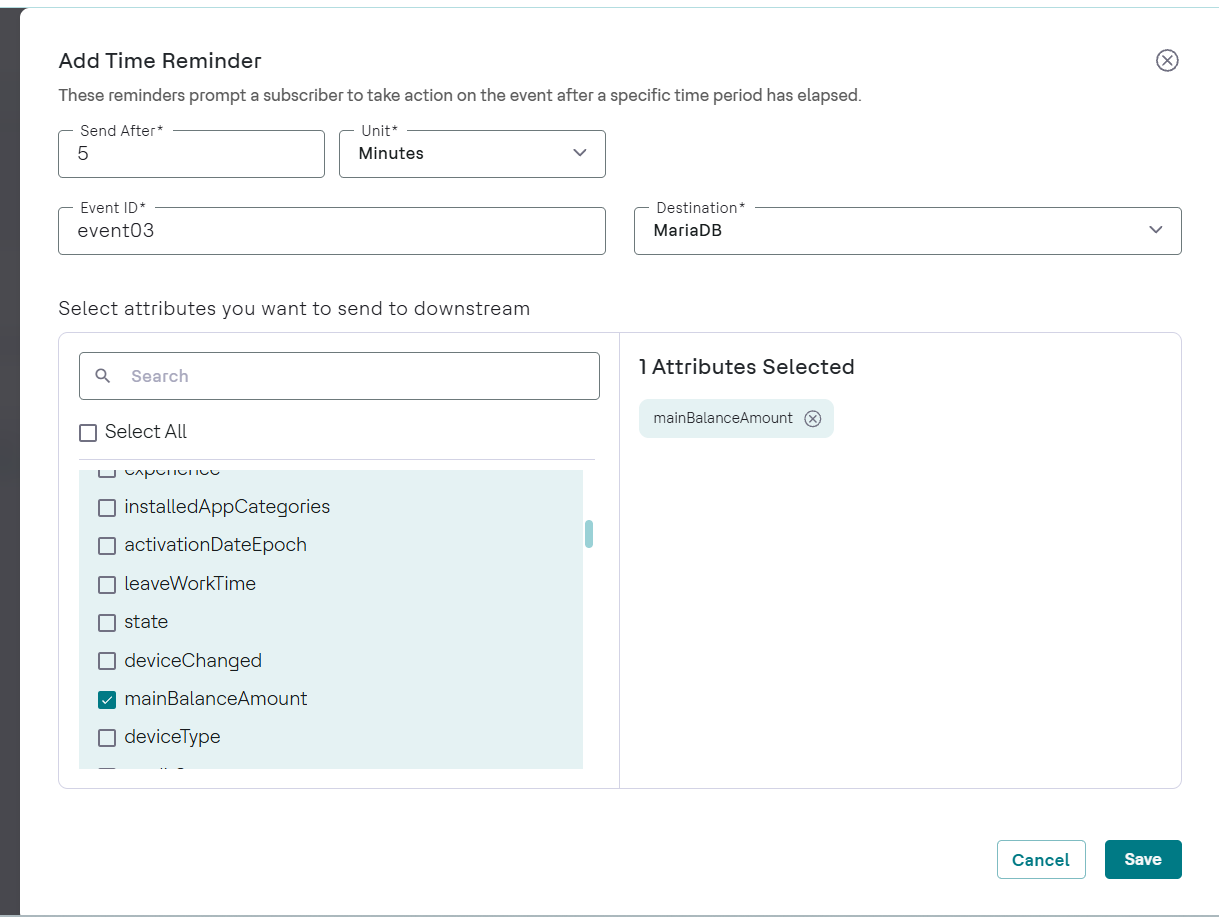
Add a time reminder.
-
In the Add Time Reminder panel, enter a
Send After value and select a unit.
The value must be greater than 0 and can't exceed the action duration.
-
In the Add Time Reminder panel, enter a
Send After value and select a unit.
-
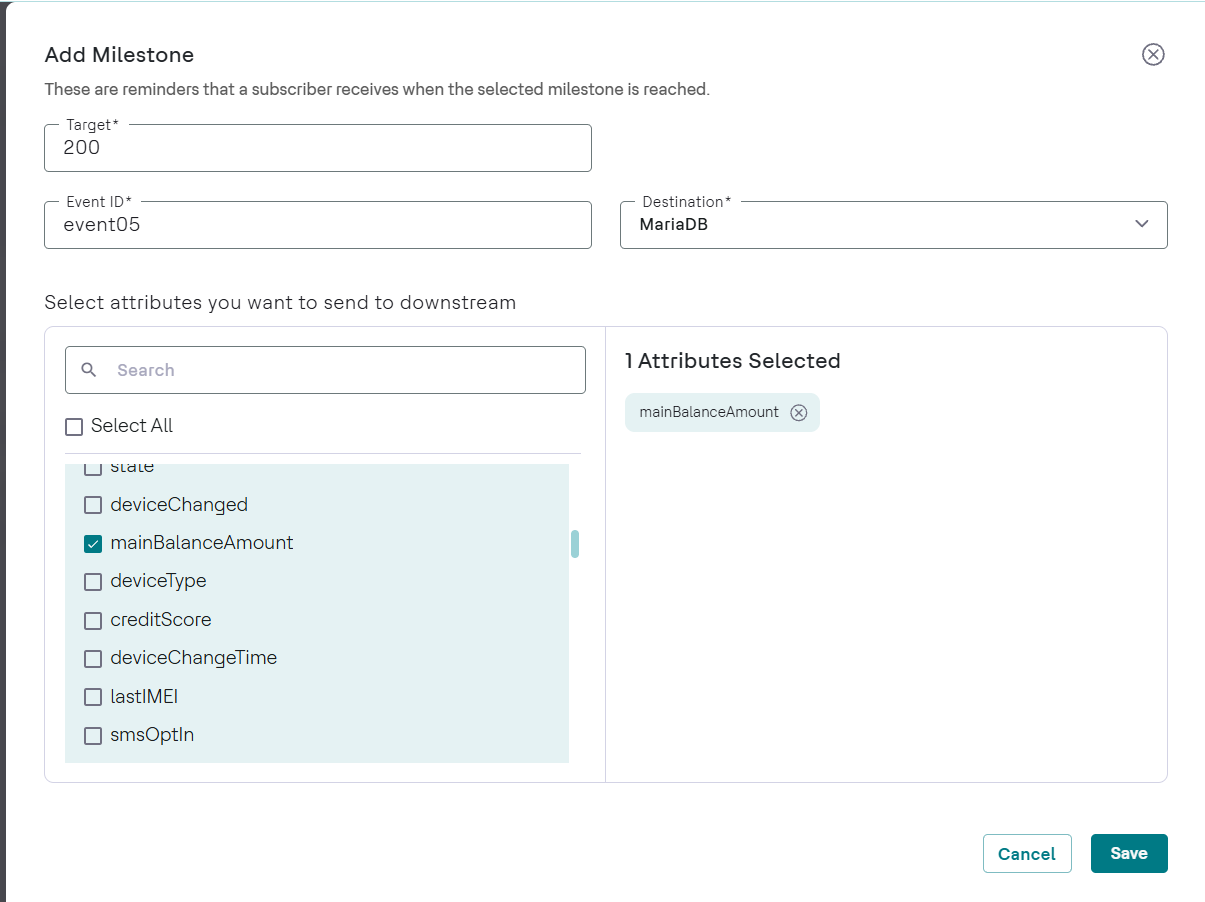
Add a milestone reminder.
Note:Milestone reminder is available only for cumulative actions.
-
In the Add Milestone panel, enter the target value in the
Target box.
The amount must be greater than 0 and less than the action value.
-
In the Add Milestone panel, enter the target value in the
Target box.
-
Edit or remove a reminder.
Results
The Reminders block shows the count of each reminder type, for example, Time: 1, Milestone: 0. The Time Reminder block lists entries such as Send After: 1 Days. The Milestone Reminder block lists entries such as At recharge of: $50. To add another reminder of the same type, click + in that block.