
Solution
- Open iAutomate Web URL and login with Super Admin credentials.
- Go to Advance Configuration -> Knowledge and click Manage Collections.
Figure 1. Manage Collections 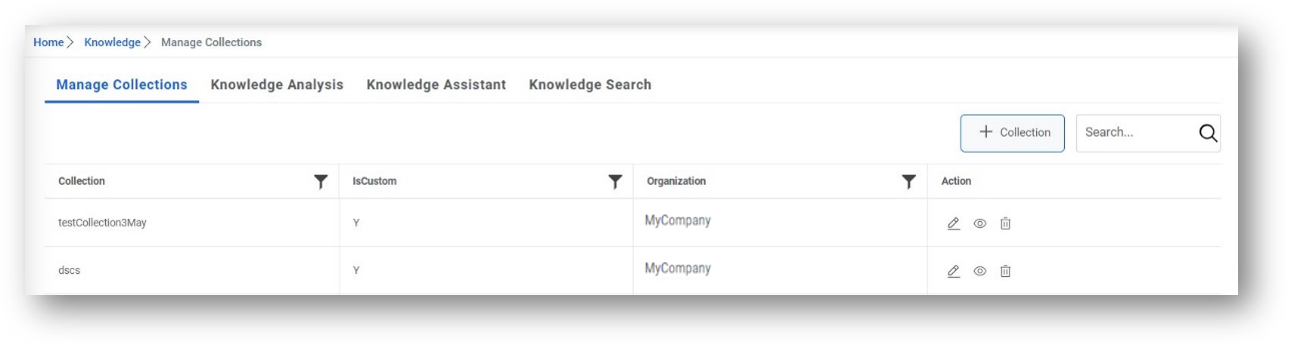
- Click on Collections.
- Select Collection Type as Custom from list of collection types.
- Select the Organization for which you are configuring the collections.
Figure 2. Manage Collections (Cont.) .png)
- Click +Collection tab.
- The Add/Edit Collection page appears.
Figure 3. Add/Edit Collection 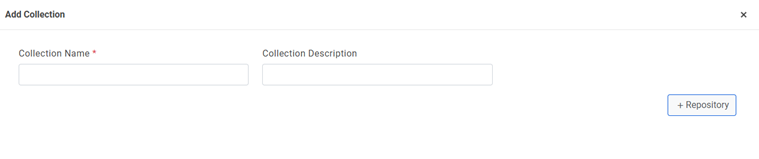
- Type the Collection Name and Collection Description.
- Click Save.
- Repeat Steps 2 to 6 for creating a collection for open domain websites as well.
- For configuring the ServiceNow Collection, perform the following steps –
- On Add Collection pop up, click on Repository.
Figure 4. Manage Repository 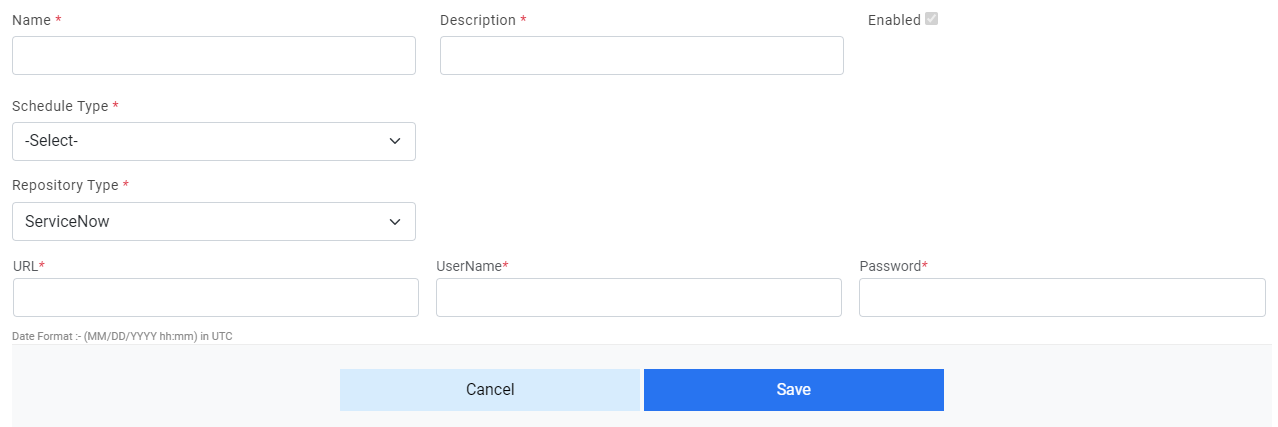
- Click Add Repository.
- Select Repository Type as ServiceNow. It will ask for additional details:
- URL
- Username
- Password
- After providing the information, click Save.
- On Add Collection pop up, click on Repository.
- For configuring the Open Domain Sites Collection, perform the following steps:
- On Manage Collections page, click next to collection corresponding to Service Now.
- The Manage Repository page appears.
- Click Add Repository.
- Select Repository Type as WebURL. It will ask for additional details:
- URL: Enter the URL of website to be crawled
- Depth Level: Specify the depth to which documents should be crawled
- RestrictDomain: Select this checkbox to filter for documents of same domain as mentioned in URL
- After providing the information, click Save.
- Once the collections are configured, you need to enable and start
the crawler and indexer jobs. It will start crawling and processing documents for configured
repository.Note:
Look for color code for configured repository. If it is green, then it has been crawled and processed successfully.
- Once configured repositories have been crawled and processed successfully, then user can search for relevant documents based on search queries. To do that, go to Advance Configuration -> Knowledge.
- Click Knowledge Search.
Figure 5. Knowledge Search 
- Select Organization from the drop-down list, then type the search
string (e.g. Machine) in the Search box, and then click
 .
.The search results are displayed in a grid below.
Figure 6. Knowledge Search Result 