
Solution
- Open iAutomate Web URL and login with Organization Admin credentials.
- Go to Advance Configuration then Parameter and click Manage Column Tab.
Figure 1. Manage Columns 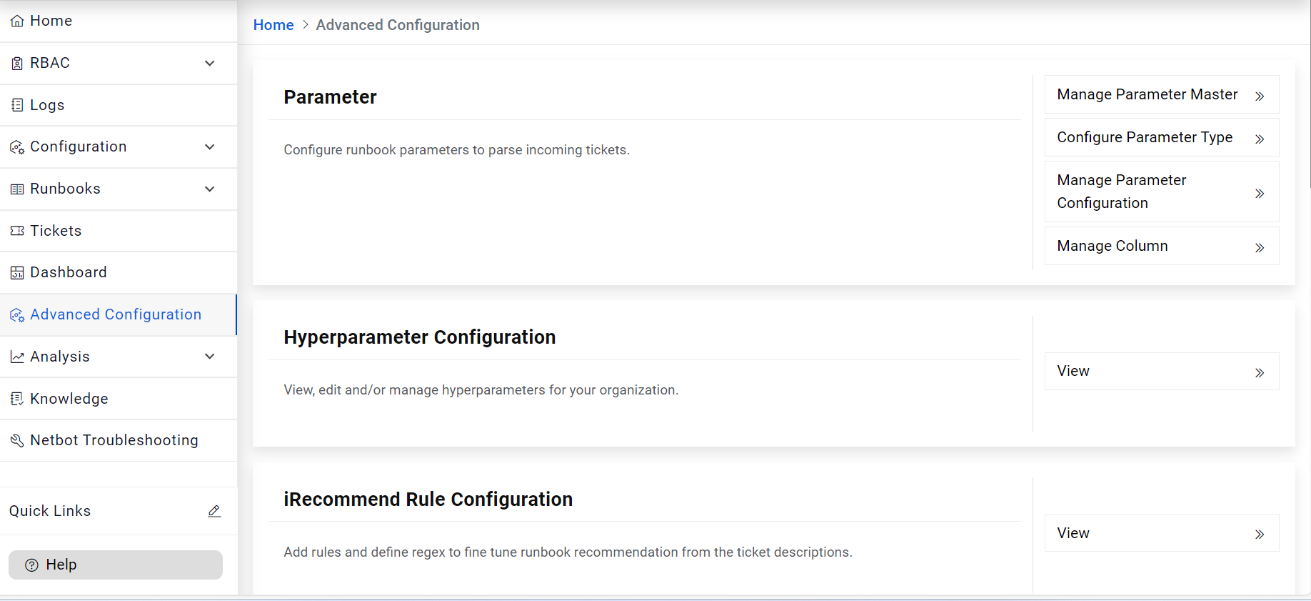
- Select Organization Name and Module.
- Select Table from the dropdown, select one of the options available from the Column.
Select the checkboxes Use For Parsing, Use For Recommendation as applicable for the selected
column.
Figure 2. Manage Columns (Cont.) 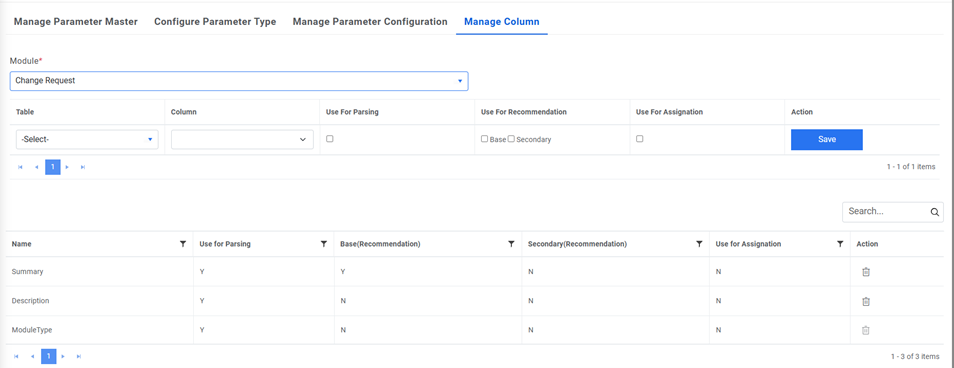 Note:
Note:Table details are dependent on the Module and Column details are dependent on the Table.
- Click Save.
- Follow the steps mentioned above for all the applicable columns.