
Test the Connection
To test the connection, perform the following steps:
Note:
Python 3.10.11 should be present. You should also have the iAutomate
installer package as it contains some resources to be used in subsequent steps.
- Download and extract the folder named, Resources.zip from Prerequisites path.
- Open the Command Prompt as Administrator mode, navigate to path inside the extracted folder “Resources mongodb_prereqs mongodb_batchfile_utils”, you can locate the file named mongodb_utils.bat which installs required libraries.
- Execute the bat file.
Figure 1. Enable Authentication 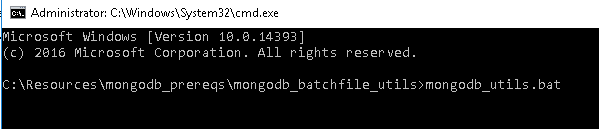
- Open the Command Prompt as Administrator mode. Navigate to path inside the
extracted folder “Resources > mongodb_prereqs > mongodb_check_connection_utils”, you
can locate the file named mongo_connection_community_Non-HA.py which is used to test
the mongo
connection
cd <folder path> - Execute the code by using the following
command.
python <file_name.py> <ip address>:<port> <user> <pwd>
eg: python mongo_connection_community_Non-HA.py 10.1.x.x:27017 <username> <password>
<ip address> - IP address where mongo installation is done
<port> - port mentioned in mongod.cfg usually defaults to port 27017
<user> - username given in db.createUser method
<pwd> - password given using db.createUser method
If file executes without any error, then we will get a “Connection to Mongo Database successful" message.