
Enable BigFix KEV Content Pack Site for MacOS
Learn how to enable the Known Exploited Vulnerabilities (KEV) Content Pack and subscribe computers to the MacOS site.
Procedure
- In the License Overview Dashboard, navigate to the Vulnerability Add On domain.
-
In the site list, find the MacOS site and click
Enable. The site gets enabled.
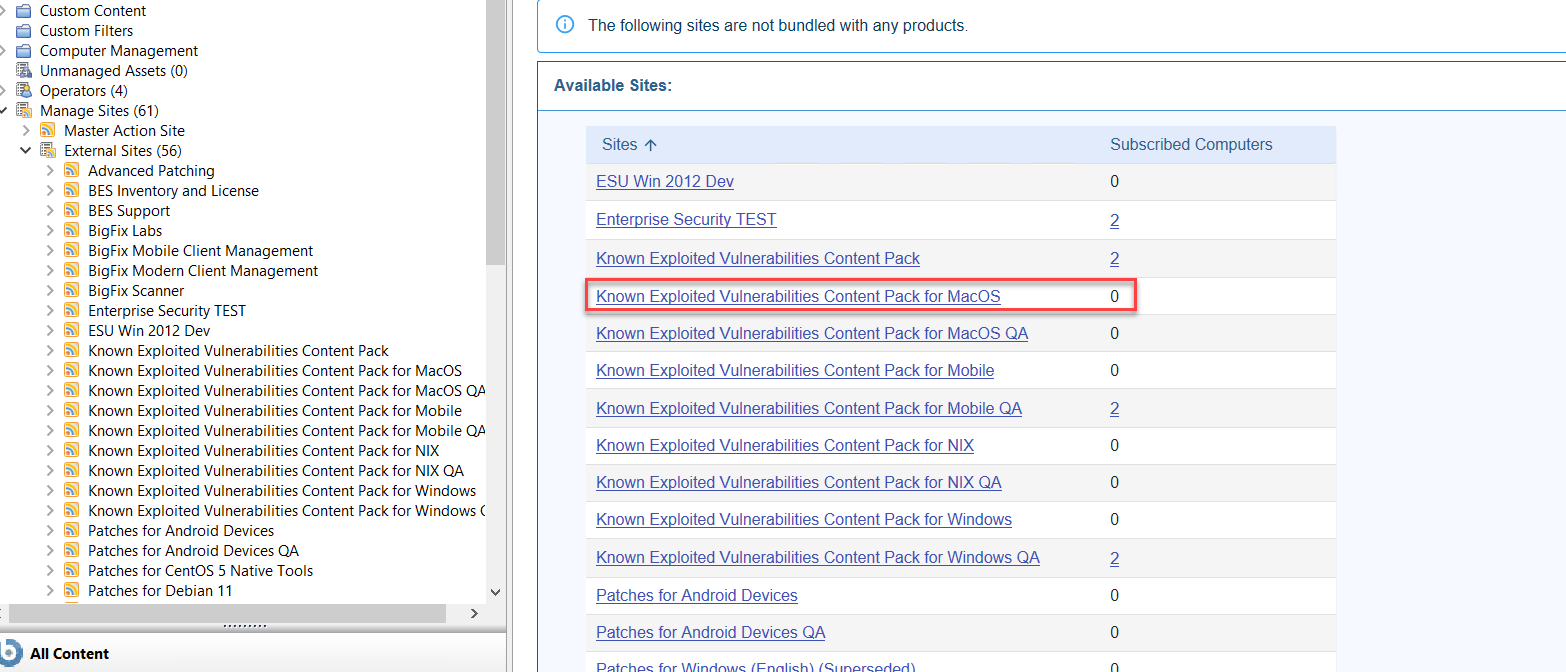
- To subscribe computers to the MacOS site, click the site name.
-
In the Computer Subscriptions tab, choose which subset
of your BigFix client computers you want to
subscribe to this site. Select one of the following options:
- All Computers. Select this option to automatically subscribe all Clients to the MacOS site.
- No Computers. Select this option if you are not yet ready to subscribe any computers.
- Computers which match the condition below. Select this option to describe a set of criteria that must all evaluate to TRUE before a BigFix client is subscribed. From the drop-down menu, you can select from dozen of properties to test for inclusion.