
KEV Scanner Policy Action Management
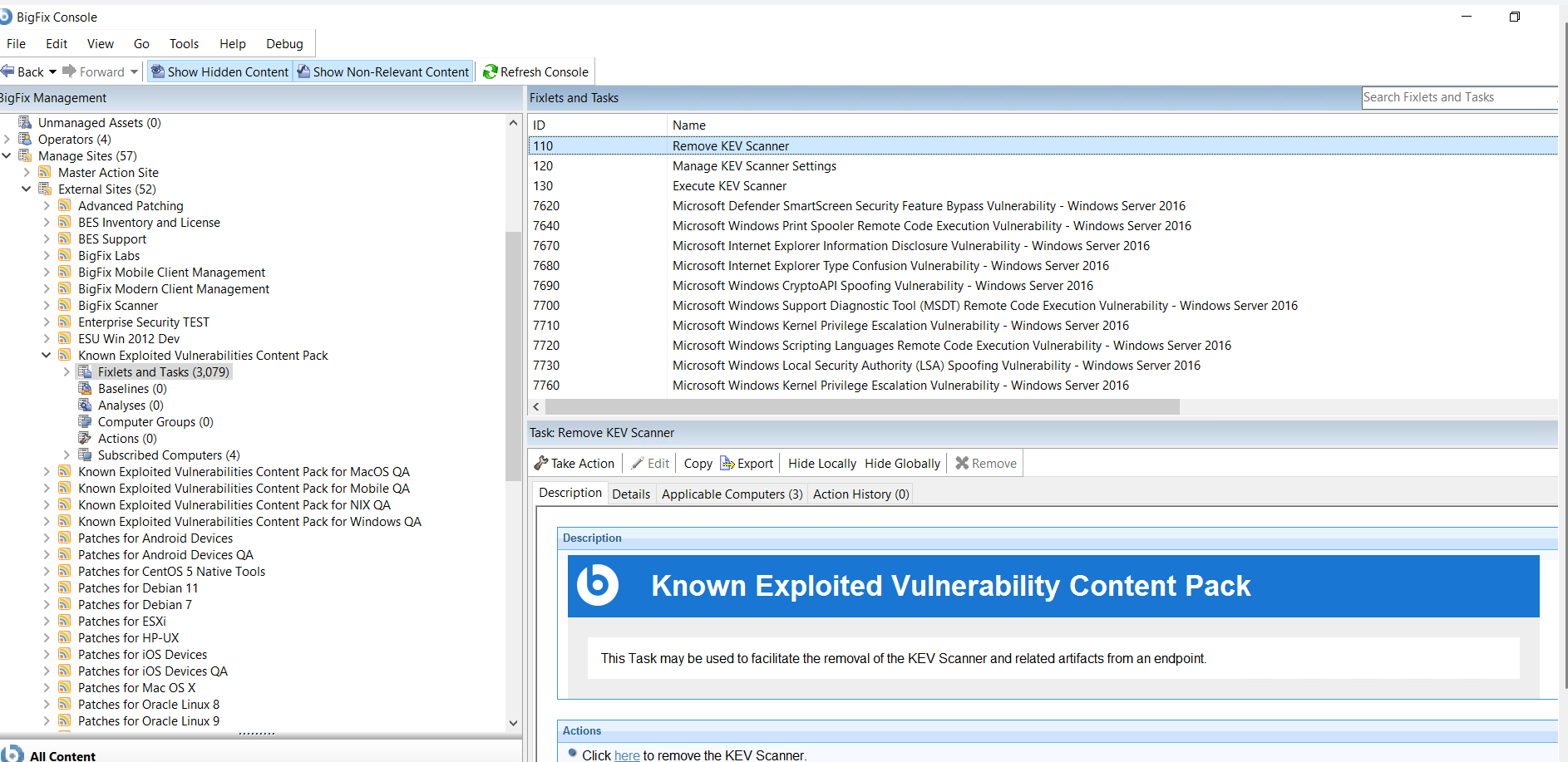
BigFix provides four utility tasks to facilitate the deployment, execution, and configuration of the Known Exploited Vulnerabilities (KEV) Scanner. The KEV Scanner is necessary to identify certain CVEs (for more details on which CVEs require the KEV Scanner, refer to BigFix Forum at Known Exploited Vulnerabilities Content Pack).
From the KEV Scanner's perspective, the tool provides a centralized management interface where you can configure scanning on different platforms, like Windows and NIX. Both Windows and NIX support similar configuration so KEV Scanner offers flexibility in configuration, ensuring smooth operation, and consistency in vulnerability scanning and system compliance checks across all devices.
- Task 100: Deploy KEV Scanner. This task is used to produce a policy
action to deploy the KEV Scanner on endpoints in your
environment.Note: Task 100: Deploy KEV Scanner has been decommissioned in the new Known Exploited Vulnerabilities Content Pack sites. Post migration, the scanner is deployed using Task 103: Install or upgrade Scanner from the BigFix Scanner site.
- Task 110: Remove KEV Scanner. This task is used to remove the KEV Scanner and any artifacts on an endpoint.
- Task 120: Manage KEV Scanner Settings. This task is used to manage settings on an endpoint, where the KEV Scanner is deployed.
- Task 130: Execute KEV Scanner. This task is used to periodically execute
the KEV Scanner on the
endpoint.Note: Once the scanner is deployed, it can be executed using Task 130: Execute KEV Scanner in the Known Exploited Vulnerabilities Content Pack for Windows and Known Exploited Vulnerabilities Content Pack for NIX sites.
KEV_Deny client setting with the value as 1
on that device. For more information on client settings and how to apply them, refer
to List of settings and detailed
descriptions.Included Directory Paths/Excluded Directory Paths
These are path wildcards that can be leveraged to direct the scanner on where or where not to search. These wildcard paths may leverage environment variables, ? for signal character matching, and * for zero or more character matching.
-
CPU Throttling Threshold
- This setting limits the CPU Utilization of the scanner on the endpoint to roughly a certain percentage of the CPU.
- Default: 100