
Step 1. Configure SAML from the MCM WebUI
To configure SAML Authentication for MCM using PingFederate, follow these steps:
About this task
Procedure
-
Navigate to the WebUI:
- Go to Admin → MDM Servers → Manage Capability
- Enable Identity Service Configuration and select
the option PingDirectory
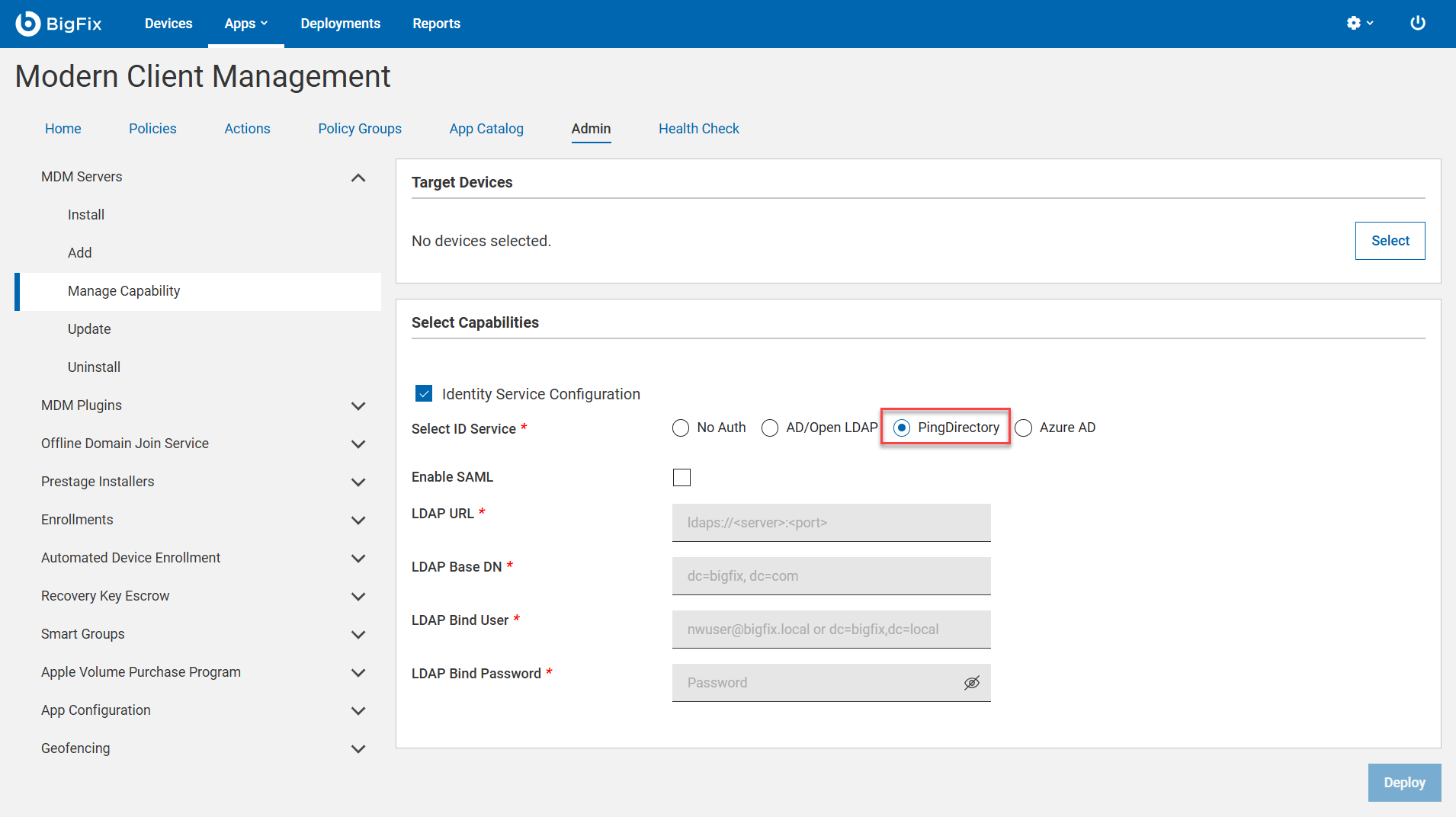
-
Fill in the required fields:
- Enable SAML: Check this box to enable SAML authentication.
- SAML Credentials (Upload): Upload the
saml_credentials.jsonfile containing theissuerandsignOnUrlvalues. - SAML Identity Provider Certificate (Upload): Upload the
IDP_CERT.certfile downloaded from PingFederate. - LDAP URL*: Provide the LDAP server URL in the format
ldaps://<server>:<port>.- Example:
ldaps://ldap.bigfix.com:636
- Example:
- LDAP Base DN*: Specify the base distinguished name (DN) for LDAP
queries.
- Example:
dc=bigfix,dc=com
- Example:
- LDAP Bind User*: Enter the LDAP bind user in one of the following
formats:
nwuser@bigfix.localcn=admin,dc=bigfix,dc=com
- LDAP Bind Password*: Provide the password for the LDAP bind user.
-
Save the Configuration:
- Click Save to apply the settings.