
Troubleshooting LDAP connectivity issues
Troubleshoot the LDAP connectivity issues.
About this task
Procedure
- Log in to BigFix Inventory as a non-LDAP user.
-
Go to , select the directory server, and then click Test Connection. If a
"connect error" message is displayed, or if an error message states that the current
certificate is not trusted but the displayed subject common name and
fingerprint fields are empty, go to
<INSTALL_DIR>/wlp/usr/servers/server1/logs and review the
tema.logfile for additional information.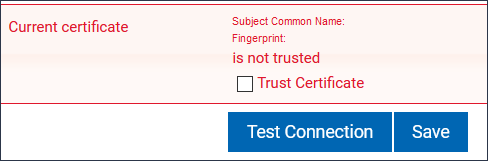
-
If the logs do not provide enough information to resolve the issue, add the following
lines to the
jvm.optionsfile and restart BigFix Inventory:-Dcom.unboundid.util.SSLUtil.defaultSSLProtocol=TLSV1.2 -Dcom.unboundid.util.SSLUtil.enabledSSLProtocols=TLSV1.2 - Accept the current certificate and save the certificate only if the displayed subject common name and fingerprint fields are not empty and contain valid values.