On successful gathering of the applicable Tasks and Analyses from the content server, you
must deploy those Tasks and activate those analyses to make them visible in the BigFix Console.
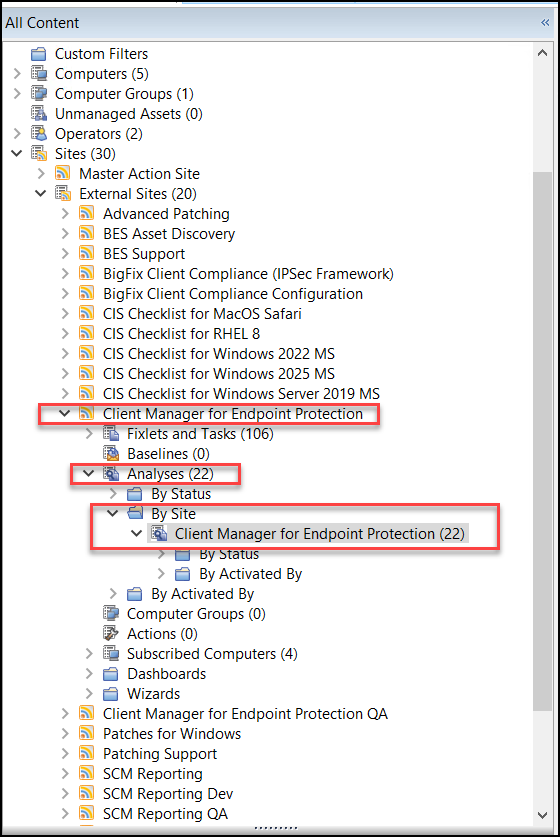
Start by viewing the All Endpoint Protection node in the navigation tree.
Click Analyses, and then click By Site and
select Client Manager for Endpoint Protection. The corresponding
number in parentheses indicates how many analyses are available and applicable to the
CMEP site.
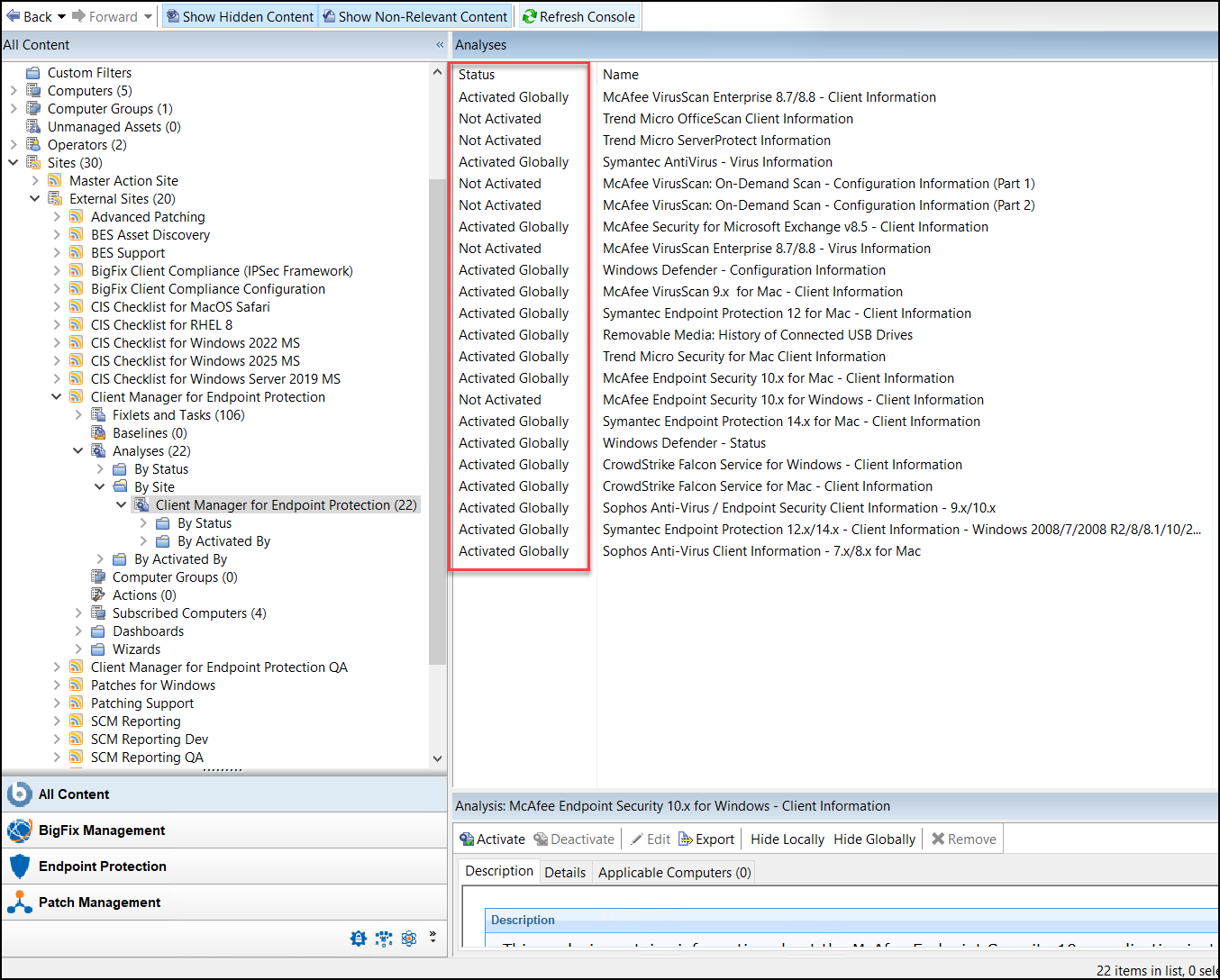
Click Client Manager for Endpoint Protection to display the list of
related Analyses in the window.
This is a composite view:
To activate a number of analyses at the same time, highlight the list of analyses and select
Activate from the right-click menu. Enter your Private Key
Password.
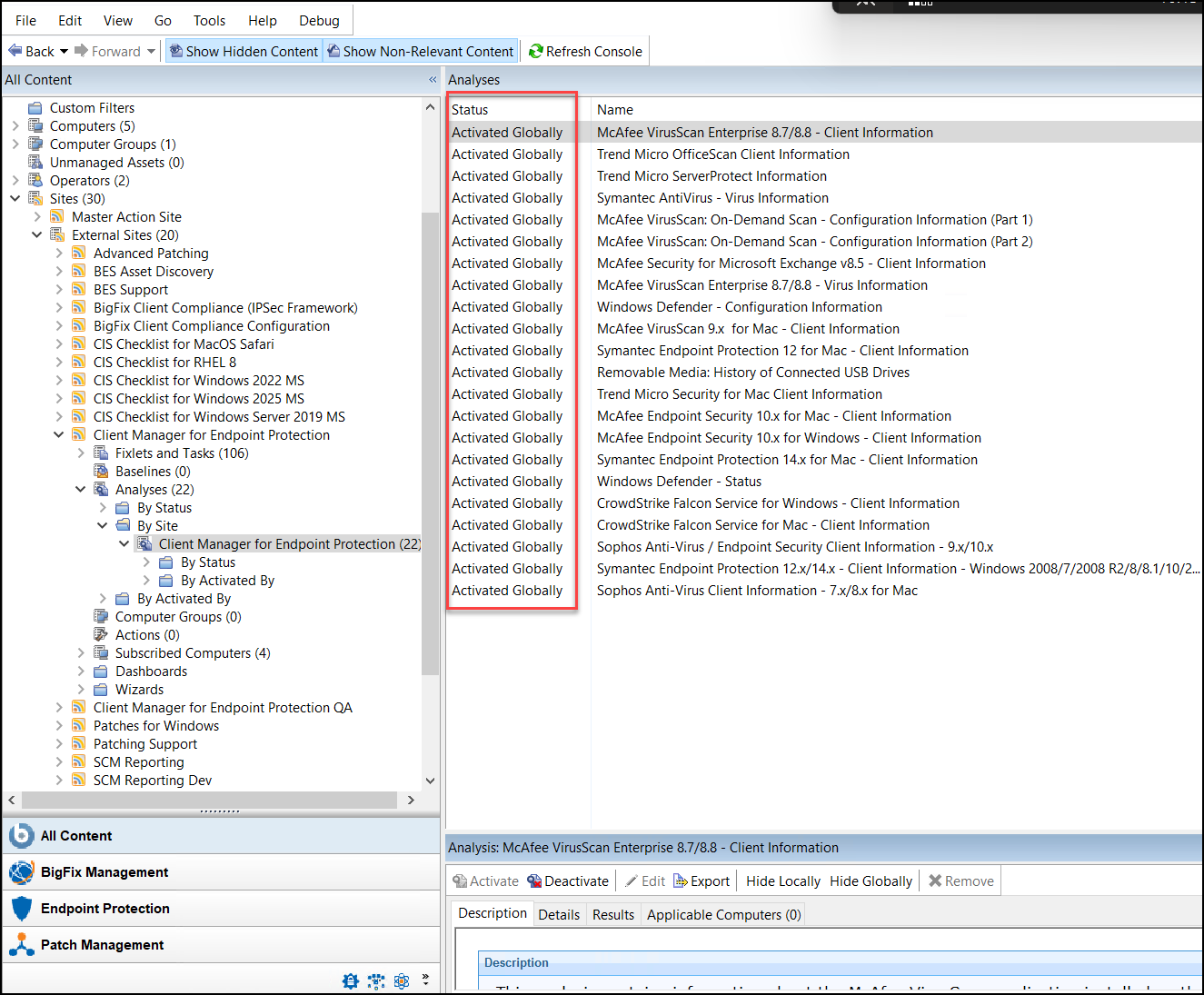
After all analyses have been activated, they display with an Activated status in the
window: