
Registering endpoints to repositories
Register and connect your repositories to endpoints with the Ubuntu/Debian Custom Repository Management dashboard.
Before you begin
You must deploy the following task and activate the analysis which can be found in the Patching Support site.
- Analysis: Repository Configuration - Ubuntu/Debian
- Task: Enable custom repository support - Debian
Procedure
- From the All Content domain, go to .
- From the Endpoints tab, select the endpoint on which you want to register a repository.
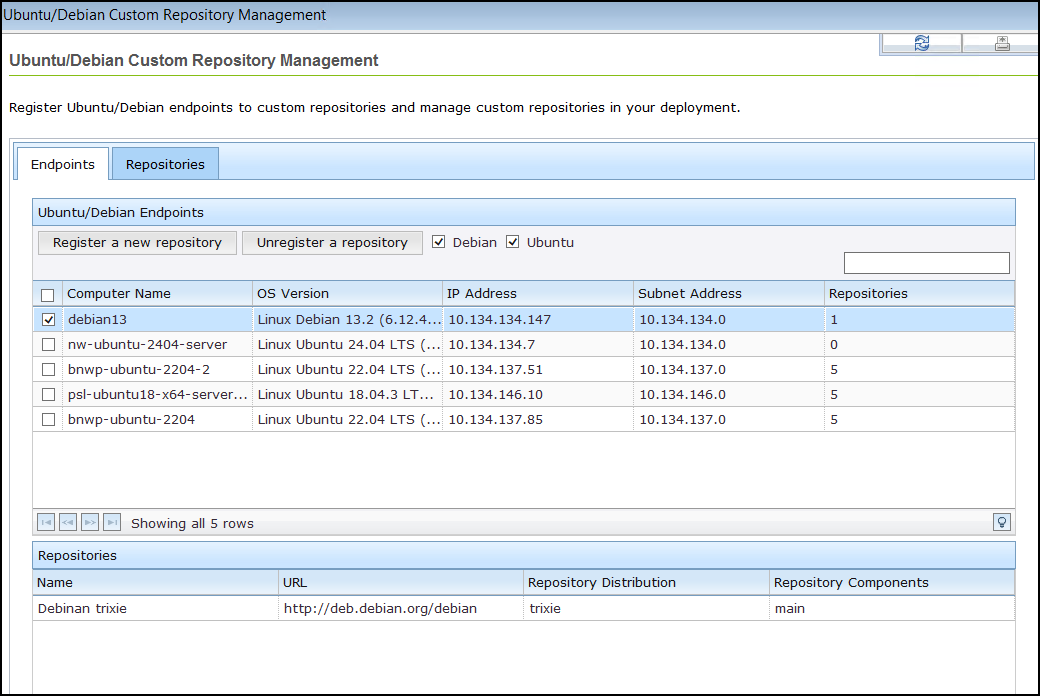
- Click Register a new repository. The repositories of the selected endpoints are listed in the lower part of the window. When a repository is named as unspecified, it means that it is not listed in the Repository list.
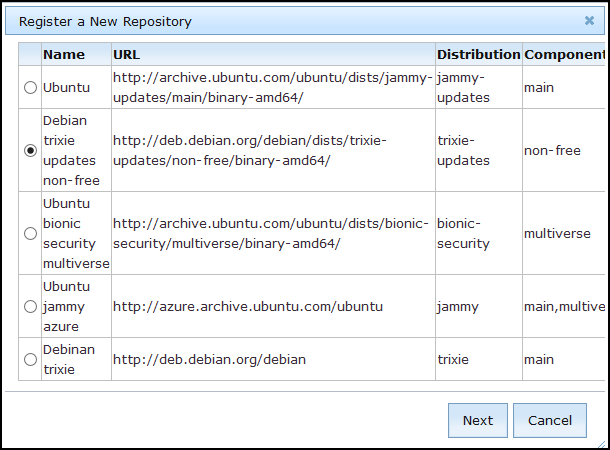
- From the Register a New Repository window, select the repository then click Next.
- The next window shows the name, URL, and distribution of the repository that you are registering. Enter the repository components. Use spaces to separate multiple components. You can also place additional fields.
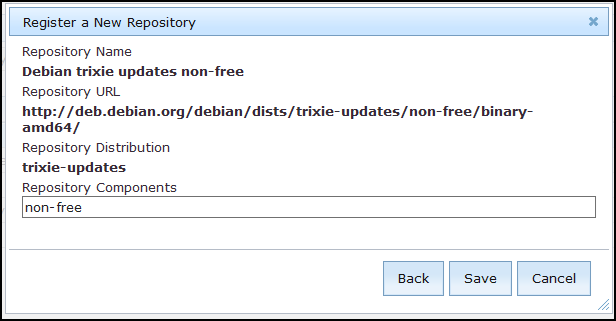
- Click Save.
- From the Take Action window, select the computer and click OK to run the action.