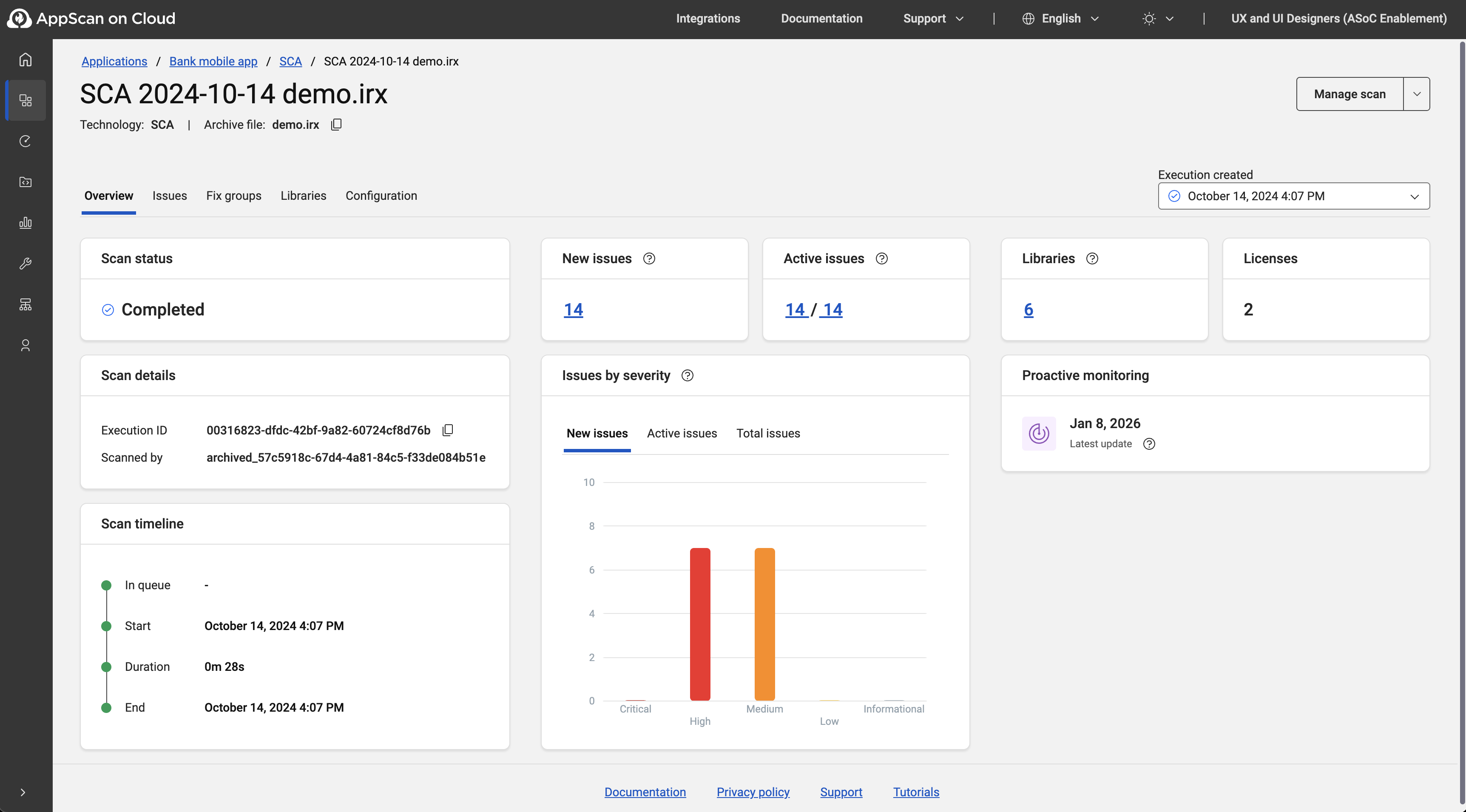
Proactive monitoring
Software Composition Analysis (SCA) scans can be monitored continuously for the presence newly published CVEs. Proactive scanning can be applied to new scans and to existing scans. When proactive monitoring is enabled, AppScan on Cloud checks for new vulnerabilities every 24 hours.
SCA sources include the most popular security vulnerability databases (NVD, GitHub advisory, Microsoft MSRC), and a wide range of lesser-known security advisories and open source project issue trackers. SCA is updated daily. These regular updates can be applied to existing scans as well as to new scans. Monitoring existing scans for vulnerabilities listed in SCA database updates does not count against your subscription.
Proactive monitoring is enabled by default when you configure an SCA scan using the scan wizard.
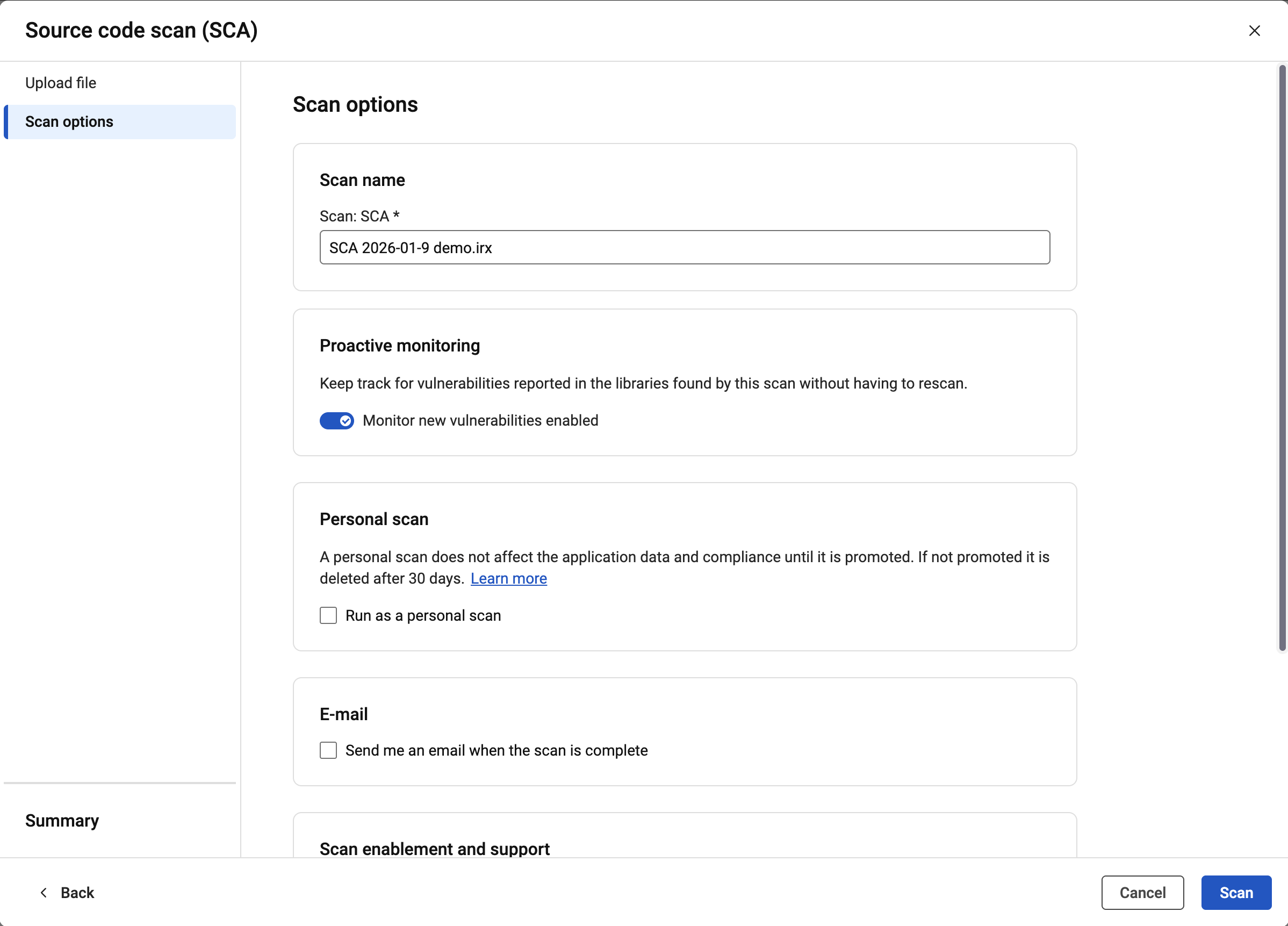
If you do not want proactive monitoring applied to a new scan, toggle the option under Scan options.
- Either:
- From Scans and sessions, right-click
the vertical three-dot menu
 for a scan entry and select Proactive
monitoring.
for a scan entry and select Proactive
monitoring.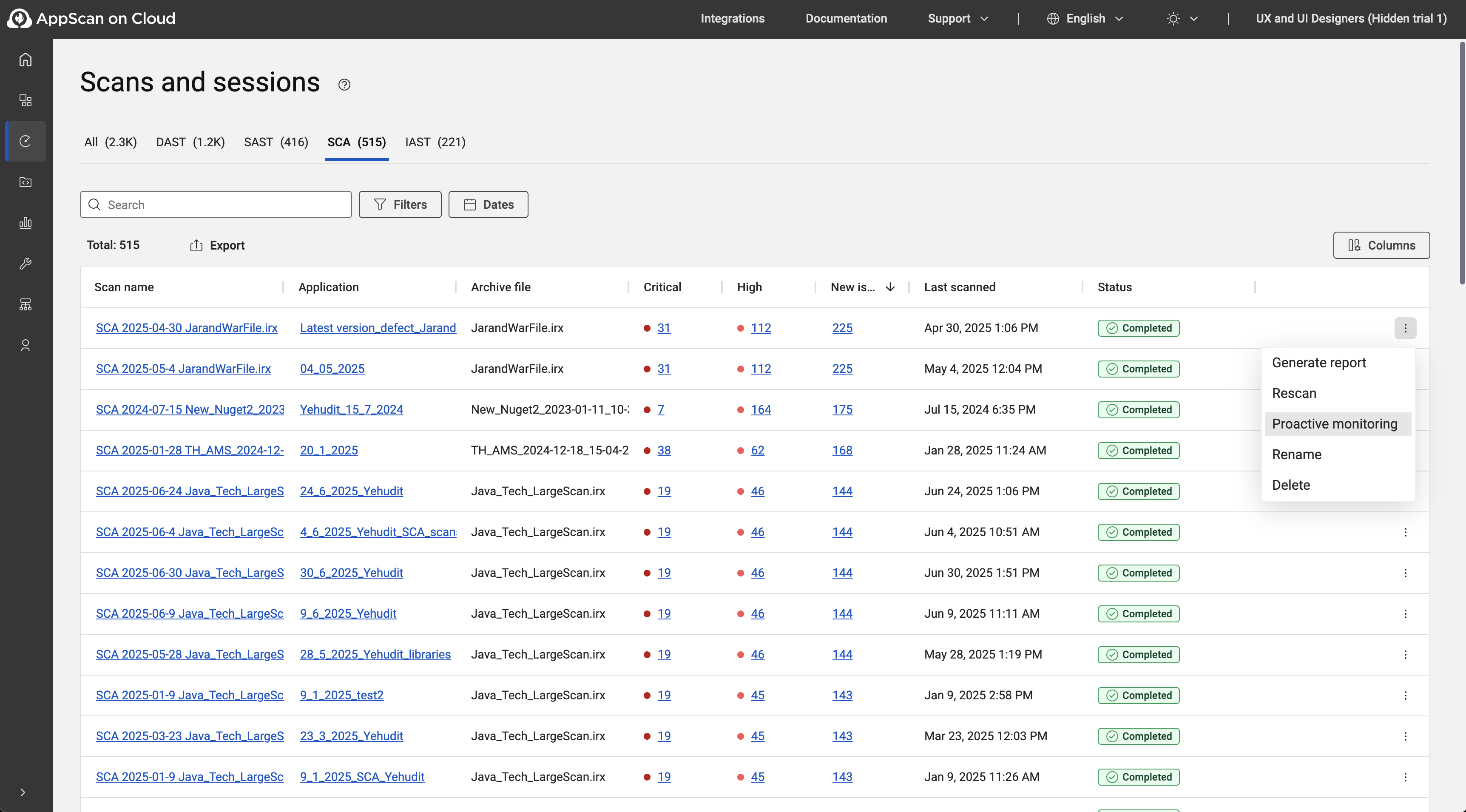
- From the Single scan view for a scan,
select .
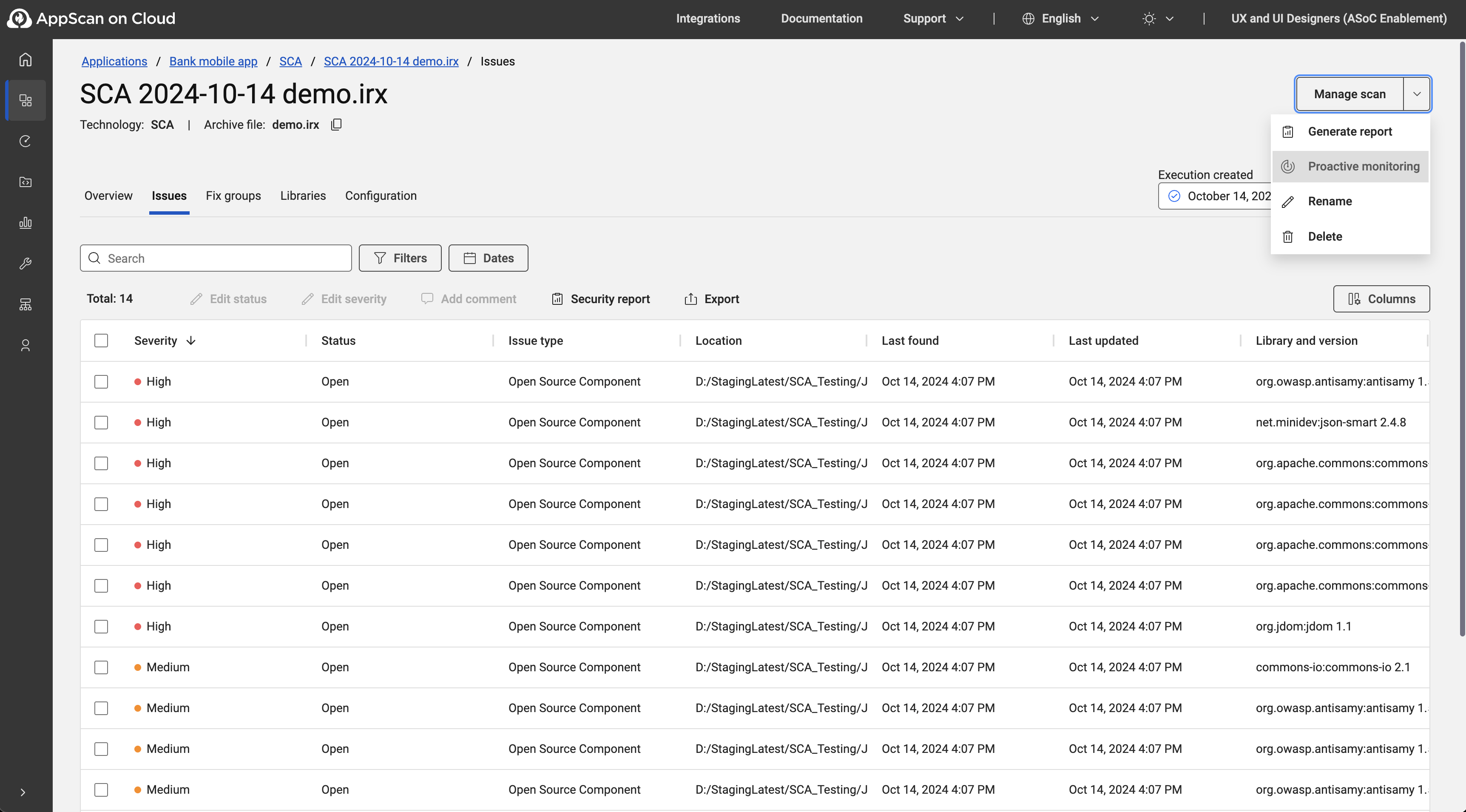
- From Scans and sessions, right-click
the vertical three-dot menu
- At the Proactive monitoring dialog, enable or disable monitoring using the
toggle.
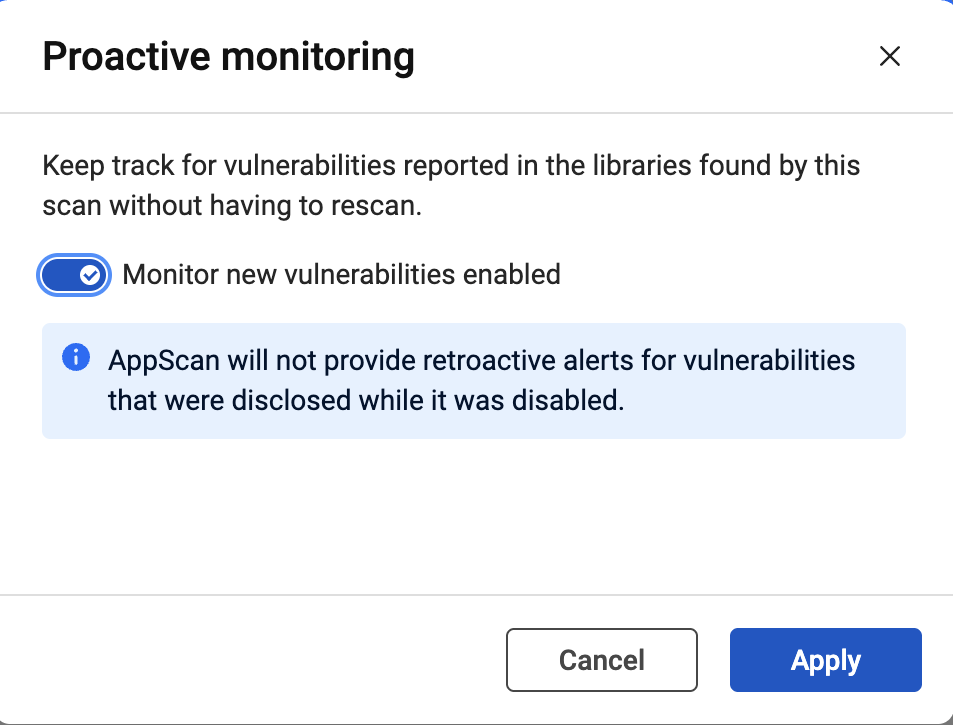
- Click Apply.