
Noise Maintenance
Noise maintenance" refers to the ongoing process of managing and reducing the amount of irrelevant or non-actionable events, alerts, or data generated by monitoring and detection systems. Noise, in this context, represents information that does not contribute to meaningful insights or indicate significant issues. Reducing noise is crucial for optimizing the efficiency of actionable detection, analysis, and resolution.
- “Noise Maintenance Window" refers to a specific time-frame or scheduled period during which fine-tuning activities are performed to manage and reduce the noise generated by the monitoring and alerting systems.
- This window allows IT teams to proactively address the issues related to false positives, irrelevant alerts, or unnecessary noise in the event data.
- This section enables users to define rules for filtering out events data at the beginning of event data processing. Users can perform actions based on their role.
- Admin can see all the previously created noise rules by clicking on customer edit
action button 🡪 Noise/Maintenance Window.
Figure 1. Noise Maintenance 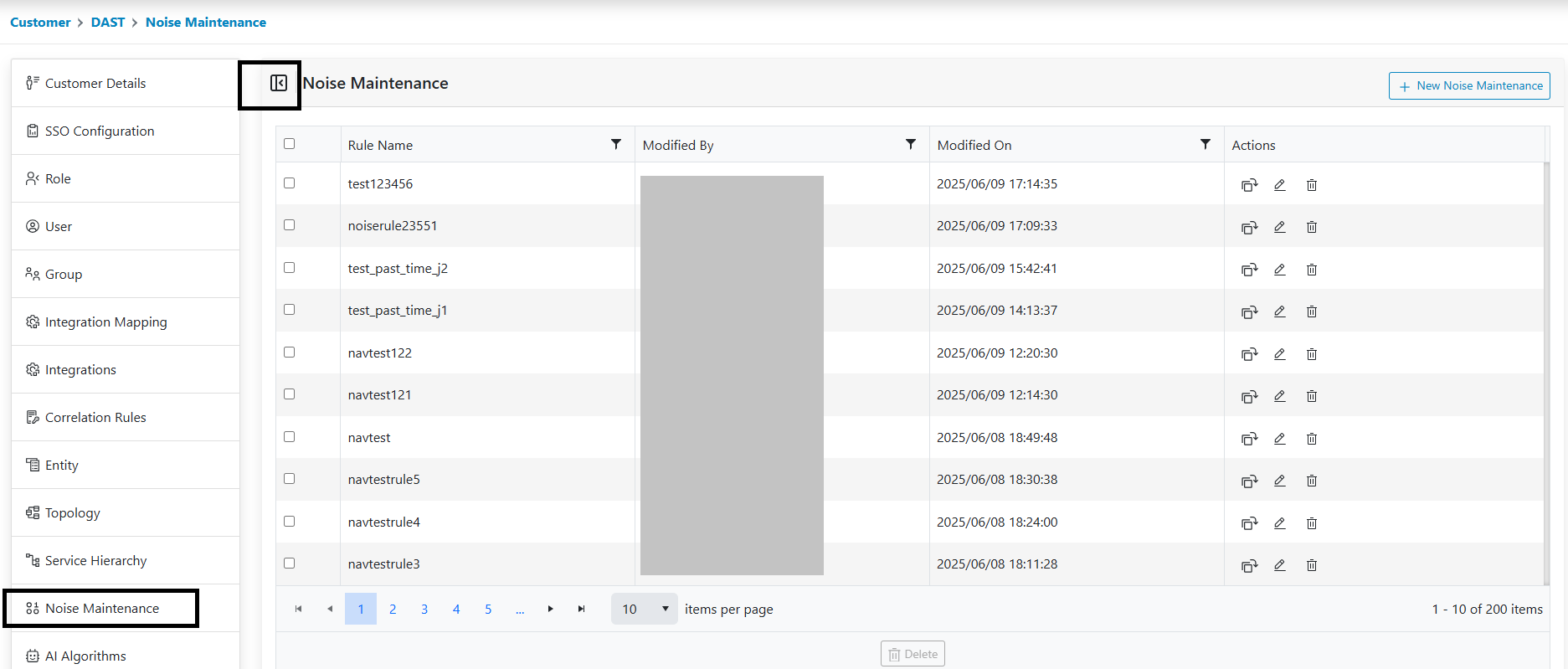
A user can perform the following actions:
- Add Noise
- Edit Noise
- Delete Noise
- Apply Filters
- Clone Noise
Note:
Rules can be created from the Entity screen. Please refer to
the
IEM Configuration Guide
🡪
Entity
section. These rules are prefixed with the action i.e., whether it is a Noise, or a
Maintenance configuration followed with the Entity name. From the screen the user can create a
rule-based entity id only.