
Upgradation Procedure
- Stop all the services created using Apache. You can find them by looking at the description pane of the service.
- The description would start with “Apache/2.4….”.
(e.g., “HCL.iAutomate.EntityModel”, “HCL.iAutomate.iCrawler”, “HCL.iAutomate.iKnowledge”, “HCL.iAutomate.iKnowledgeIndexer”, “HCL.iAutomate.iKnowledgeScreen”, “HCL.iAutomate.iKnowledgeSearch”, “HCL.iAutomate.iParse”, “HCL.iAutomate.iRecommend”, “HCL.iAutomate.iScript” , “HCL.iAutomate.iUnique”, “HCL.iAutomate.RatingMongo”).
Figure 1. NLTK Package Upgradation 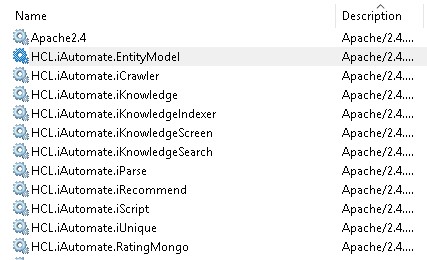
- Go to “C:\” in the file explorer. Take backup of the previous version by renaming the folder from “nltk_data” to “nltk_data_Old”.
- Extract the downloaded Zip file named “nltk_data.zip” mentioned in step 1.Note:Make sure nltk_data folder contains multiple files and folders not another folder named nltk_data
- Open the extracted folder and COPY the nltk_data folder to the desired location.
- e.g.: C:\nltk_data
Figure 2. NLTK Package Upgradation (Cont.) 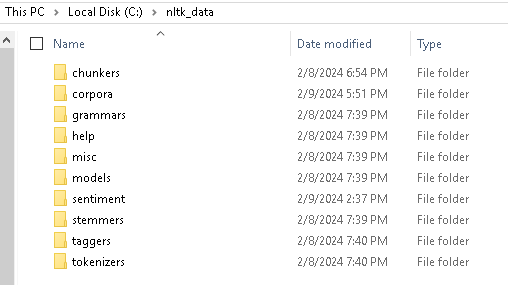 Note:Before restarting all the services, Upgrade the Apache and start the services.