
Installation Procedure
- Download the file python-3.10.11-amd64.exe and python_prereq.zip from the Path mentioned in the source field of Python Details.
- For installation, double click on python-3.10.11-amd64.exe file.
- Select all checkboxes and click on customize installation.
Figure 1. Python Installation 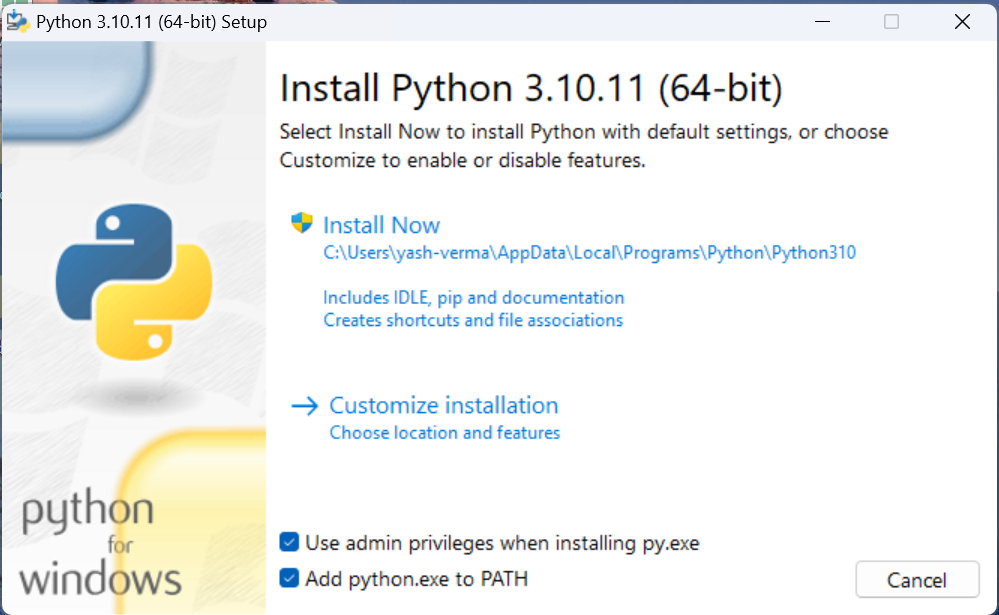
- Leave everything as it is and click Next.
Figure 2. Python Installation (Cont.) 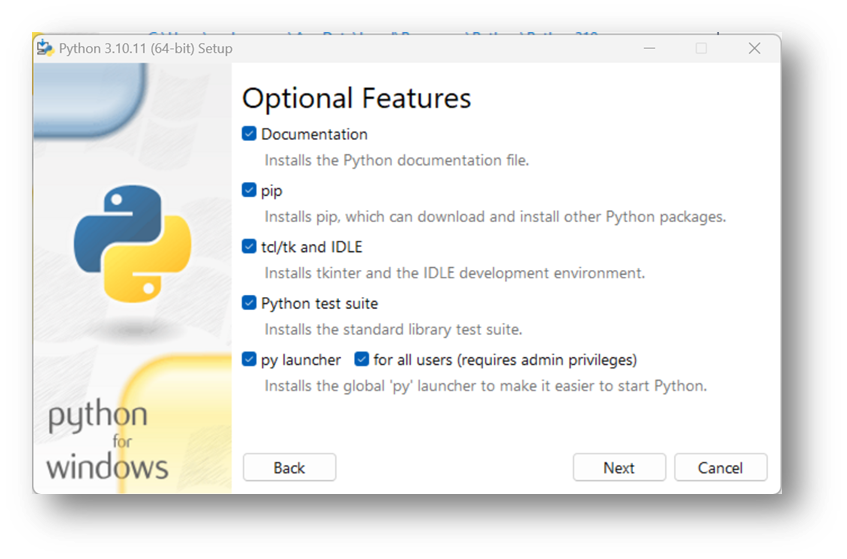
- Select all checkboxes except last two and change the path to desired directory for e.g.: -
C:\Python310 and click on Install.
Figure 3. Python Installation (Cont.) 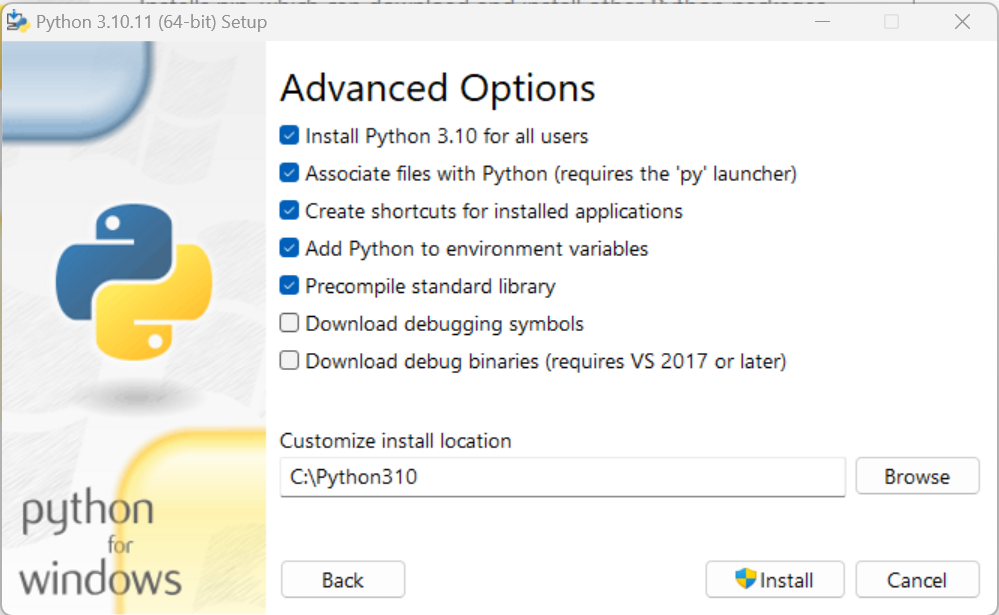
- Now the installation will be in progress as below:
Figure 4. Python Installation (Cont.) 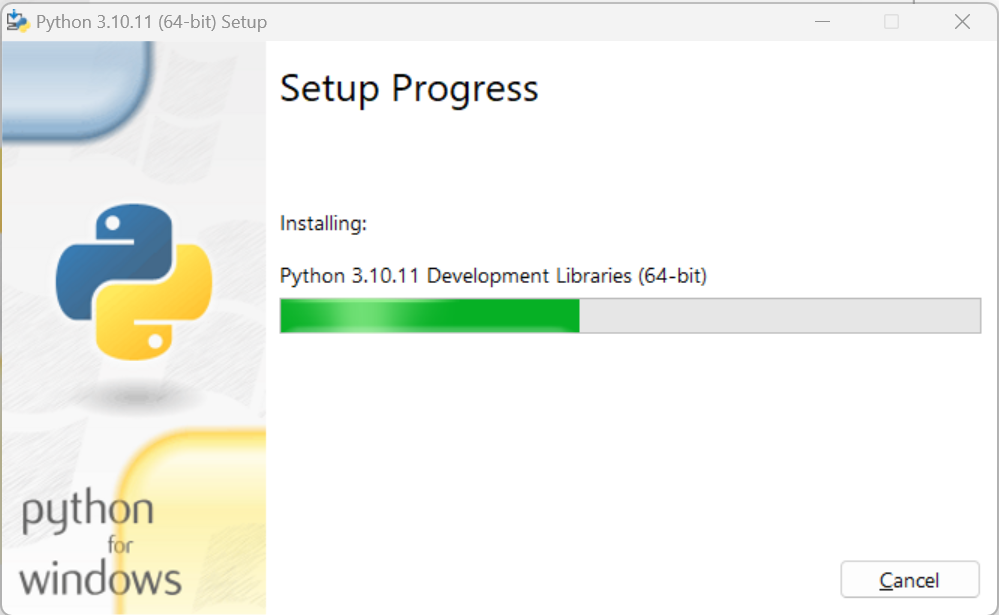 Note:The system environment variable PYTHON_HOME needs to be set with the path mentioned while installing python in field “Customize install location”, For e.g.: C:\Python310 .
 - Go to Control Panel System and Security System Advanced System Settings.
- Click Environment Variables. A new dialog box appears.
- Select Path in the System Variables and add the respective path.
- Add below paths to system variable
Path
C:\Python310
C:\Python310\Scripts
Figure 5. Python Installation (Cont.)  Note:Please ensure the path added to PYTHON_PATH and Path variable don’t have ‘\’ appended at the end.
 - To evaluate the successful installation of Python, perform
the following steps:
- Open the Command Prompt as Administrator, type
python and press Enter.
Figure 6. Python Shell 
- If Python installation is successful, the Python Version will be displayed. If Python
installation was not successful, then the below screen is displayed.
Figure 7. Command window- Unsuccessful installation of Python 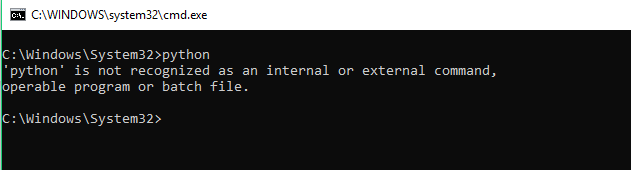
- After installation, unzip the file “python_prereq.zip” downloaded from the Path
mentioned in the source field of the above table. Paste the contents of the unzipped
folder named “python_prereq” to the Path: C:\Python310\Lib\site-packages.Note:
Please ensure to copy the files inside the folder python_prereq to path C:\Python38\Lib\site-packages.
Please take the new python prerequisites like nltk_data, Apache24, OpenSSL, Java, Solr, MongoDB etc. from the pre-requites folder as these have been upgraded.
- Open the Command Prompt as Administrator, type
python and press Enter.