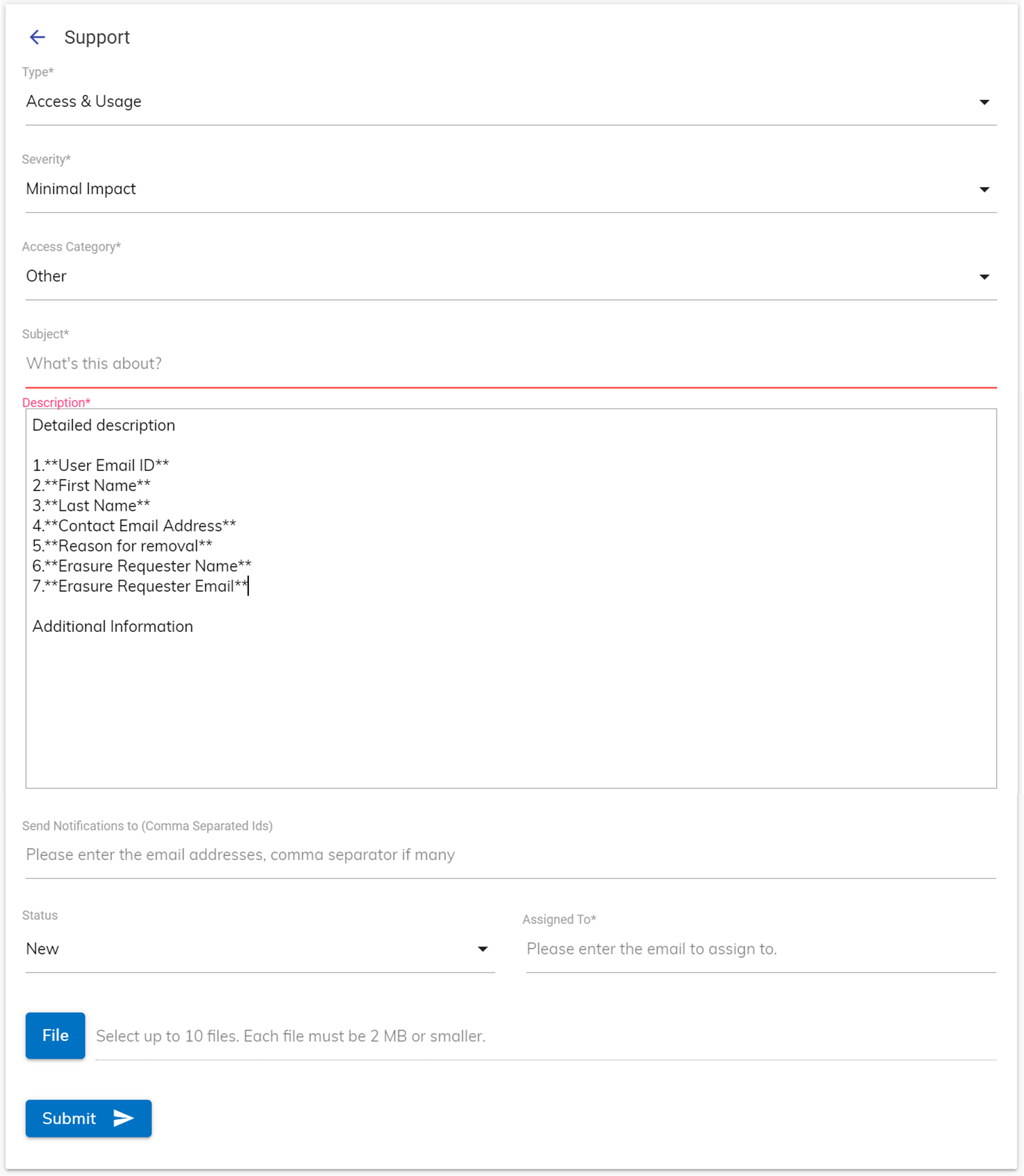
Data Erasure Request
To raise request for personal data deletion, an organization’s BigFix AEX administrator can raise data erasure request in the global admin console for a particular tenant on the behalf of a user. The following steps illustrate the process of raising such a request
- Log on to Global Admin Console.
Figure 1. Data Retention Configuration 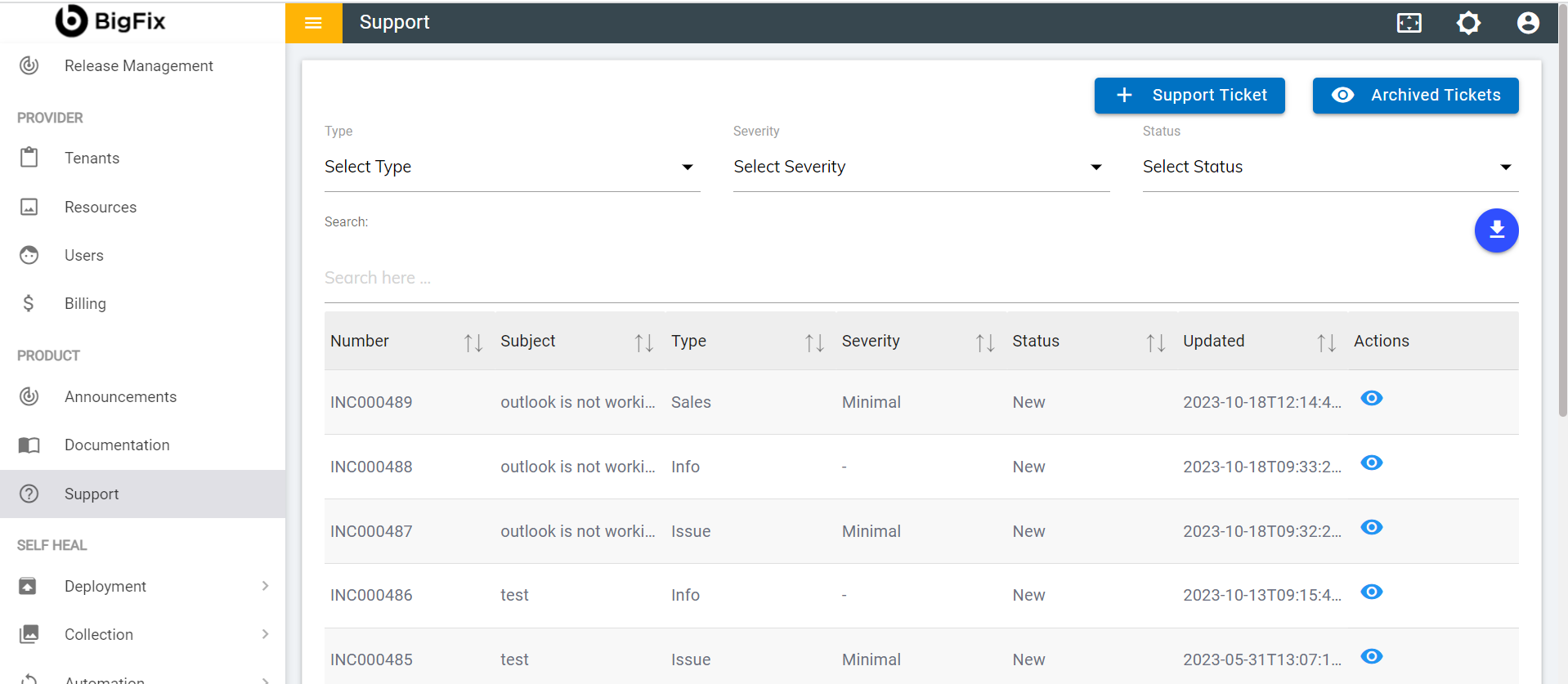
- Click on Support Ticket button to raise a new personal data deletion request.
Figure 2. New Support Request for Data Erasure .png)
- Once the support page opens, choose the support type as Access & Usage from the
drop-down menu.
Figure 3. Access & Usage Request in Support Menu 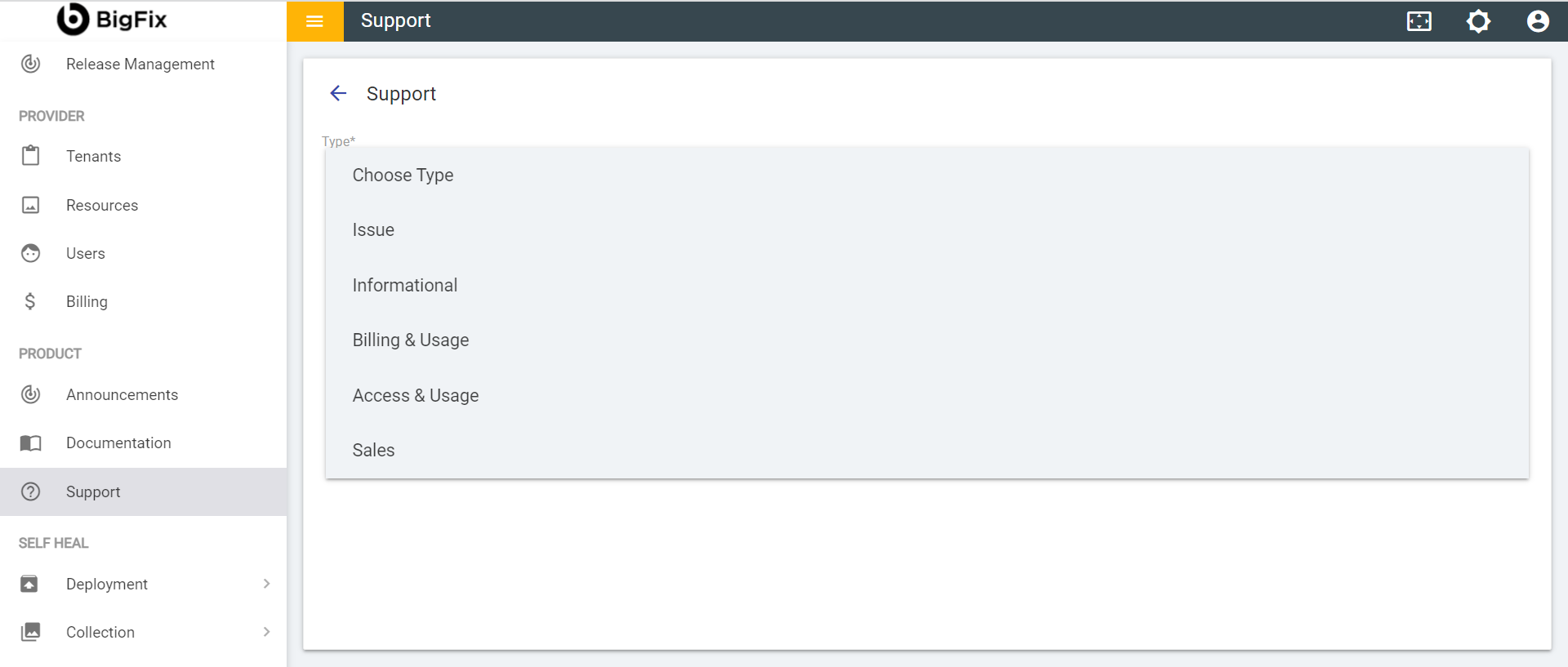
- On selecting Access & Usage the following fields will be visible:
Figure 4. Data Erasure Request