
Device Array Selection window
About this task
To create a device array:
Procedure
-
Click Device in the Load
Job window.
The Device Array Selection window appears, as the following figure shows.
Figure 1. The Device Array Selection window 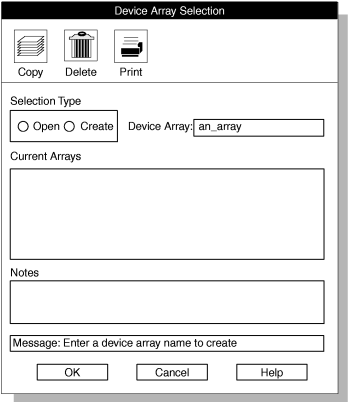
- Click Create in the Selection Type group.
-
Select a name for the device array and type it in the Device
Array text box.
This example uses an_array.
-
Click OK.
The Device-Array Definition window appears, as The Device-Array Definition window with one array item shows.