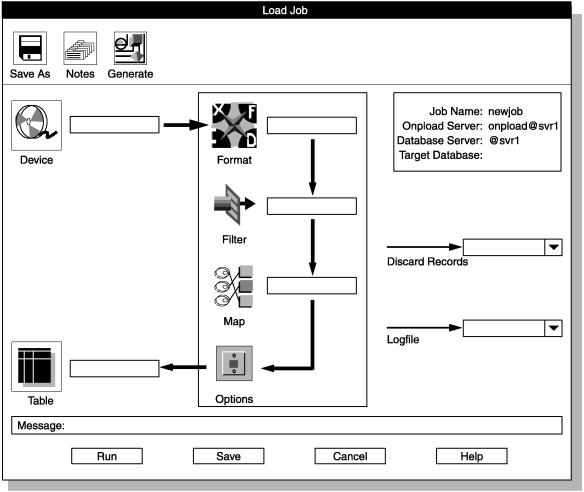
Load Job Select window
The data-load example takes records from /work/mydata and loads them into tab1 of the testdb database. To perform the load, you need to create a load job.
About this task
To create a load job:
Procedure
-
Choose from the HPL window.
The Load Job Select window appears, as the following figure shows.
Figure 1. The Load Job Select window 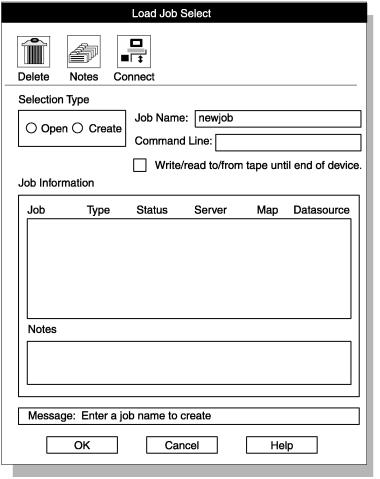
- Click Create in the Selection Type group.
-
Choose a name for the load job and type it in the Job
Name text box.
This example uses newjob.
-
Click OK.
The Load Job window appears, as the following figure shows.
Figure 2. The Load Job window