
Lesson 2: Customize value streams
In this lesson, you will learn to modify the default value stream map.
Before you begin
About this task
The value stream that you created in the last lesson contains the default phases and stages. The phases and stages abstractly represent a software development lifecycle. The generic workflow is easy to customize, and, after you modify it to reflect your development process, apply it to future value streams.
When you create a value stream, the first thing to identify is the phases. There are many ways to divide a workflow, of course. One approach is to start with the tools that your team uses. In the default value stream, the Planning phase is used for project management and issue tracking tools, such as Jira. The items created in this phase define the project, both its overall scope and its smallest details.
The Development phase is where work starts on the issues created in the Planning phase. Most work in this phase is associated with version or source control tools, such as Git.
During the Deployment phase, software source code is turned into deliverable artifacts and deployed. Work in this phase is associated with build tools such as IBM® DevOps Build, and Jenkins, and deployment tools, such as HCL DevOps Deploy (Deploy).
The default workflow is shown in Lesson 1.
In the helloWorld workflow, you will use the Planning and Development phases and modify their stages. In other tutorials, you will use the Development phase and manage work items from conception to final deployment.
To modify the tutorial value stream, complete the following steps:
Procedure
- On the Value Streams page, select the value stream that you created in the previous lesson.
-
Click Download Sample.
The sample-vsm.json file is downloaded to your computer. All value stream elements are defined in the JSON-type file.
-
Open the sample-vsm.json file in your text editor.
Phases are defined in the JSON
"phases"array. Each phase is defined by a separate array object. The default value stream phases arePlanning,Development, andDeployment. Each phase contains astagesarray where stages are defined. For example, the Planning phase contains theBacklogandQueuestages. -
In text editor, modify the names of the
phases: change
PlanningtoPLAN,DevelopmenttoDEVELOP, andDeploymenttoDEPLOY.In addition to renaming elements, you can add new phases and stages, or delete the default ones. In fact, you can completely customize the value stream to fit your development lifecycle. One thing to keep in mind is that the names you assign are used in the DQL queries that drive data through the value stream. -
In the Planning phase, change
QueuetoSelected for Development, and then save your file.The Plan phase in the JSON file should look like the following example: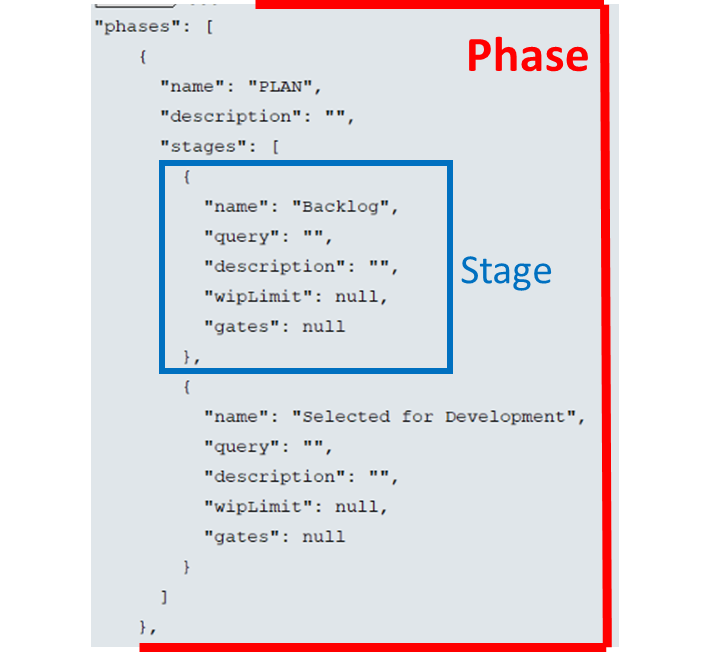
-
On the helloWorld value
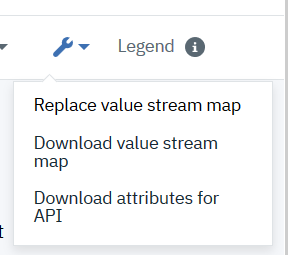
stream page, select , and then select the JSON file that
you modified.
-
Refresh the helloWorld
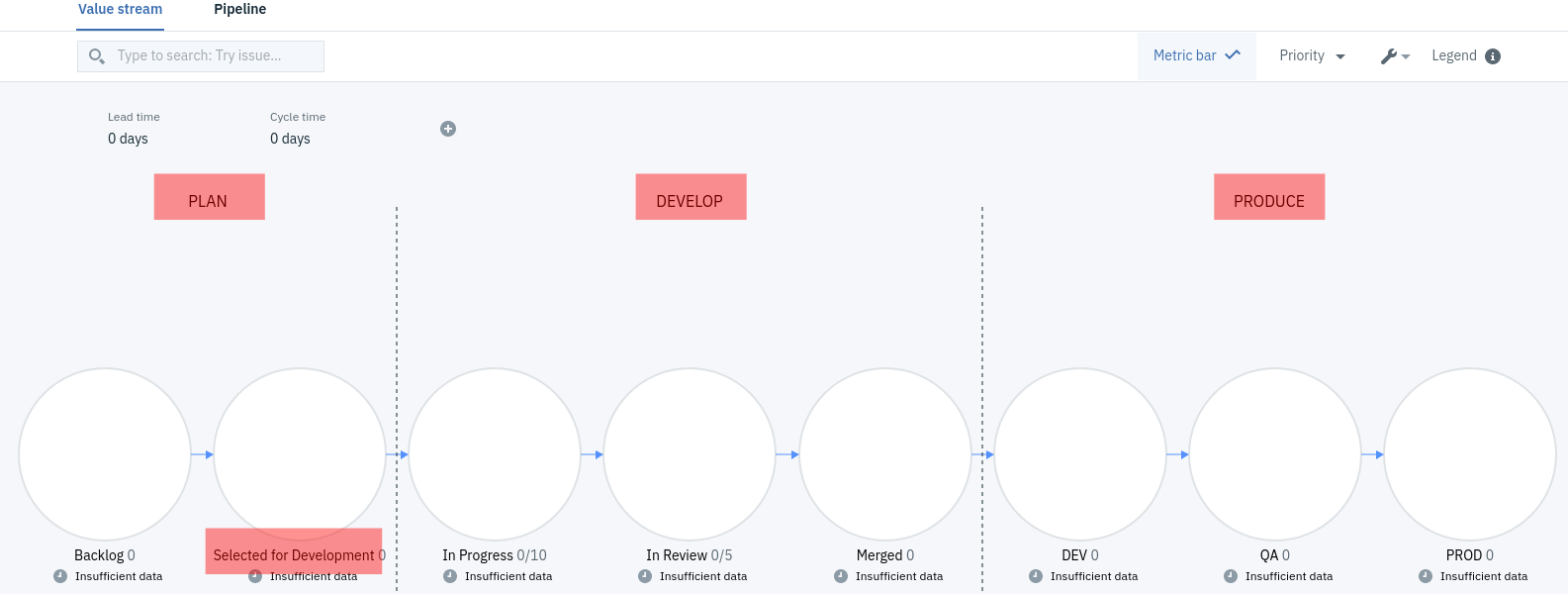
value stream page. The modified value stream
should look similar to the following
example:
Results
In this lesson, you modified the value stream by downloading and editing the value stream JSON file.