Migrating catalog entry properties to search rule actions or targets
Search rule actions and targets in the Management Center are enhanced to dynamically populate a list of catalog entry indexed properties. You must customize WebSphere Commerce Search when you are working with existing migrated search rule actions or targets.
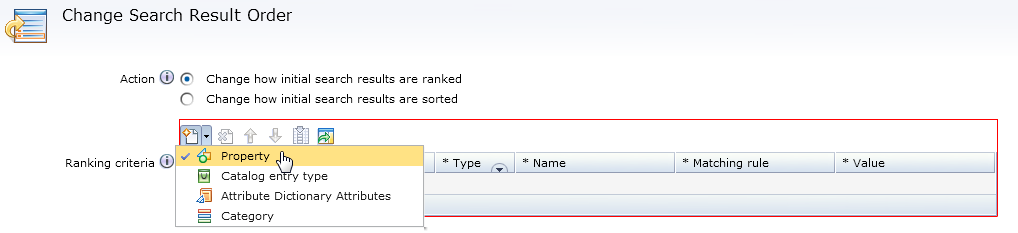
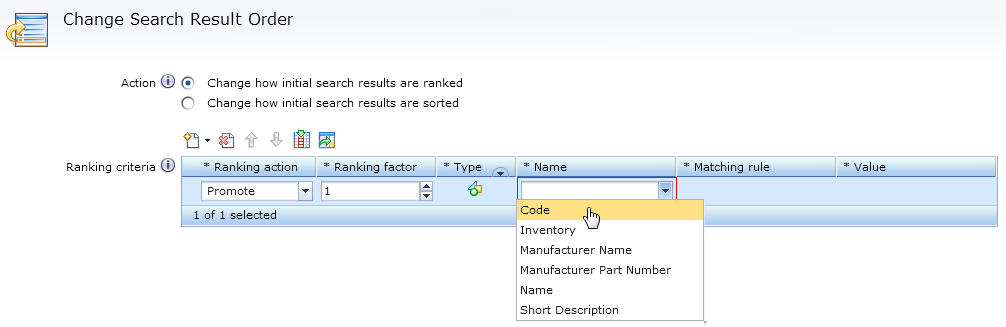
Previously created search rules and catalog entry recommendation Marketing activities can coexist with the new enhanced search rules and activities. They function and perform as they did in previous versions of WebSphere Commerce Search. However, when you create new search rules or Marketing activities, the new enhanced properties are loaded instead.
To use the User Ranking filter again in the list of catalog entry properties, it must be added back by registering User Ranking in the SRCHATTRPROP table with the correct usage type.
Perform the following steps to migrate catalog entry properties to search rule actions or targets by registering their usage types:
Procedure
-
Specify the usage and data type of the property in the SRCHATTRPROP
table.
Depending on the catalog entry property data type and usage, different
PROPERTYNAMEvalues must be used. The usage results in populating the indexed catalog entry properties in different search rule action or target grids. The type results in populating different matching rules in each of the search rule action or target grids.The following table shows the supported usage and data types for catalog entry properties:Supported usage and data types for catalog entry properties Property Data type Usage merchandising-Filter-ExactTextSingle words or phrases such as Manufacturer Name. Catalog Entry properties with these usage-types are used in the Recommend Catalog Entry, and Add or Replace Search Criteria actions filter grid. merchandising-Filter-AnyTextSentences or multiple words. Such as name and short description. merchandising-Filter-NumericDecimal numbers or whole numbers. Such as Customer ranking. merchandising-Rank-ExactTextSingle words or phrases such as Manufacturer Name. Catalog Entry properties with these usage-types are used in the Change Search Result Order ranking grid. merchandising-Rank-AnyTextSentences or multiple words. Such as name and short description. merchandising-Rank-NumericDecimal numbers or whole numbers. Such as Customer ranking. merchandising-Facet-ExactTextSingle words or phrases such as Manufacturer Name. Catalog Entry properties with this usage-type are used in the Search Criteria and Result target, search criteria grid. merchandising-Sort-TextAll text including single words, phrases, or multiple words such as Manufacturer Name. Catalog Entry properties with this usage are used in the Recommend Catalog Entry, and Add or Replace Search Criteria actions sorting grid. merchandising-Sort-NumericDecimal numbers or whole numbers. Such as Customer ranking, offer price. For example, to add a samplecustomerRankingcatalog entry property to the Change Search Result Order action ranking grid, the usage is Rank and the data type is Numeric.INSERT INTO srchattrprop (SRCHATTR_ID, PROPERTYNAME, PROPERTYVALUE, OPTCOUNTER) VALUES (10001, 'merchandising-Rank-Numeric', 'customerRanking', 0); - Restart your WebSphere Commerce server.