Web Reports LDAP Guide
This guide explains the steps to set up and use Web Reports LDAP integration for Web Reports User Management.
These steps will show you how to grant access to your domain AD users and authorize them to use the Web Reports application as either an Administrator, Normal, or Read-only user.
Setting up LDAP to integrate with Web Reports
Prerequisite: Setup of LDAP authentication within the BigFix Console is required first in order for LDAP setup to appear in Web Reports. It is also required that the machine Web Reports is installed on be joined to a domain.
Adding permissions for an AD user
- Log in to the Web Reports application, click on the Administration tab, and select User Management
- Click on Active directory
- Enter your AD domain administrator username and password
- Click the domain name
- Choose the User's container to list the available users in AD for which to grant access
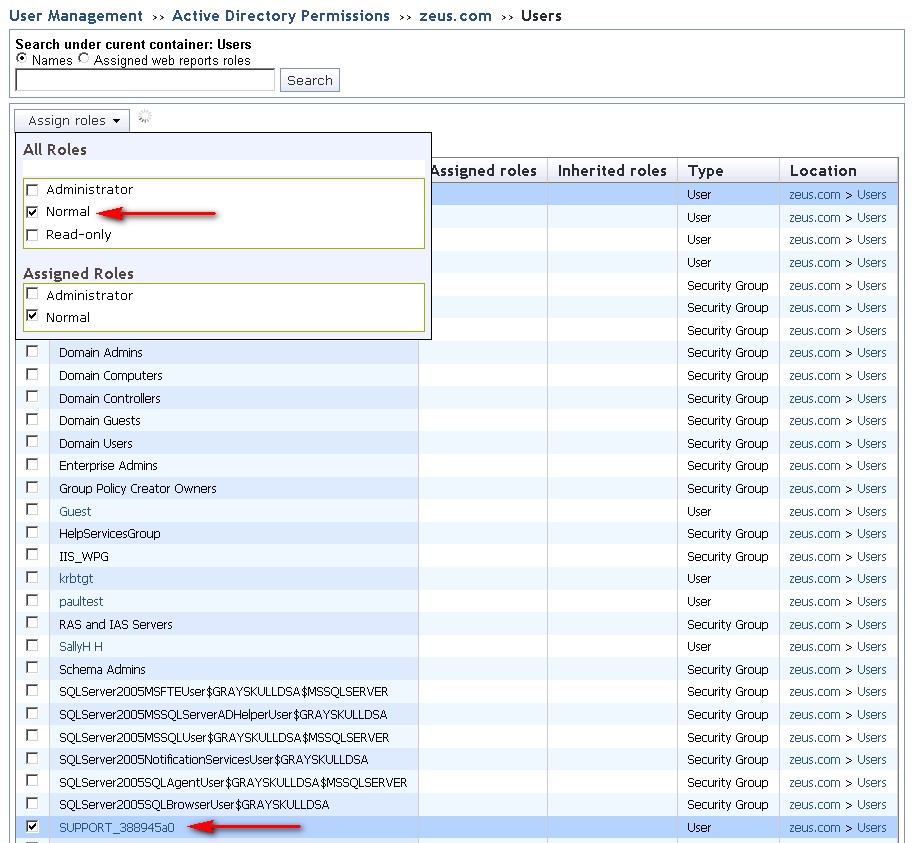
- Choose the user account, click on Assign roles and choose the roles or permissions to assign to the user.