
Software Documents
Click a software package name to see its description, applicable devices, and deployment history. Drill further into package details using the links provided in the sidebar, and associated views.
The Software Document views:
- Overview – Detailed description of software package.
- Applicable Devices – Machines eligible for this software.
- Deployments – Software deployment history.
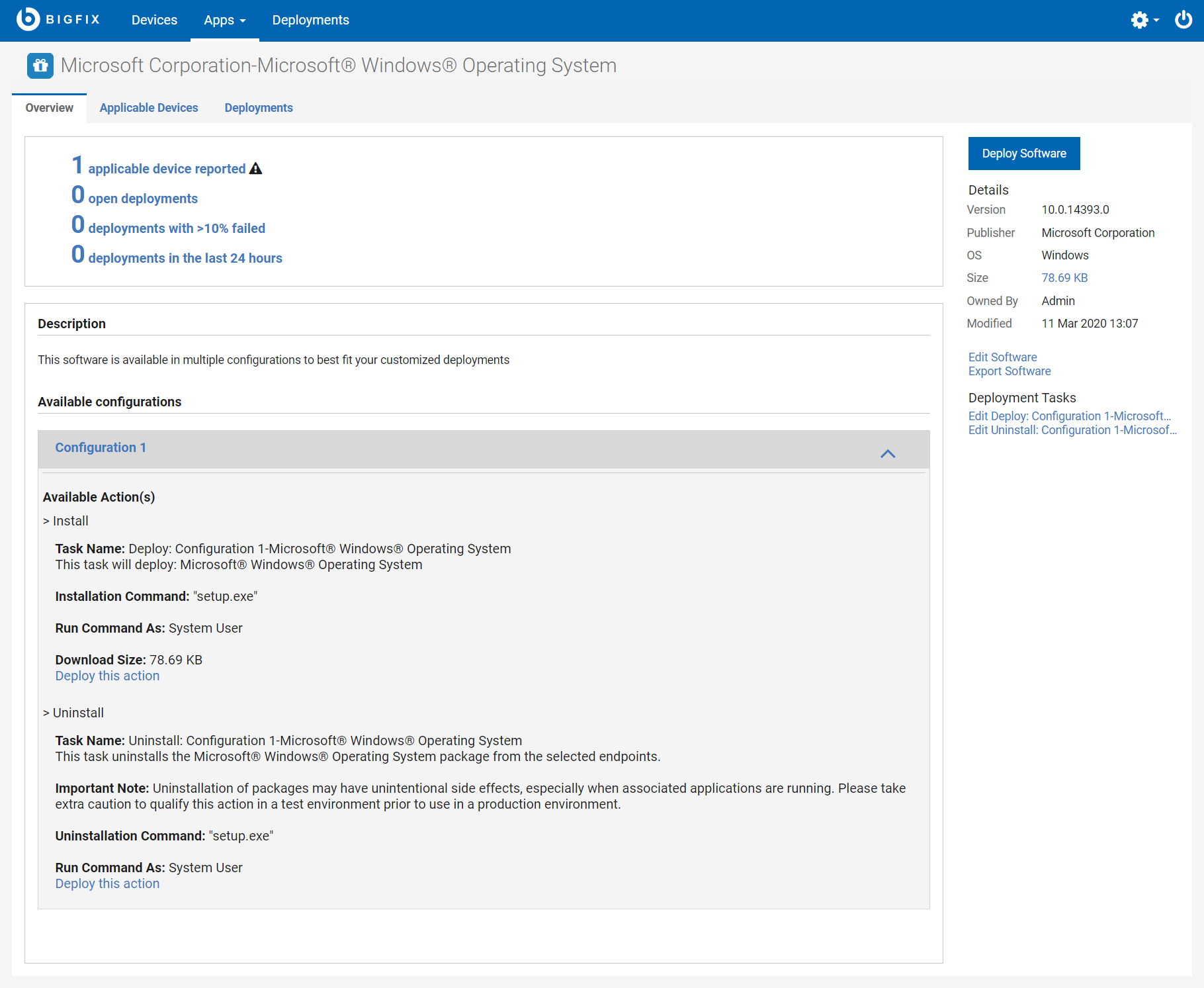
- Click Deploy Software to deploy the package.
- Edit or remove a software package from your catalog using the Edit Software link.
- Export the package using the Export Software link.
- Click a deployment task link to edit it. To learn more about task editing see, Editing Custom Content.
Note: Software packages created using the BigFix Console may show differently in WebUI and,
when deploying them, the action chosen is not shown. It is suggested to create the Software
Packages directly within the WebUI.