Editing a Fixlet Stream automation
Edit the automation of an active Fixlet Stream to change when and how it deploys Fixlets, without changing the Fixlet criteria or the device subscription.
Before you begin
- You must have permission to manage Fixlet Streams.
- The Fixlet Stream must already have an automation defined. See Creating an automation for a Fixlet Stream.
About this task
Expand Resolve from the side navigation, select Fixlet Streams, and then click the name of the stream. You can also click Edit automation directly on the stream card on the landing page.
Procedure
-
In the Automate remediation schedule panel, click
Edit automation.
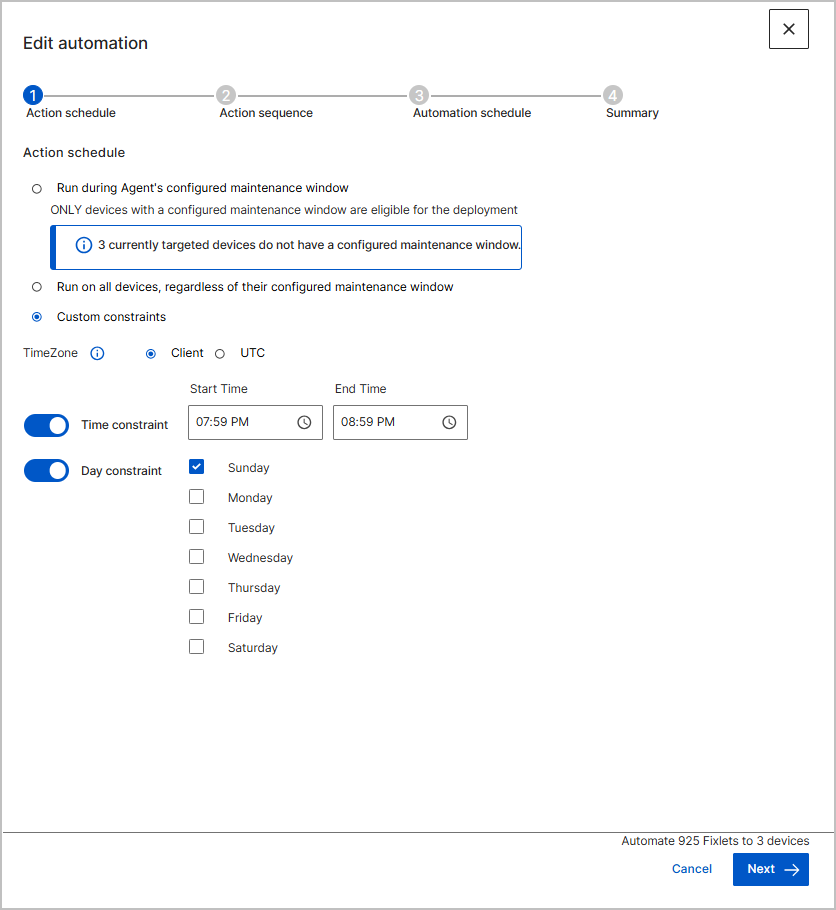
The Edit automation wizard opens at the Action schedule step, with the current settings in place.
-
Update the settings on the Action schedule,
Action sequence, and Automation
schedule steps as required.
For what each setting controls, see Creating an automation for a Fixlet Stream.
- On the Summary step, review the settings, and then click Create to save the new schedule.
Results
The stream deploys Fixlets on the updated schedule. Deployment activity appears on the Deployments tab of the stream.