Fixlets for operating system deployment
Server Automation provides a number of Fixlets that you can use for operating system deployment provisioning. You can include these in your Automation Plans. Including these Fixlets in your Automation Plans allows you to complete end-to-end provisioning, where you can add a step to your Automation Plan to perform the bare metal provisioning, and then other steps to deploy software and patch the computers.
Server Automation includes the Fixlets described in the following table.
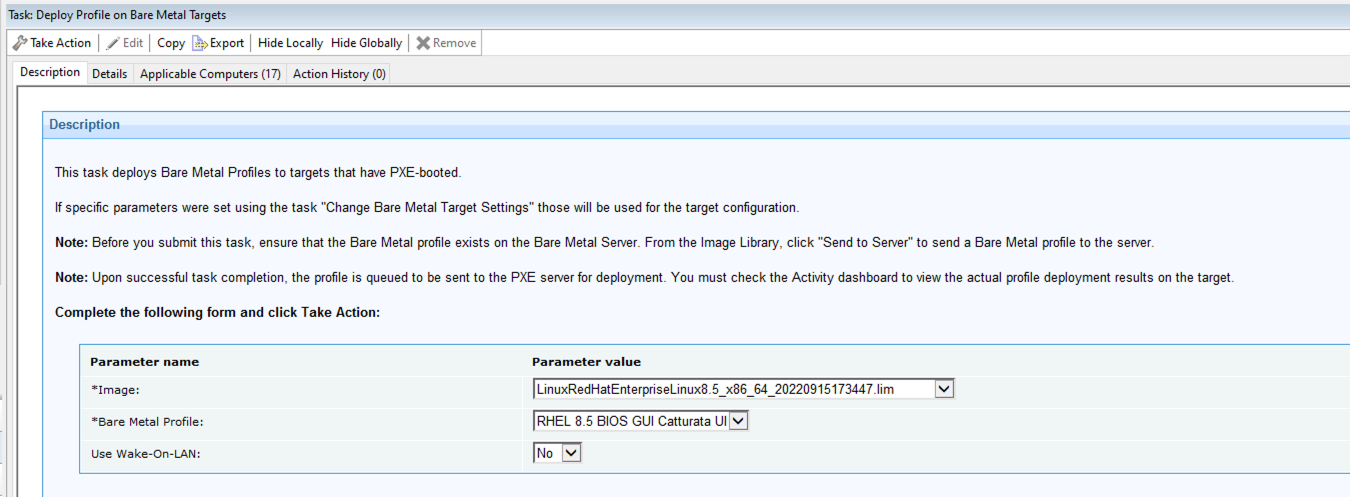
The following graphic shows the Deploy operating system to one or more computers Fixlet.
| Fixlet | Description |
|---|---|
| Deploy operating system to one or more registered computers | This Fixlet
deploys an operating system profile to one or many computers that are registered in a bare
metal server.
|
| Deploy Profile on Bare Metal Targets | This Fixlet
deploys bare metal profiles to targets that are connected to Bare Metal Servers that have
the Management Extender for Bare Metal Targets plug-in installed. Specify the following information:
|
| Register computer in a bare metal server | This Fixlet
registers new computers in the bare metal server. To register the computers in a bare metal
server, you enter one or more MAC addresses and associated computer names. For each entry, a
corresponding entry is created in a bare metal server, recording the MAC address and
computer name for each. Enter the MAC address and computer names as a comma separated list.
|
| Force network boot | Run this task (ID 132) on a running target to boot it on the network. This action changes the boot order of the target so that it boots from the network instead of from the operating system. This action is performed only once. |