Moving Primary Local Repository
The Upload Mode wizard allows you to move the Primary Local Repository to a different shared path.
Perform the following to move the primary local repository to a different shared path:
- Manually move the files from the primary local repository location to a new location
and then Edit
 the
primary local repository definition to update it.
the
primary local repository definition to update it.
Or
- Use the Action feature to move the files. By clicking the
 icon a
wizard is prompted. Fill the Shared Path, User name, and
Password with the details of the new primary local repository and click
Test Connection.
icon a
wizard is prompted. Fill the Shared Path, User name, and
Password with the details of the new primary local repository and click
Test Connection. 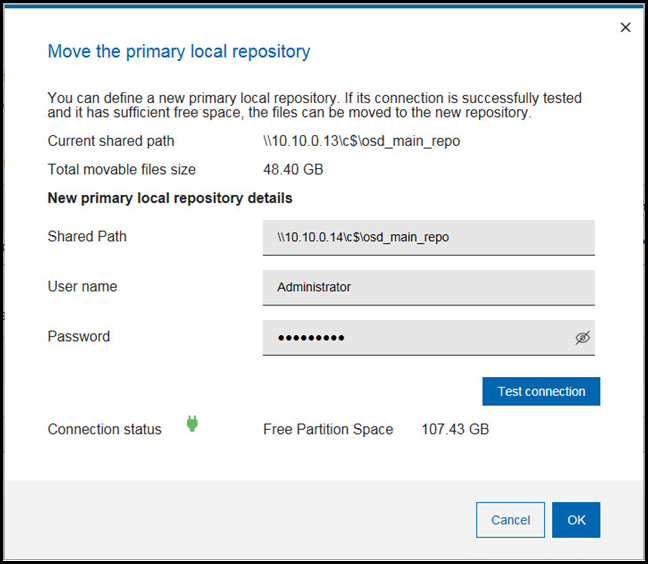
If the Connection status is successfully tested
 and the free
partition space is at least as the total movable files size, you can start
moving the files by clicking OK.
and the free
partition space is at least as the total movable files size, you can start
moving the files by clicking OK.