
Configure Android MDM in SCA
Android MDM configuration refers to the process of enrolling, managing, and securing Android devices in an enterprise using MDM (Mobile Device Management) capabilities.
Before you begin
Refer to the official Android MDM setup documentation for detailed installation and
configuration:
About this task
To configure and manage Android devices in Security and Compliance Analytics (SCA), follow these steps:
Procedure
- Log in to the Security and Compliance Analytics (SCA) Apps using your credentials.
-
From the main menu, navigate to the Computer section.
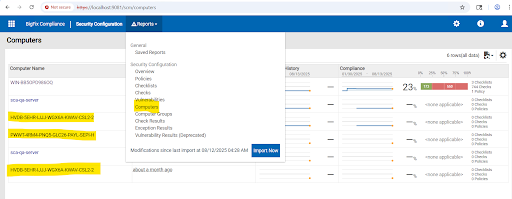
- Under the Computer section, you will see a list of enrolled Android devices.
-
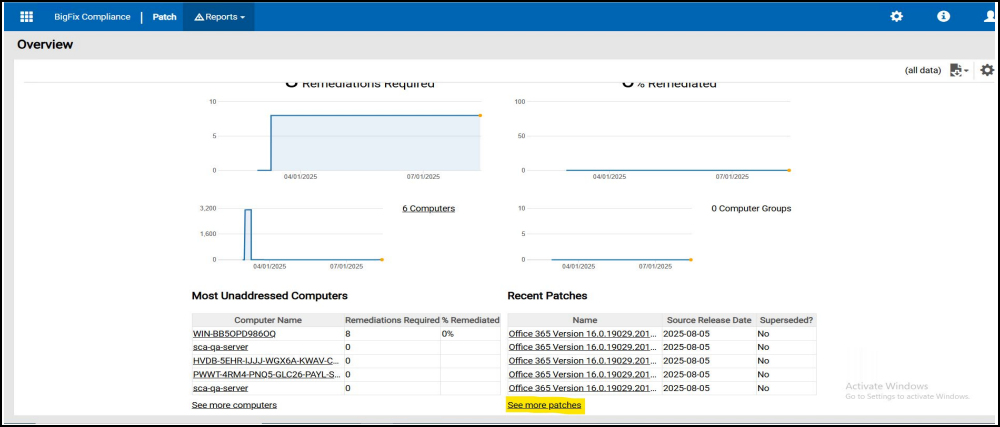
Click on Patch in the SCA application.Then, select on See More
Patches to view all available patches.
-
In the Patch section, apply a Site Name filter to narrow
down the available patches specific to Android devices.

-
If any vulnerabilities are found, use the available patch
remediation options in SCA to resolve them.

- After running the patch remediation, verify that the vulnerabilities are resolved, and the Android devices are compliant with the organization's security policies.