MSSQL Always On Availability Group Cluster Patching
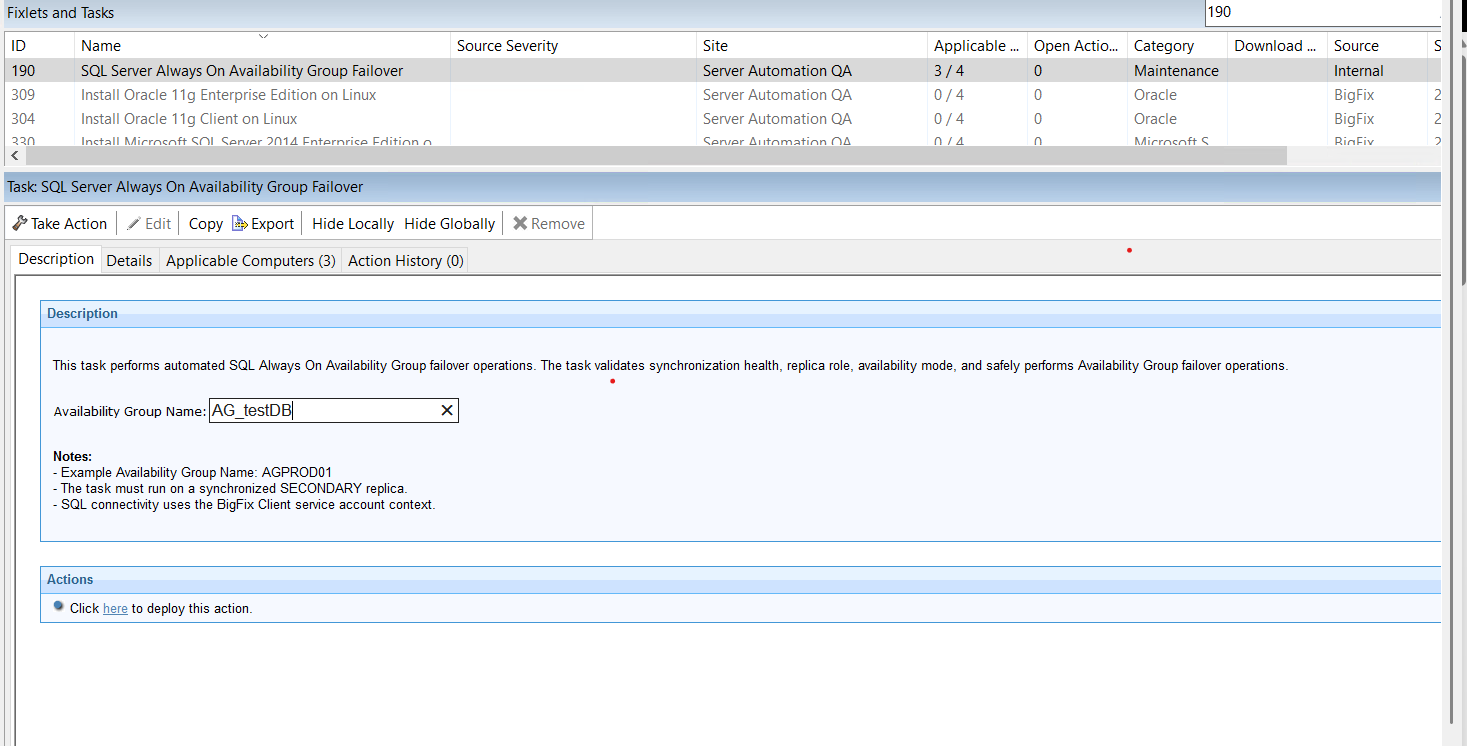
Use Tasks 190 and 191 to perform controlled failover and failback of a SQL Server Always On Availability Group during planned maintenance, ensuring data integrity and minimal application downtime.
This is the reference documentation for two MSSQL Always On Availability Group
Cluster Patching tasks.
- Task 190 - SQL Server Always On Availability Group Failover
- Performs a controlled failover of a SQL Server Always On Availability Group from the current primary replica to a healthy synchronous secondary replica. Before initiating the failover, the task validates that the target replica is connected, synchronized, healthy, and eligible to assume the primary role. This enables planned maintenance activities, such as operating system or SQL Server patching, to be performed on the original primary node while minimizing application downtime and ensuring no data loss.
- Task 191 - SQL Server Always On Availability Group Failback
- Performs a controlled failback of a SQL Server Always On Availability Group to the original primary replica after maintenance has been completed. The task verifies that the original primary replica has rejoined the Availability Group, is synchronized, connected, healthy, and ready to become the primary replica before executing the failback. This restores the Availability Group to its normal operating configuration following planned maintenance.
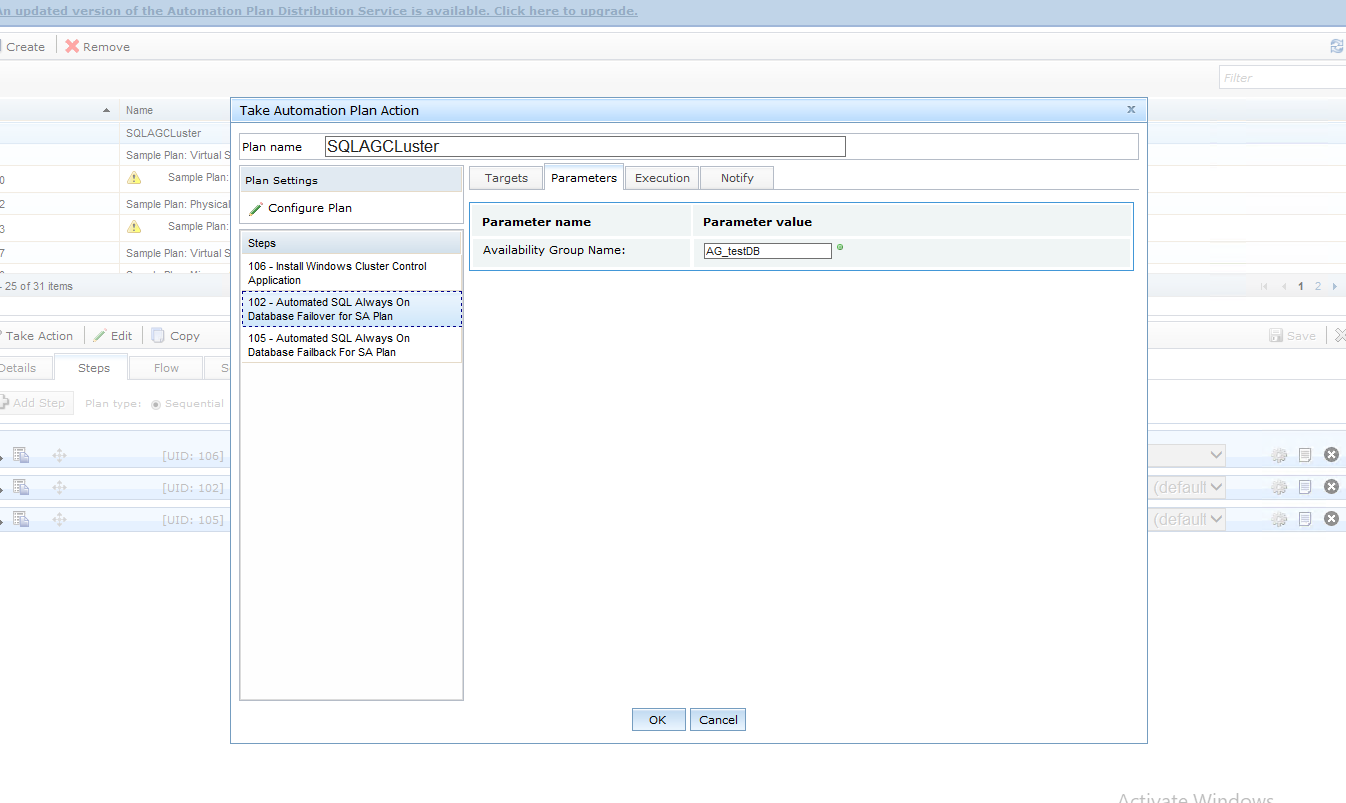
How to use the tasks for execution in Automation Plans?
How to use the tasks for setup?