
Using a certificate in your certificate store with Liberty
This procedure describes how to use Liberty certificates to secure IIS.
Procedure
- Optional: If you don't have a server certificate,
create one from your certificate authority.
- Generate a certificate request to send to your external certificate authority.
- Send the certificate request to the certificate authority using a method that the certificate authority accepts.
- When you receive the certificate, complete the certificate request.
- Install AppScan Enterprise Server.
- Run the configuration wizard.
-
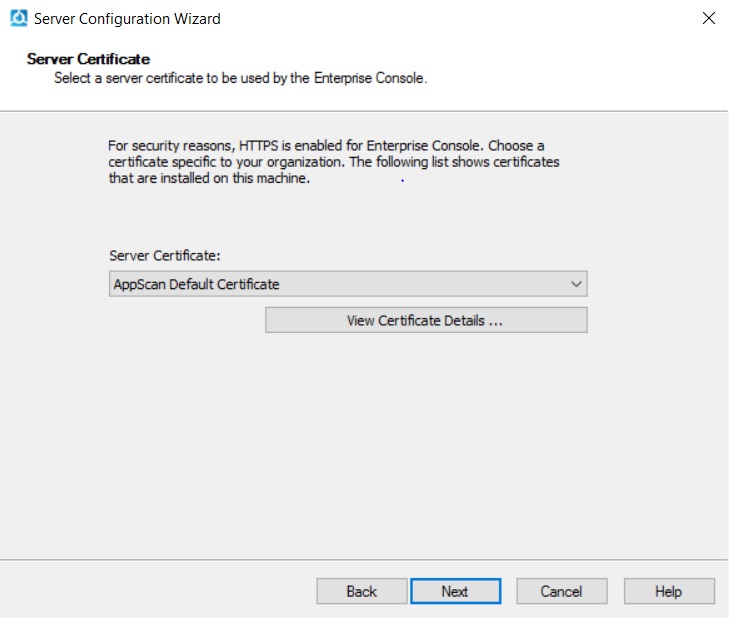
In the Server Certificate window, choose a certificate specific to
your organization. This step helps you deploy a secure AppScan® Enterprise in your environment. See Server Certificate.
-
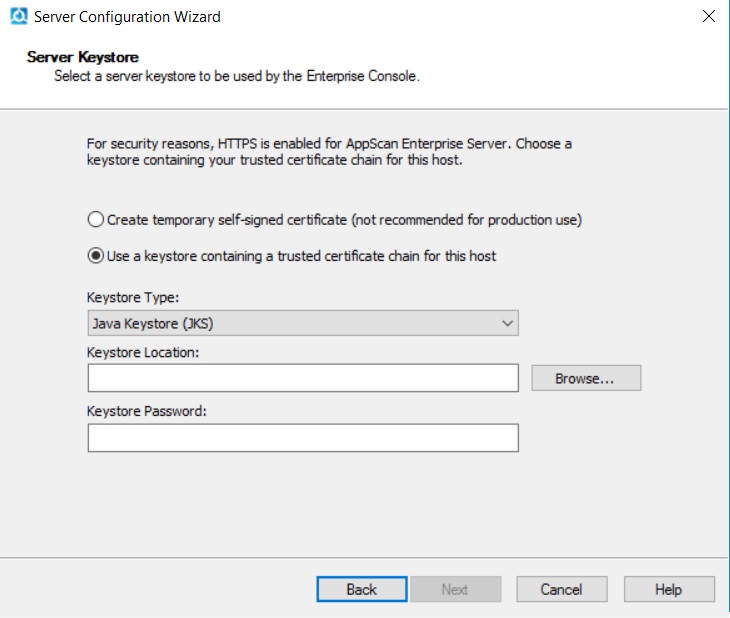
In the Server Keystore screen, select a server keystore to be used
by the Enterprise Console. If you exported a .pfx file, select Public key
cryptography standards #12 (PKCS #12). Browse to the location where you saved the
.pfx file, import it and enter the password you created when you exported the file. See Server Keystore.
- Finish the configuration wizard.