Step : Use a UTF-8 capable editor to view the custom HTML template file


|

|

|
Custom HTML template files must be in UTF-8 format. The Notepad editor included with Microsoft Windows 2000 and with Windows XP is UTF-8 capable. The Notepad editor included with Windows NT is not!
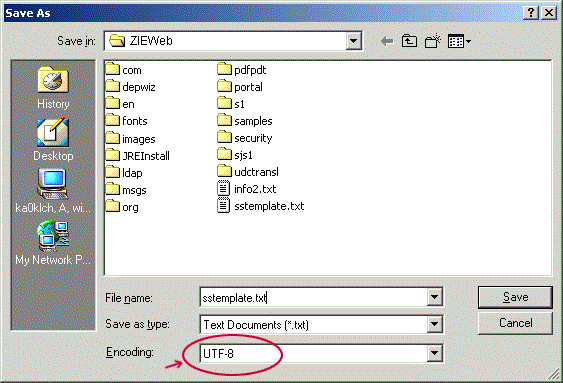
To save a file in UTF-8 format with Notepad
- Click File > Save
- When the Save As dialog appears, expand the Encoding listbox and select UTF-8
- Click Save
Visit the Advanced Topics to learn more about UTF-8 format.
Shown below is Notepad's Save As message box with the UTF-8 format selected.
|
|
|
|