
Configure Aggregates
An aggregate summarizes data by performing operations such as count, sum, average, minimum, or maximum. Aggregates are configured using metadata that defines what data to aggregate, how to group the data, and what filters to apply.
Detect uses an aggregation engine to perform complex, real-time aggregations on streaming data and store results in time-based buckets e.g., 5-minute windows or hourly summaries.
Aggregate Configuration Fields:
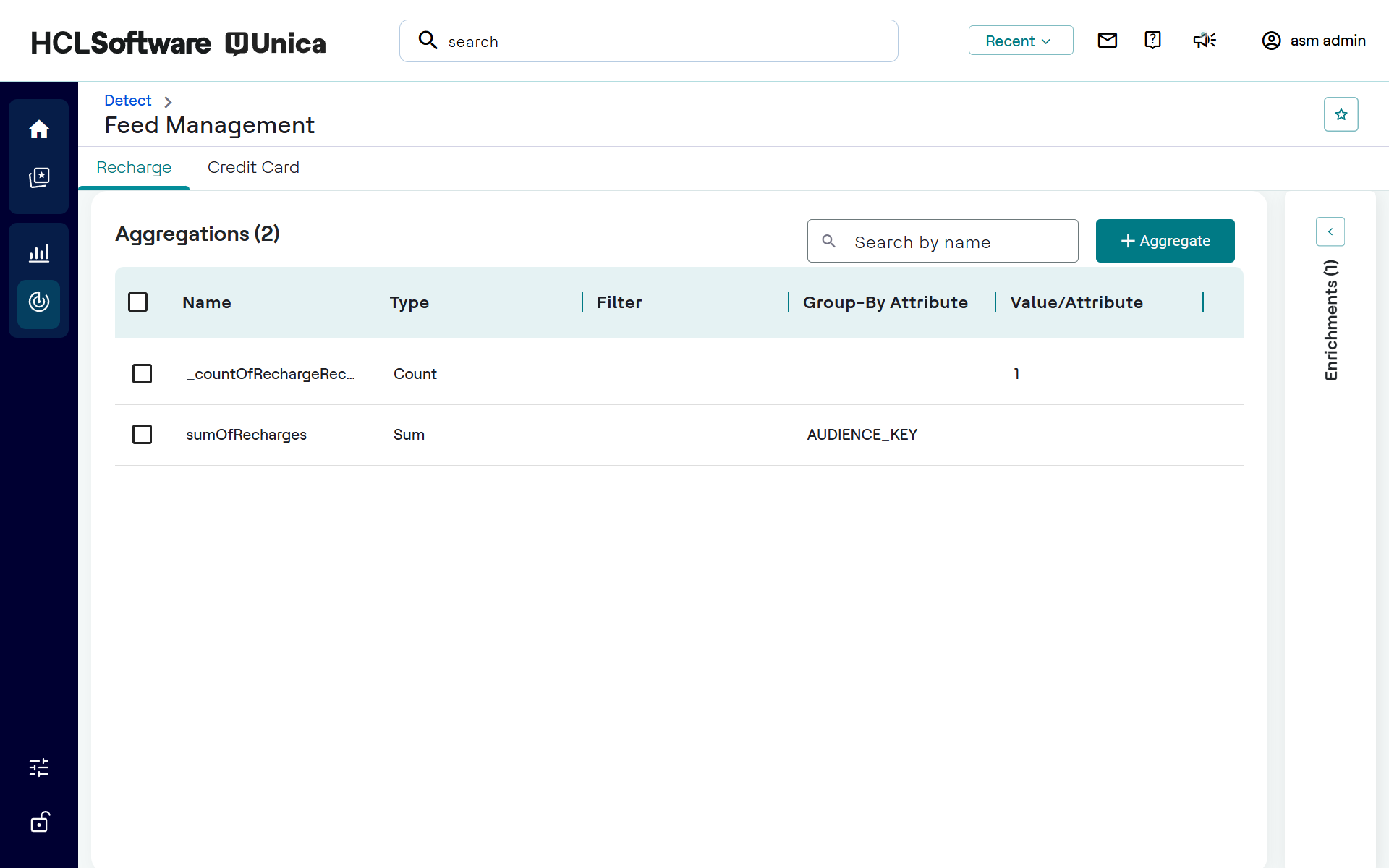
- Name: Unique identifier for the aggregate. (e.g., topupAmountBySubscriber)
- Type: Type of operation such as Count, Sum, Minimum, Maximum, Average and Variance. (e.g., Sum, Count)
- Value/Attribute: Field used in the operation.
- Group-By Attribute: Dimensions to group data by. (e.g., MSISDN to identify subscribers)
- Filter: Optional filtering condition like transactionStatus == "Successful", to process only specific transactions.
Adding New Aggregate
To create an aggregate:
- Click + Aggregate for the respective feed application.
- In the Adding New Aggregate pane, enter the following details:
- Aggregate Name*
- Aggregate Type*
- Attribute to Aggregate*
- Group By Attributes
- Aggregate Filter (Optional)
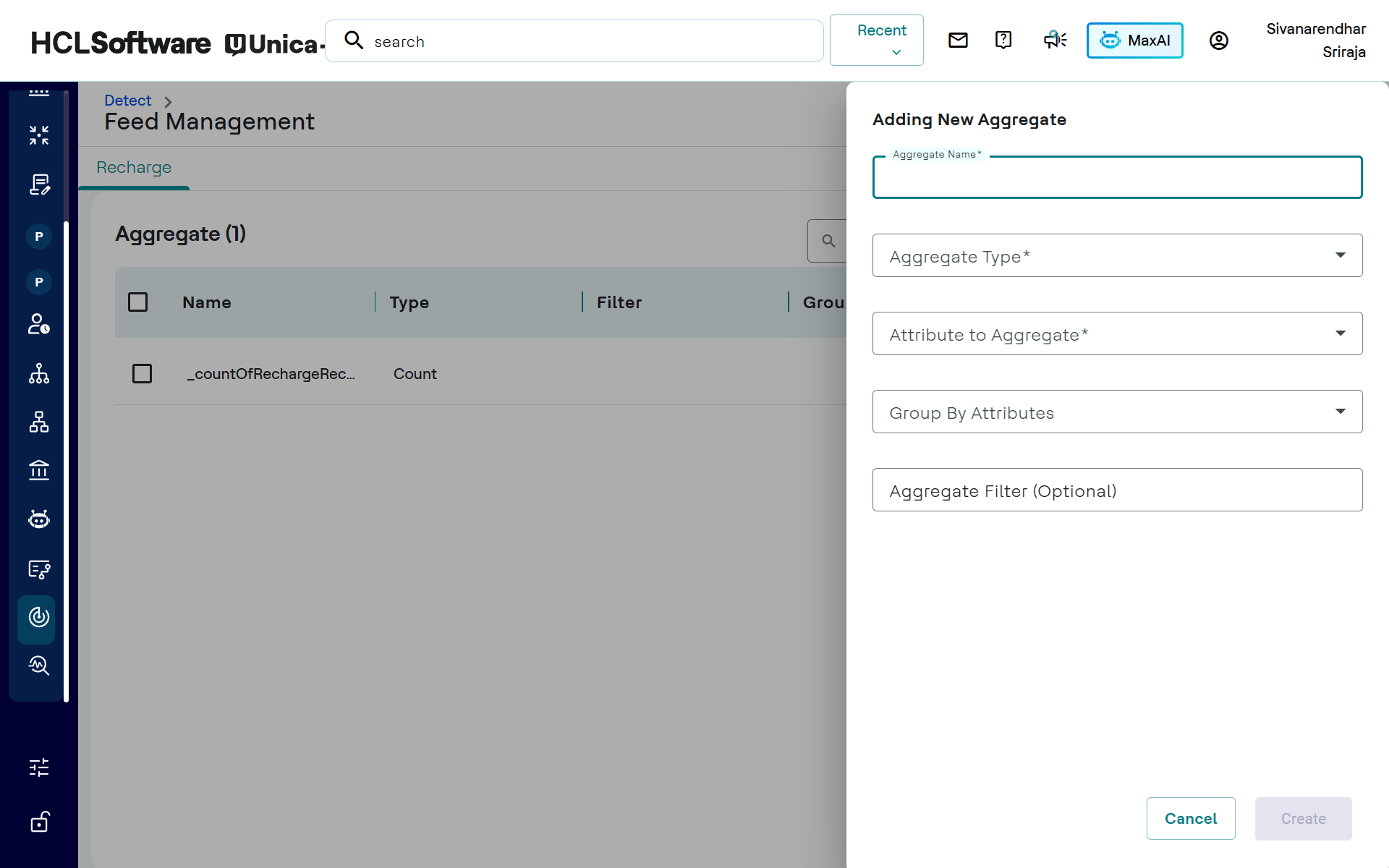
- Click Create.
Editing or Removing Aggregates
Aggregates can be modified or removed. For example, the topupAmountBySubscriber aggregate counts calls by a subscriber over various time windows (e.g., currentDay, lastDay). The dialog for editing an aggregate includes:
- Aggregate Name
- Aggregation Type
- Group-by Attribute
- Aggregate Filter
For example, to count dropped calls per subscriber, set isDroppedCall = True as the filter condition, MSISDN as the group-by attribute, and Count as the aggregation type.