
Offer Action Categories
This page describes how to configure offer action categories.
Offer action categories are configured to enable action based offers. These actions are of two types.
offer action categories are configured in
etc/model/campaigns/offer_action_categories.json file.
Offer Action templates are grouped into named categories based on their business logics as shown below:
{
    "categories": [
        {
            "icon": "fa-sliders",
            "name": "Recharge-Based Actions",
            "templates": [
                {
                    ...
                },
                {
                    ...
                }
            ]
        },
}
Action offers are shown below:
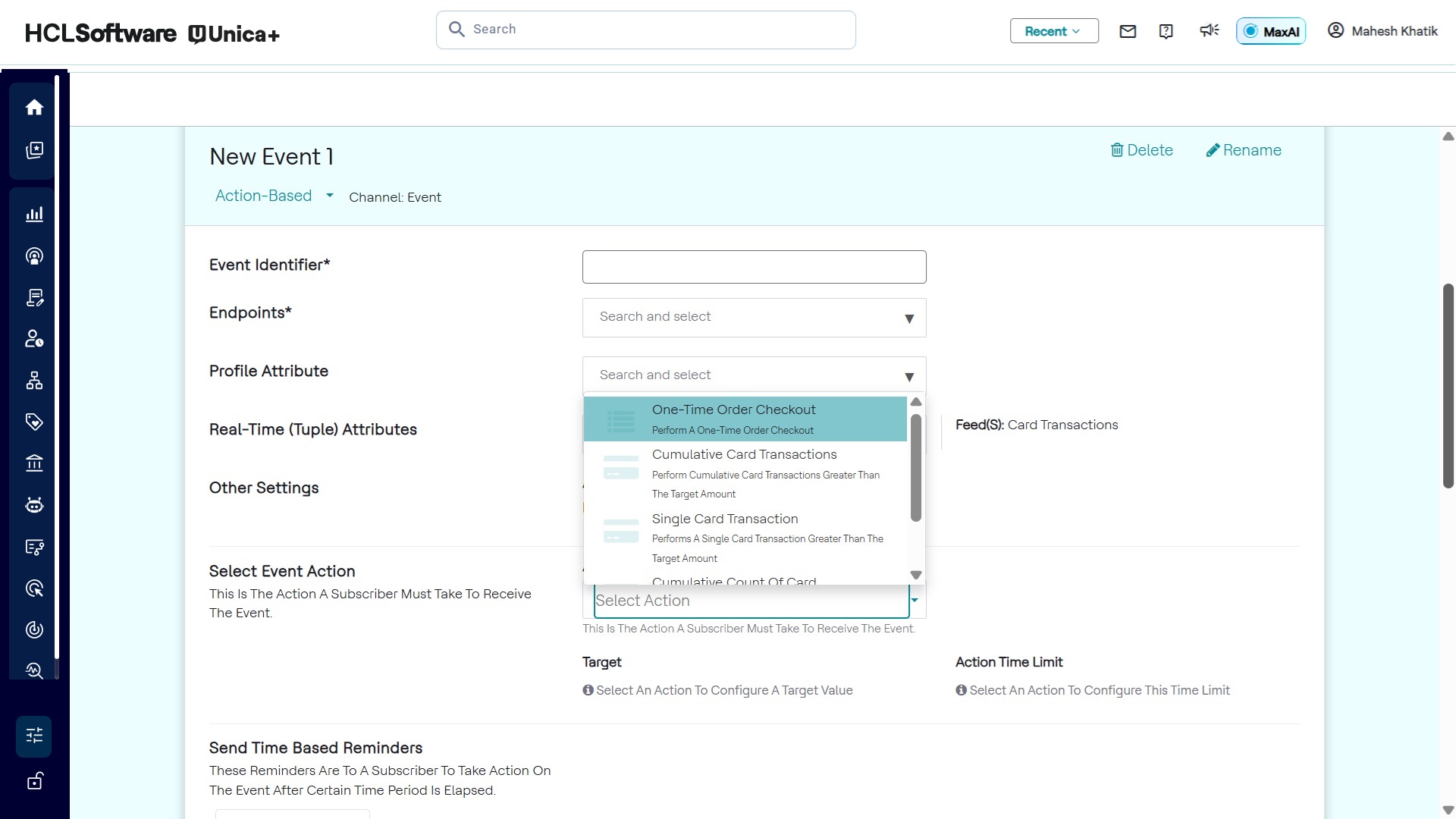
Non-Cumulative Actions
Non-Cumulative Actions are a single action to be performed by subscriber on a real time feed. Detect will track this event in real-time.
Example:
{
    "analyticsBased": false,
    "caption": "Perform a one-time recharge greater than the target recharge amount",
    "conditionTemplateId": "subscriberRechargeAmount",
    "feedsSelector": {
        "byNames": [
            "Topup Demo"
        ]
    },
    "name": "One-time recharge",
    "targetMetricSegment": {
        "actionType": "NonCumulative",
        "domainMapping": {
            "expressionTemplate": "sellAmount"
        },
        "name": "Recharge Amount",
        "type": "Double",
        "unit": "#{currencySymbol}",
        "value": {
            "doubleValue": 100
        }
    }
},captionis description text to be appeared in the drop-down list.conditionTemplateIdis a unique name for a offer action template.feedsSelectorselect feeds where this action is expected.nameis the name of offer action as it will appear in the drop-down list.targetMetricSegmentcontains the action definition.targetMetricSegment.actionTypeis type of action, this is an example forNonCumulativeaction hence only single action needed.targetMetricSegment.domainMappingis expression for the attribute or a formula, this will be compared with configured threshold value.targetMetricSegment.nameis the of the attribute for UI.targetMetricSegment.typeis the data type of attribute value.targetMetricSegment.valueis the threshold value.
Cumulative Actions
This allows actions to be tracked over multiple transactions done by users, the values are accumulated and thresholds are compared with this cumulative value.
Example:
{
    "analyticsBased": false,
    "caption": "Perform a cumulative recharge greater than the target recharge amount",
    "conditionTemplateId": "cumulativeSubscriberRechargeAmount",
    "feedsSelector": {
        "byNames": [
            "Topup Demo"
        ]
    },
    "modifiers": [
        {
            "caption": "${hasRoaming} roaming enabled",
            "domainMapping": {
                "expressionTemplate": "profile.roamingEnabled == ${hasRoaming}"
            },
            "modifierId": "roamingEnabled",
            "name": "Roaming...",
            "segments": [
                {
                    "captions": [
                        "Does not have",
                        "Has"
                    ],
                    "segmentId": "hasRoaming",
                    "segmentKind": "Enum",
                    "segmentType": "Boolean",
                    "segmentValue": {
                        "booleanValue": false
                    }
                }
            ]
        }
    ],
    "name": "Cumulative recharge",
    "targetMetricSegment": {
        "actionType": "Cumulative",
        "domainMapping": {
            "expressionTemplate": "sellAmount"
        },
        "name": "Recharge Amount",
        "type": "Double",
        "unit": "#{currencySymbol}",
        "value": {
            "doubleValue": 100
        }
    }
}targetMetricSegment.actionTypeis Cumulative.- We can optionally have modifier to filter transaction that should be accumulated.