All Events
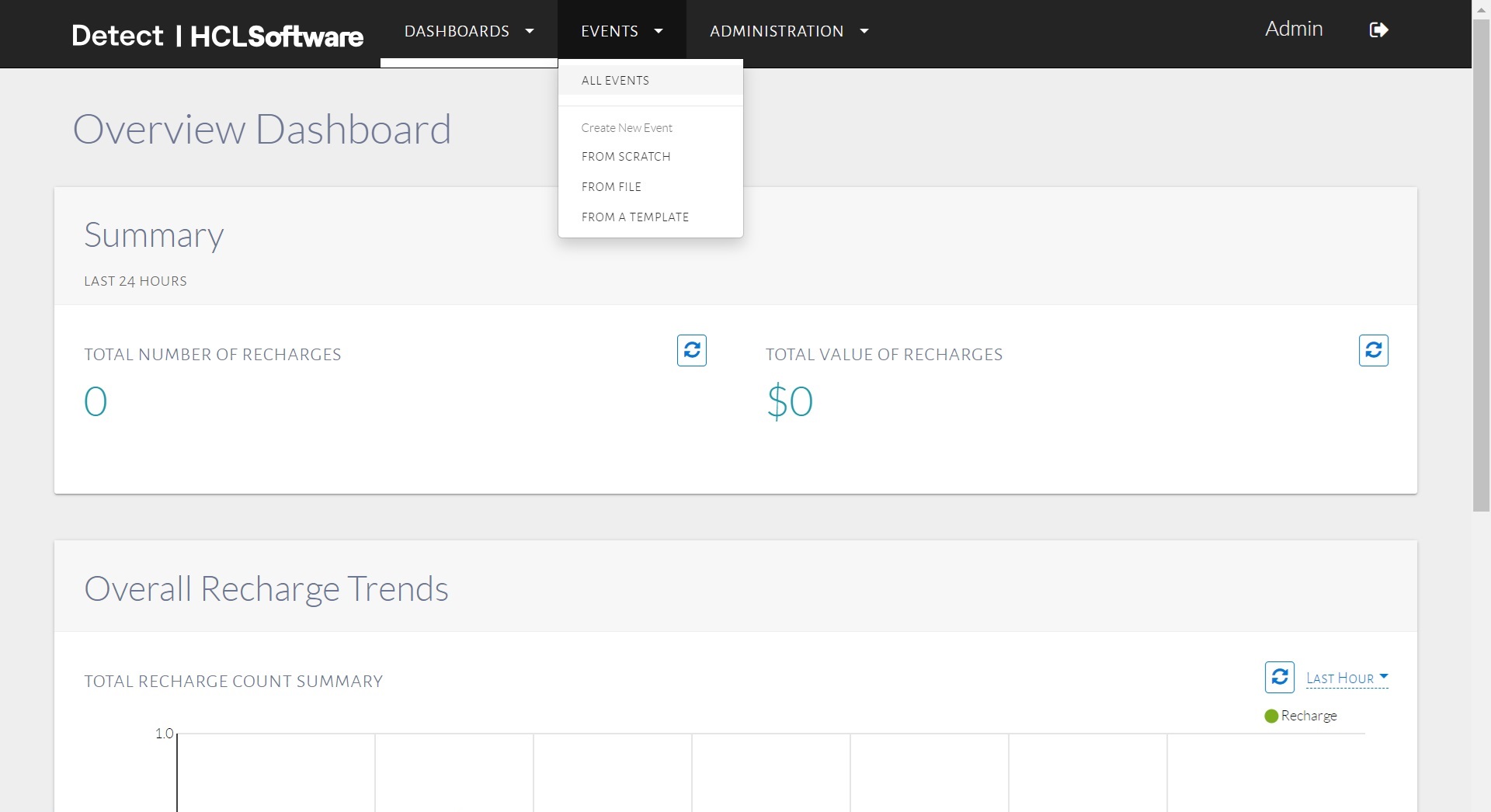
In the menu bar, click Events, and select the ALL EVENTS option, as shown in the image below.
The All Events page displays the project name, project description, search option to search all events and lists all the events specific to the selected project as shown below.
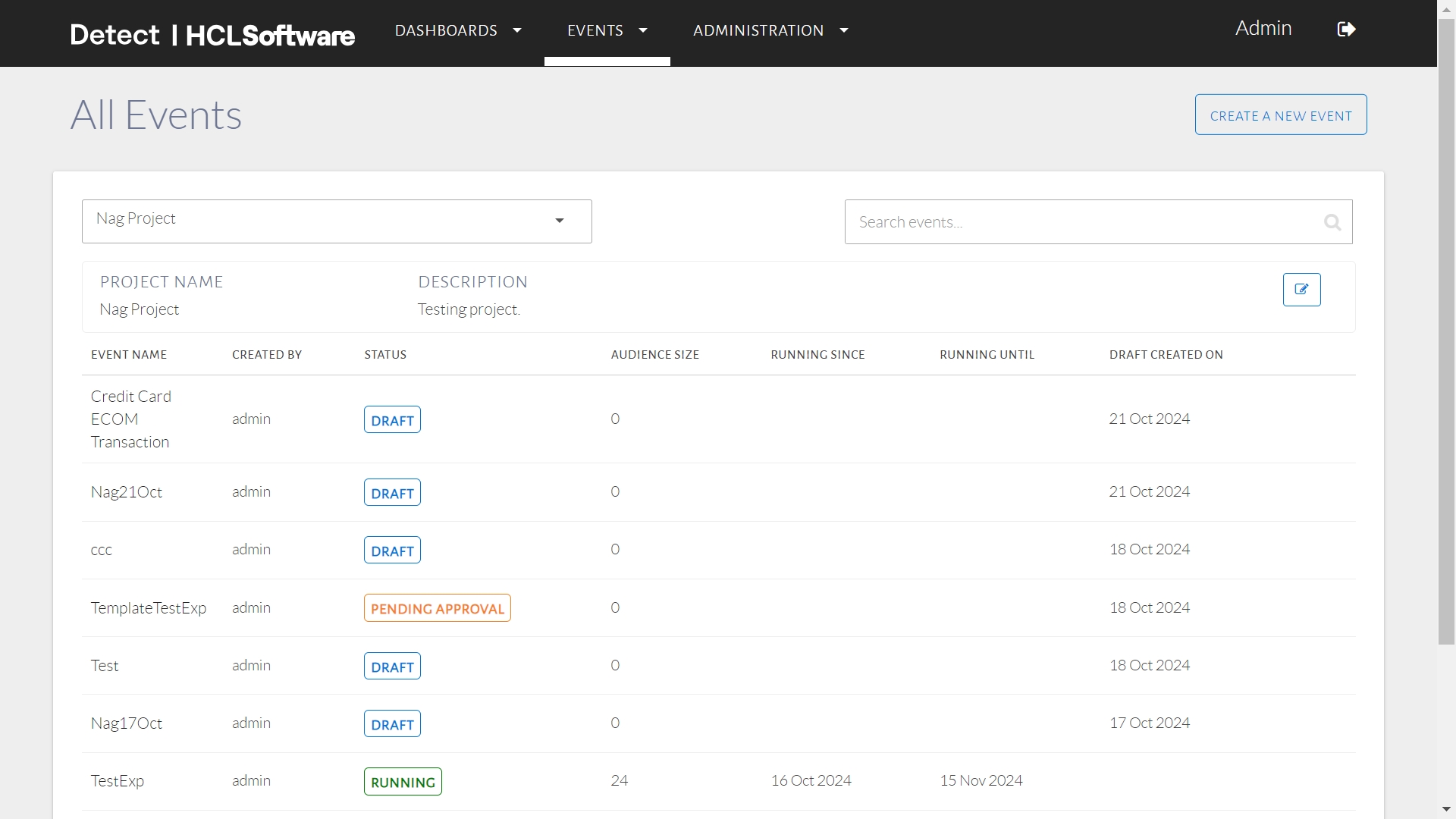
To locate a specific event, type the event name into the search bar and either press Enter or click the Search icon. This will display a list of all events related to the search term from all available projects.
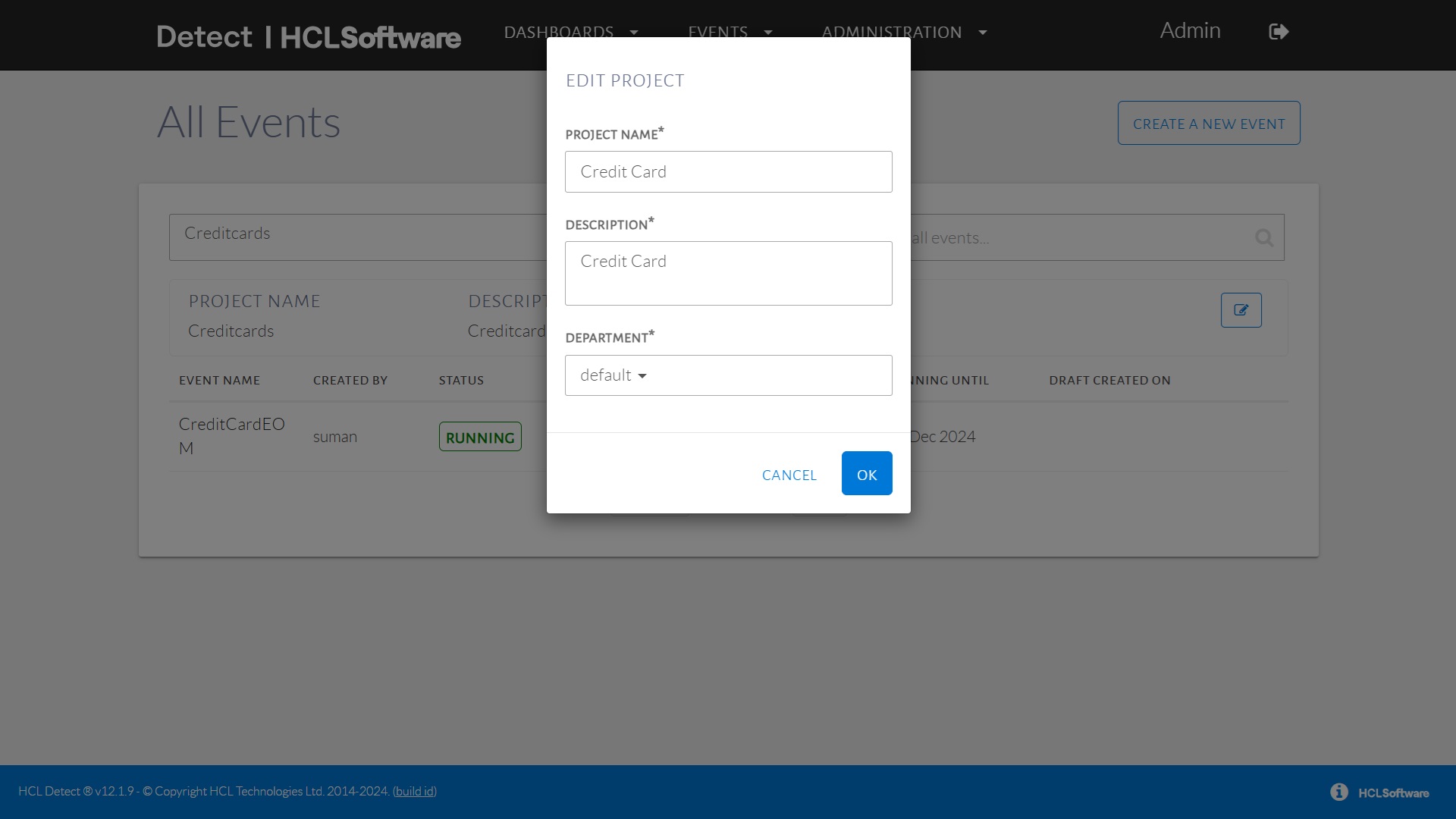
If required, click Edit Project icon at the end of the description section to update the project name and description.