
Completing the installation
After you complete the installation, you must complete additional steps before you configure IBM SPSS Modeler Advantage Enterprise Marketing Management Edition.
About this task
After installation, complete the following steps.
Procedure
- Check the install log for errors. If there are no errors in the install log, continue with the next step.
-
In a Linux system, you need to increase the number of permitted processes by entering the
ulimit command. Add the command to the Linux startup to ensure that the
change is persistent.
For example:
ulimit -n 8192 /opt/AppServer/bin/startServer.sh server1 -
Start server.
You should see the IBM SPSS Collaboration and Deployment Services Enterprise Application listed.
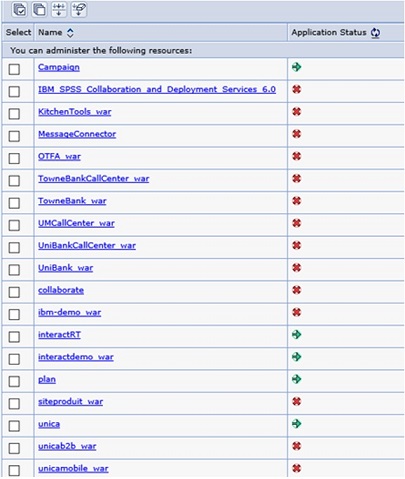
-
Install the SPSS Deployment Manager on a Windows workstation.
Note: There is no Linux version of the SPSS Deployment Manager.
When you are ready to configure the Deployment Manager, the Listener needs to be running or your login credentials will fail. Be sure to use the username admin and the password you entered during the IBM SPSS Modeler Advantage Enterprise Marketing Management Edition installation.