
Generate Token
This section explains how to generate a token to consume HCL BigFix CLM API. The “Postman” tool has been used to demonstrate HCL BigFix CLM API consumption in this guide.
- Define methodtype = GET.
Figure 1. Generate Token 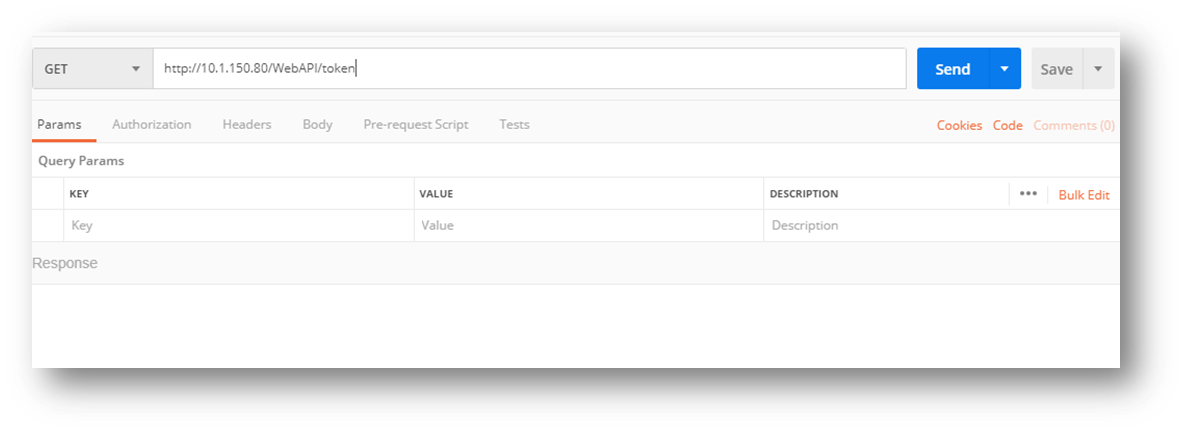
- Add header with ‘Content-Type’ Key and Value
‘application/x-www-form-urlencoded’.
Figure 2. Generate Token (cont.) 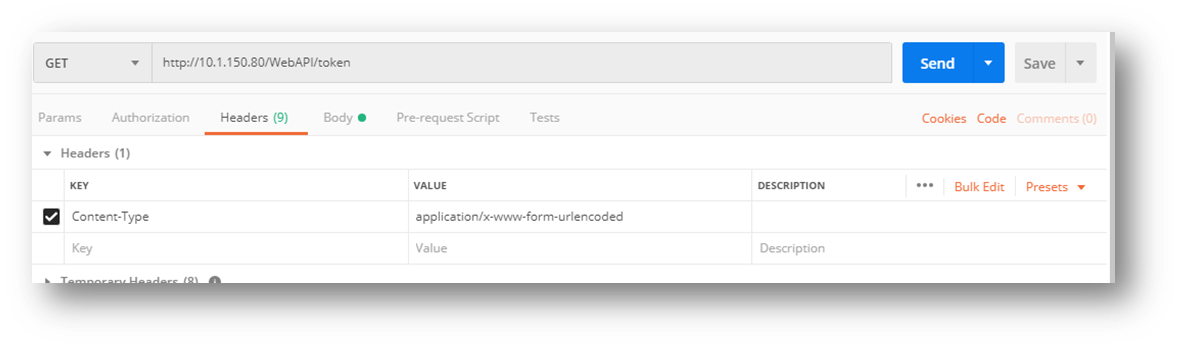
- Define the body section with valid username, password, grant_type=
‘password’, access=”ORG” or “PVD” and requestedaccessentityId=” OrgCode,
OrgentityId, Providername, Providerentityid”.
Figure 3. Generate Token (cont.) 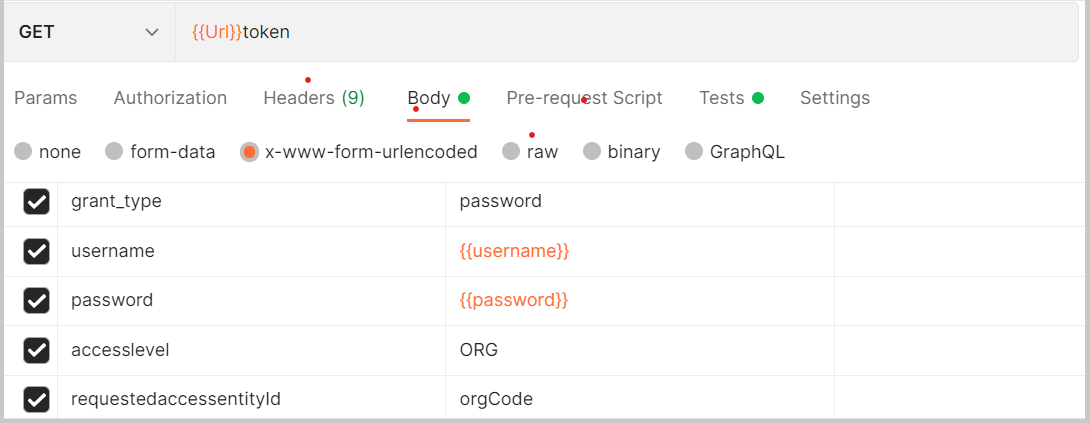
- Define the body section with valid username, password, and grant_type= ‘ldap’ for ldap
users.
Figure 4. Generate Token (cont.) 
- Click on Send button to get a token which will be used to access all the APIs of
HCL BigFix CLM in a session.
Figure 5. Figure 5 - Generate Token (cont.) 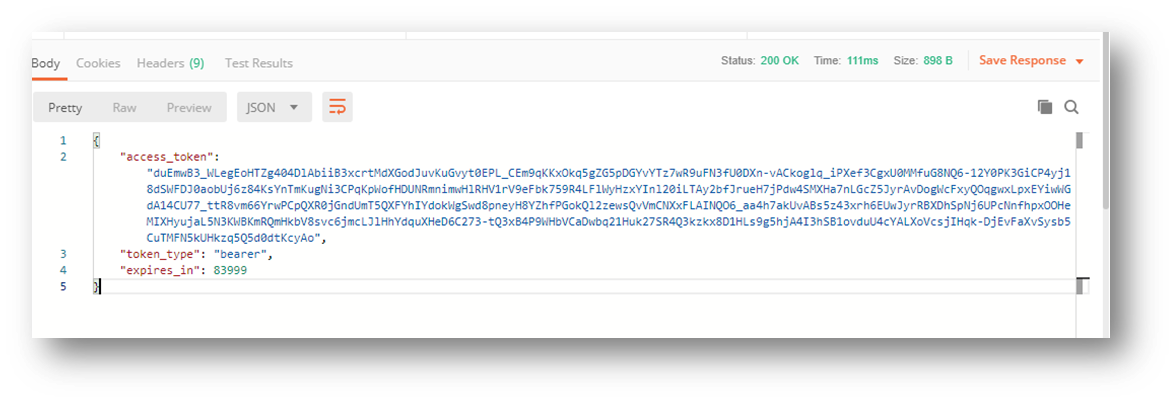
- On successful validation of credentials, API will return “Access Token” in response body which will be used for making successive API call.
- Enter the API URL and “GET
” or “POST” as method type.
Figure 6. Generate Token (cont.) 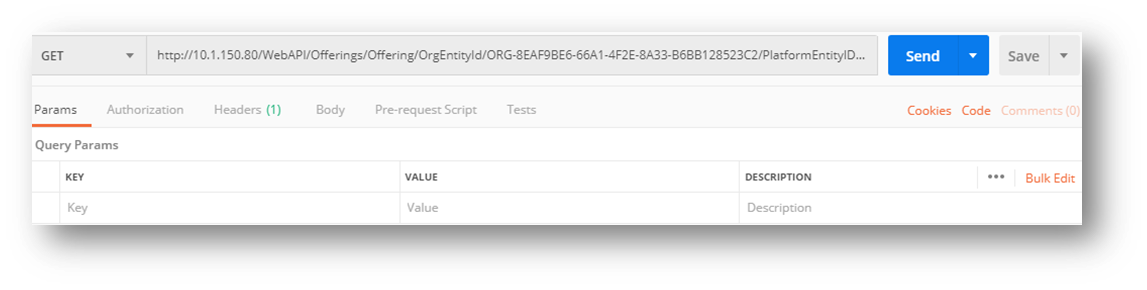
- In the headers section of request, set token for Authorization key with the prefix
“Bearer”.
Figure 7. Generate Token (cont.) 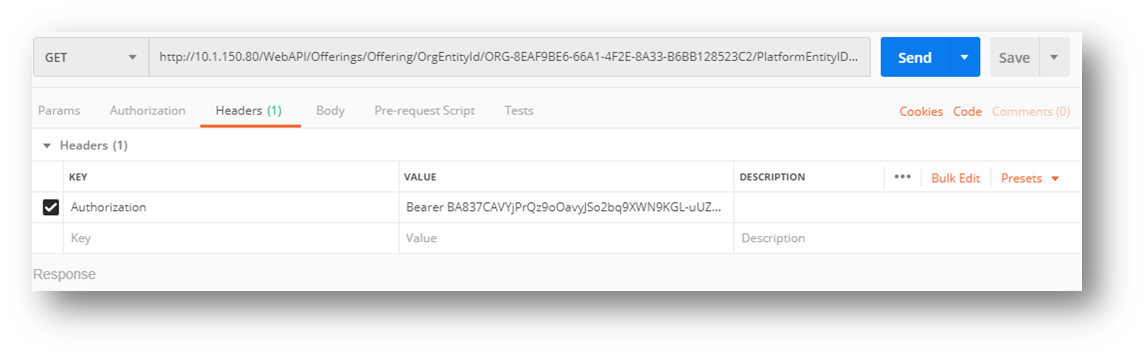
- Click on Send to get response of API.
Figure 8. Generate Token (cont.) 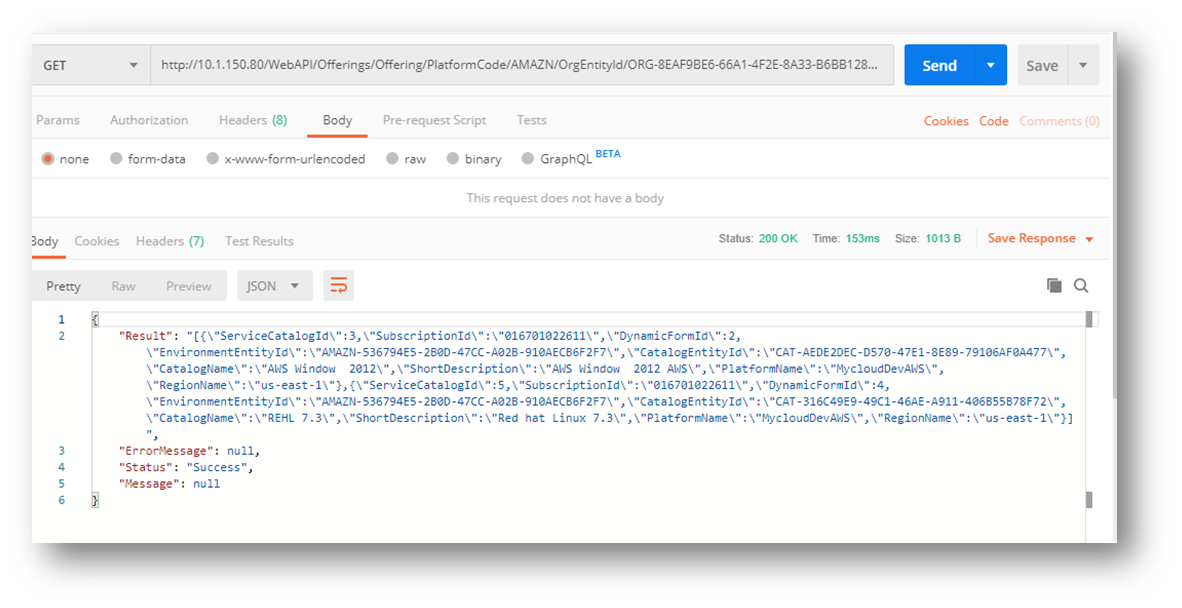
- The returned response will be displayed in Body at the Bottom Pane as displayed in above figure.