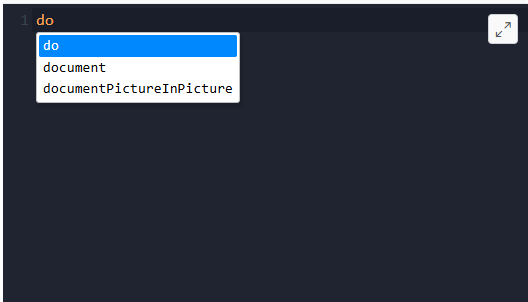
The Intelligence is the feature that automatically completes
various sorts of text (HCL BigFix CLM out-of-box functions and
variables) after you have entered an initial substring (or prefix),
which can save you the time of typing a long word (and potentially
save you mistyping it).
When you type the word “doc”, it displays a JavaScript keyword “Document” as a suggestion.
You accept the suggestion by typing the completion key (see “Automatic completion”, below),
and the word is completed within your buffer as if you’d typed it all out. If the suggested
word is not what you want, keep typing.
If more than one word in the list of suggestions match what you’ve typed, it presents a
list containing the words (suggestions); the highlighted word in the list is the one that
will be selected on the completion key, but you can use the Down-arrow & Up-arrow keys,
or Page-Down & Page-Up, to move through the list; or press Esc key to dismiss the
list.