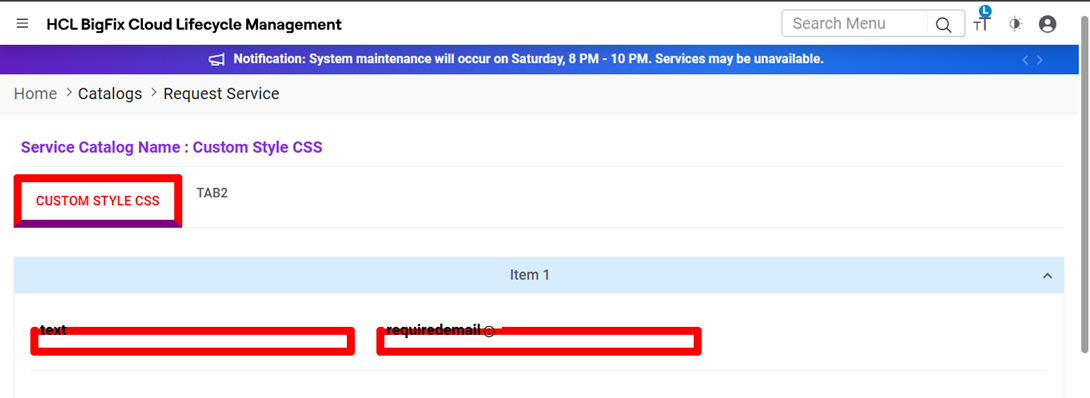
Custom Stylesheet Classes to support Customer-specific Customization
This functionality allows provider users to add custom stylesheet classes within the UI Template to support customer-specific customization. It enables providers to define and apply their own CSS styles while designing templates, allowing flexibility in the user interface as per customer requirements. The Custom Style control is optional and provides a style editor for adding CSS without validation checks. The defined styles will be rendered for requester users when raising new requests. It is the provider’s responsibility to ensure proper CSS formatting and handle any class overrides with the existing common styles.
To access the Custom CSS screen, the provider first needs to edit an existingUI Template from the Grid data using the Action column.
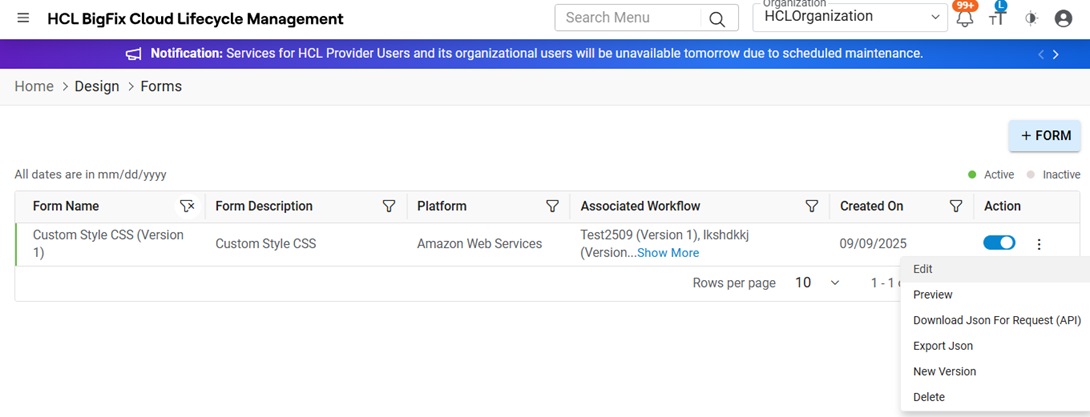
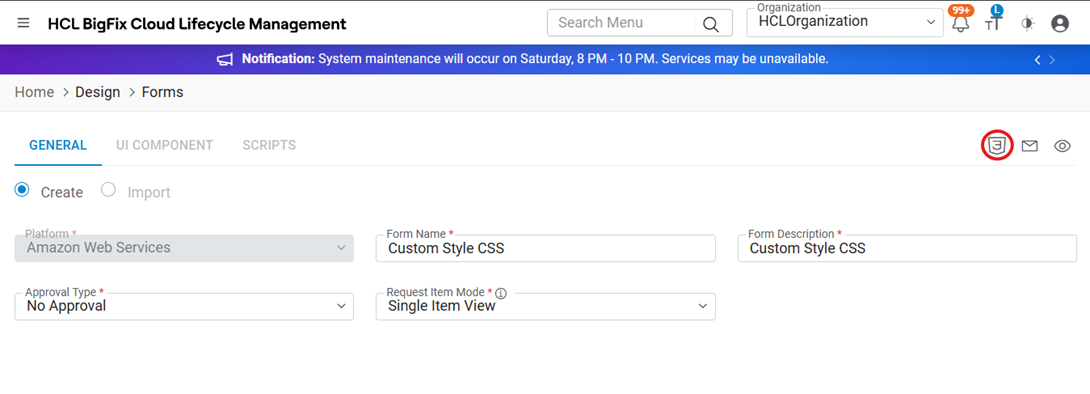
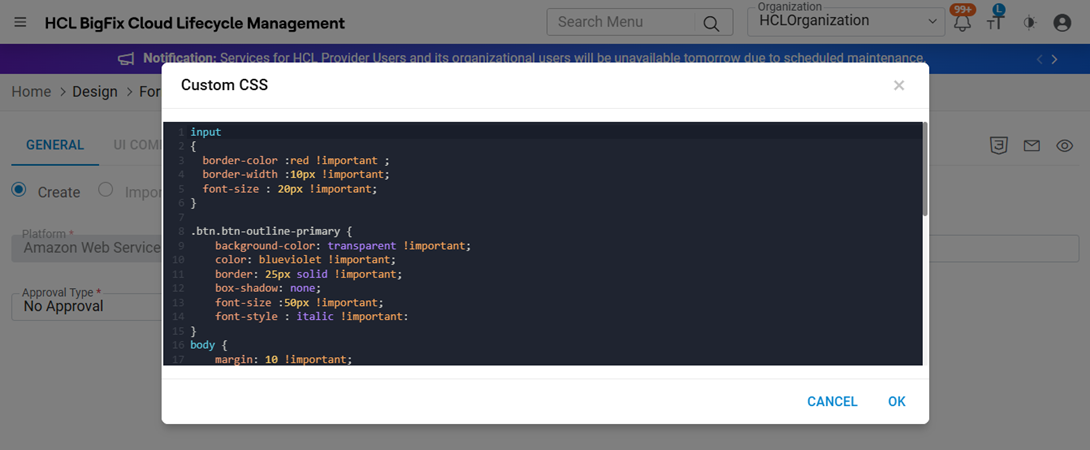
Once the UI Template is open, the user can see the CSS icon on the screen. Clicking on this icon opens the Custom CSS popup screen, where the user can add or modify CSS styles for the selected template.
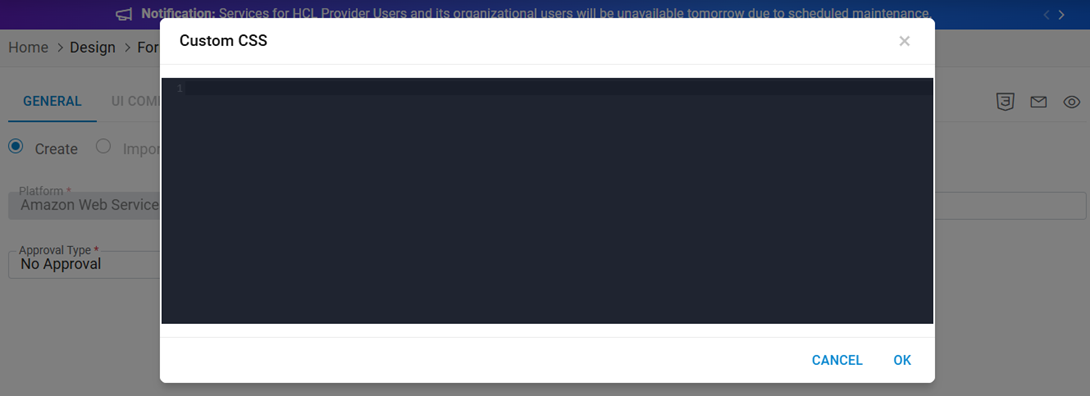
The user can add the required custom CSS code in the Custom CSS popup screen. After entering the desired styles, click on the OK button to save the data. The saved CSS will be applied to the selected UI Template and will render accordingly for requester users during request creation.
Login with the Requester role and navigate to the Request Service screen. Search for the Service Catalog that is linked to the same UI Template where the custom CSS was added.
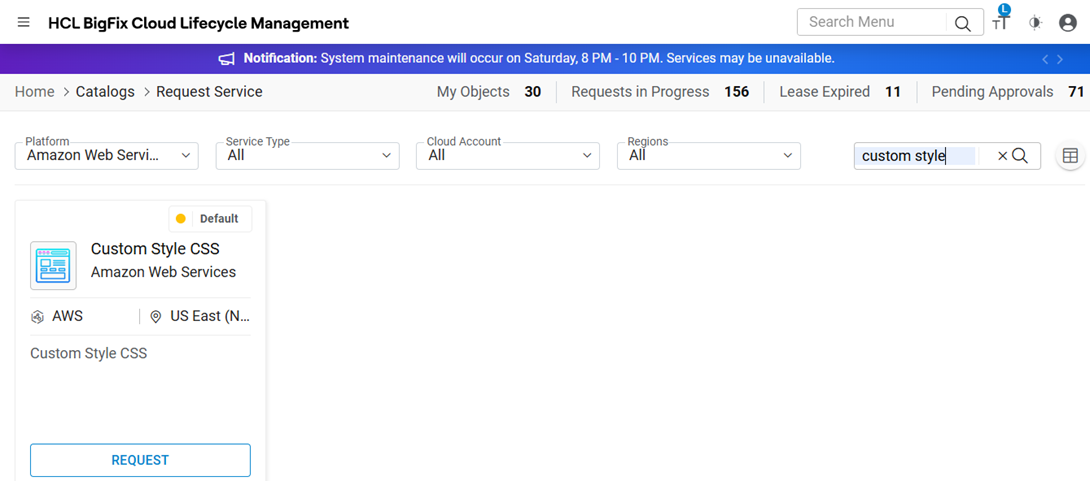
Click on the Request button. The custom CSS styles added to the UI Template will now be rendered on the screen, reflecting the applied design changes as defined by the provider.