The User Activity Log screen in HCL BigFix Cloud Lifecycle Management allows
Provider/Admin users to monitor and track user activities performed on the portal.
Currently, logs are captured only for the Service Catalog and Organization screens.
It provides insights into:
User login/logout details
IP address used for access
Number of login attempts
Activities performed within the application
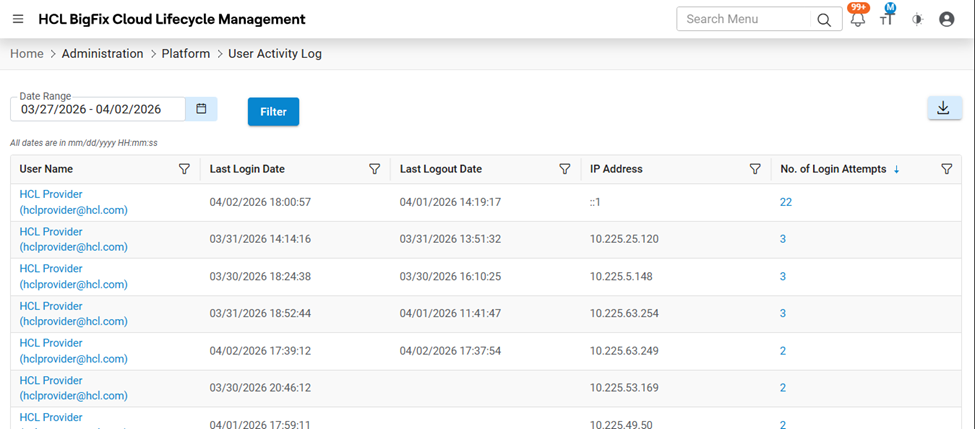
On loading the screen, the system displays data for the last 7 days by
default.Figure 1. User Activity Log
The main grid displays the following columns:
User Name
Displays the username used to log into the system
This field is clickable and opens detailed activity logs
Last Login Date
Shows the most recent login time of the user on that system
Last Logout Date
Shows the most recent logout time of the user on that system
IP Address
Displays the IP address of the system used to access the application
No. of Login Attempts
Shows the number of login attempts made from that system
This field is clickable and opens login activity details
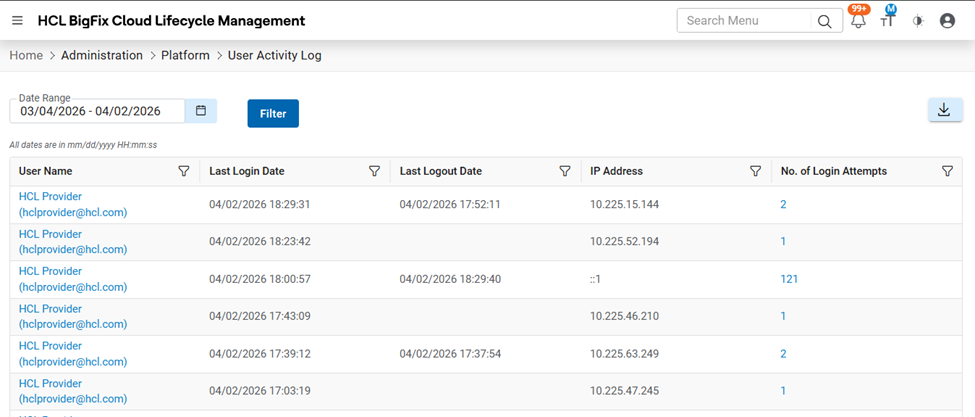
User can select other date range from date filler and click on filter button to check
dataFigure 2. User Activity Log (Cont.)
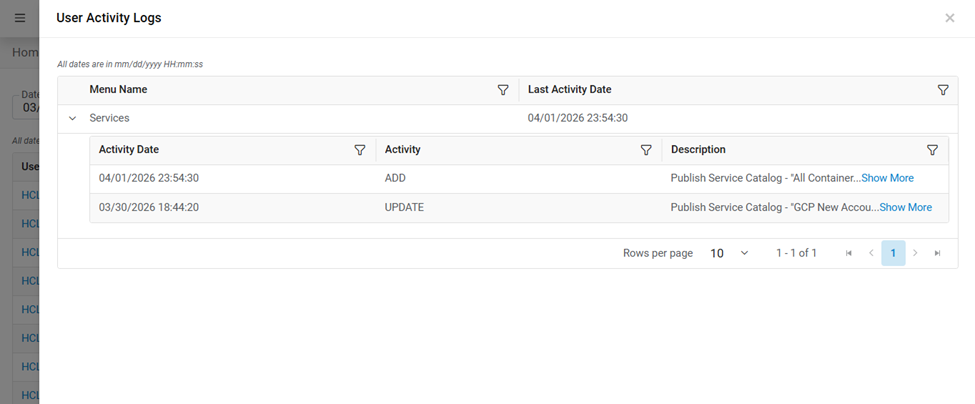
User Activity Logs (Popup Screen)
Clicking on a User Name, opens a popup screen that displays detailed activity
logs.Figure 3. User Activity Logs Details
Grid Columns:
Menu Name
Indicates which menu/module the user accessed
Last Activity Date
Displays the most recent activity timestamp for that menu
Expandable Child GridFigure 4. Expandable Child GridEach row can be expanded to view detailed activity:
Activity Date
Date and time when the activity occurred
Activity
Type of action performed (e.g., ADD, UPDATE)
Description
Detailed description of the activity performed
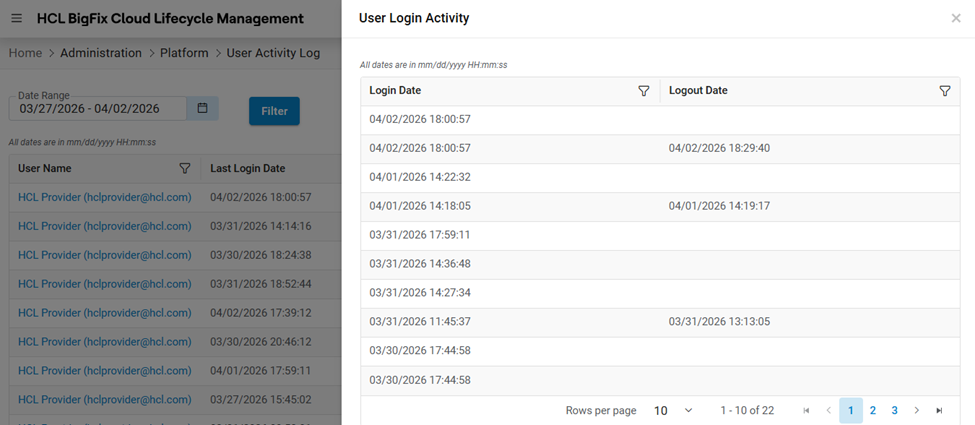
User Login Activity (Popup Screen)
Clicking on No. of Login Attempts, opens a popup screen that displays login session
details.Figure 5. User Login Activity Details
Grid Columns:
Login Date
Displays all login timestamps of the user
Logout Date
Displays corresponding logout timestamps
The User Activity Log screen helps provider and admin users to: