Global Admin Console

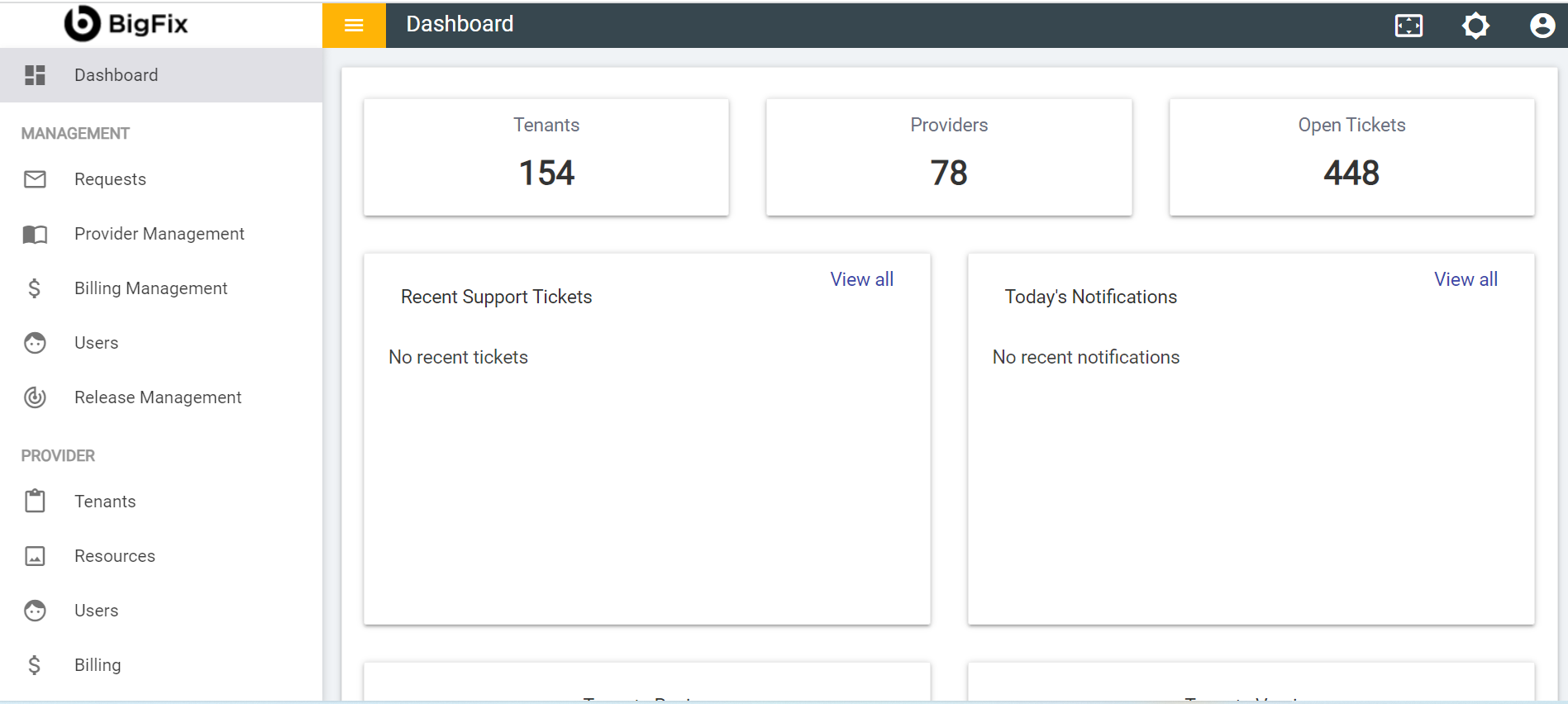
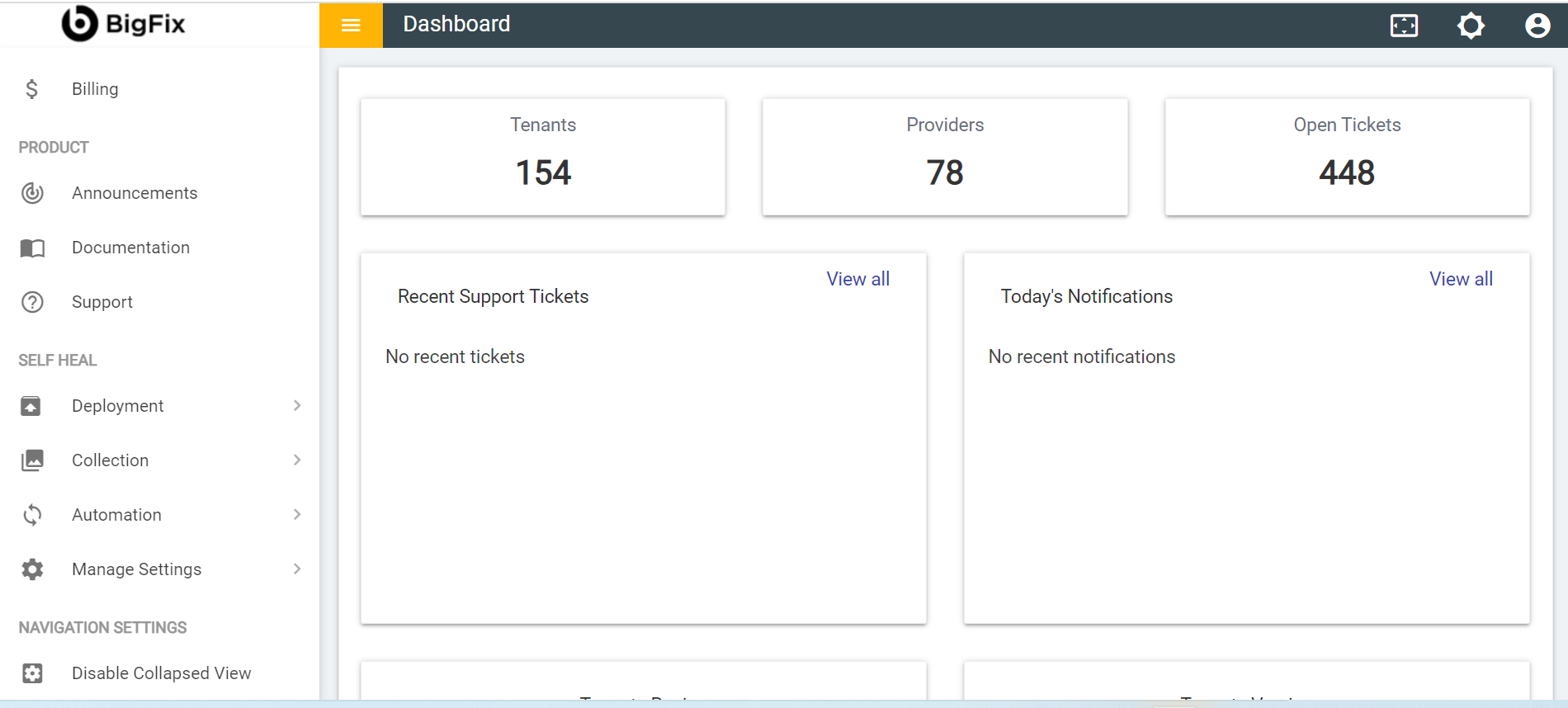
The details displayed on the Global Admin Console depend on the access rights. It comprises five main consoles. The following table describes the functionality associated with each console.

Table 1. Views of Global Admin Console
Consoles Functions
Dashboard
  • Snapshot of providers, tenants, and tickets available in the environment at a glance.
  • Information displayed on the dashboard depends on the access rights.
Management
  • View and manage providers, provider’s billing, support requests, and the user’s roles and permissions. Only the super user can access this console.
Providers
  • View and manage tenants, tenant’s billing, resources, and users’ roles and permissions.
Product
  • View global admin console notifications and raise support tickets.
Self-Heal
  • Add collections, categories and integrate the automated solution, the end-user would be able to resolve the basic IT issues,
Figure 1. Global Admin Console Home Page
Figure 2. Global Admin Console Home Page (Cont.)