
Applications, Aggregates & Enrichments
All of the feed applications configured in HCL Detect can be seen by
clicking on the Administration link in the top navigation bar and
then by clicking the Settings menu item. We have to use
Feed Management tab to see feed applications.
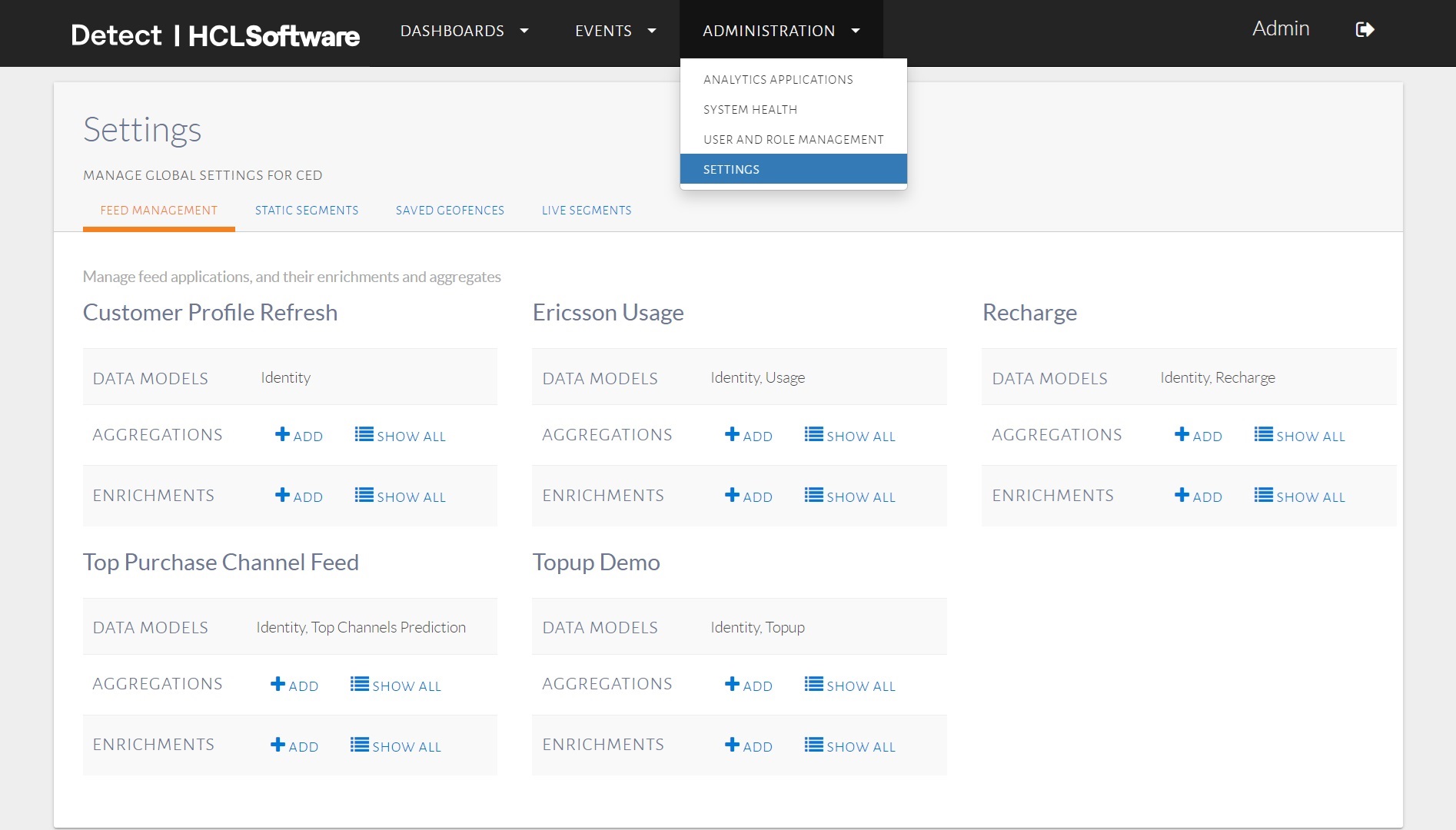
The applications configured in HCL Detect.
This dashboard shows the applications and their associated data model, e.g., ‘Topup', ‘Usage', etc.
Users with the appropriate permissions can use this page to view, edit, add and/or delete the aggregates and enrichments associated with a given feed application.
The existing aggregates configured for a feed application can be seen by clicking on
the ShowAll button in the Aggregations row for
that application.
The dialog showing the aggregates associated with the TopupDemo
application is below:
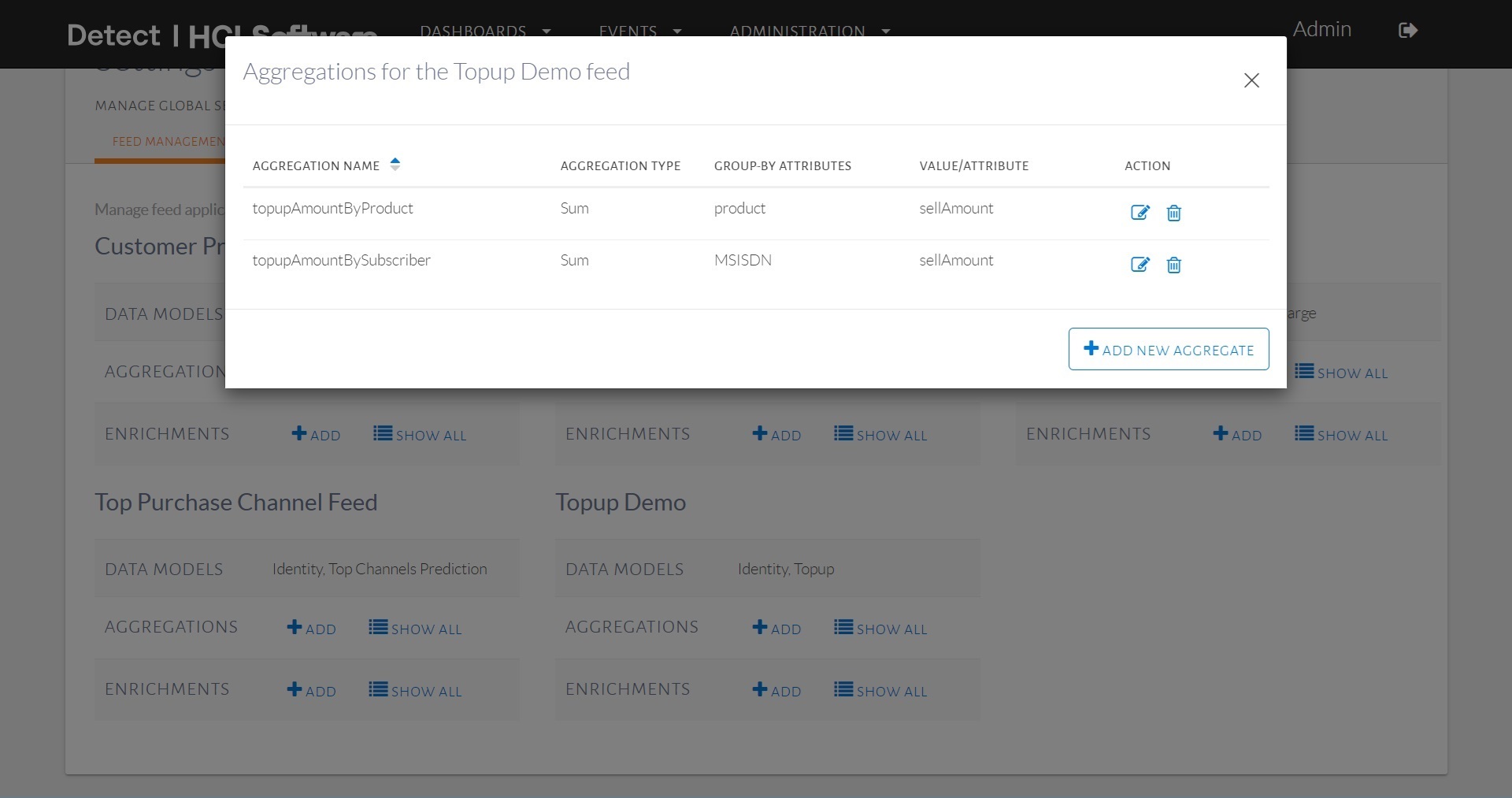
The aggregates associated with
the TopupDemo
feed.
The aggregates associated with a feed can be edited and removed.
To explain the aggregates a bit further, let us consider the aggregate called
topupAmountBySubscriber. The dialog that opens up upon clicking
on the edit button is shown below:
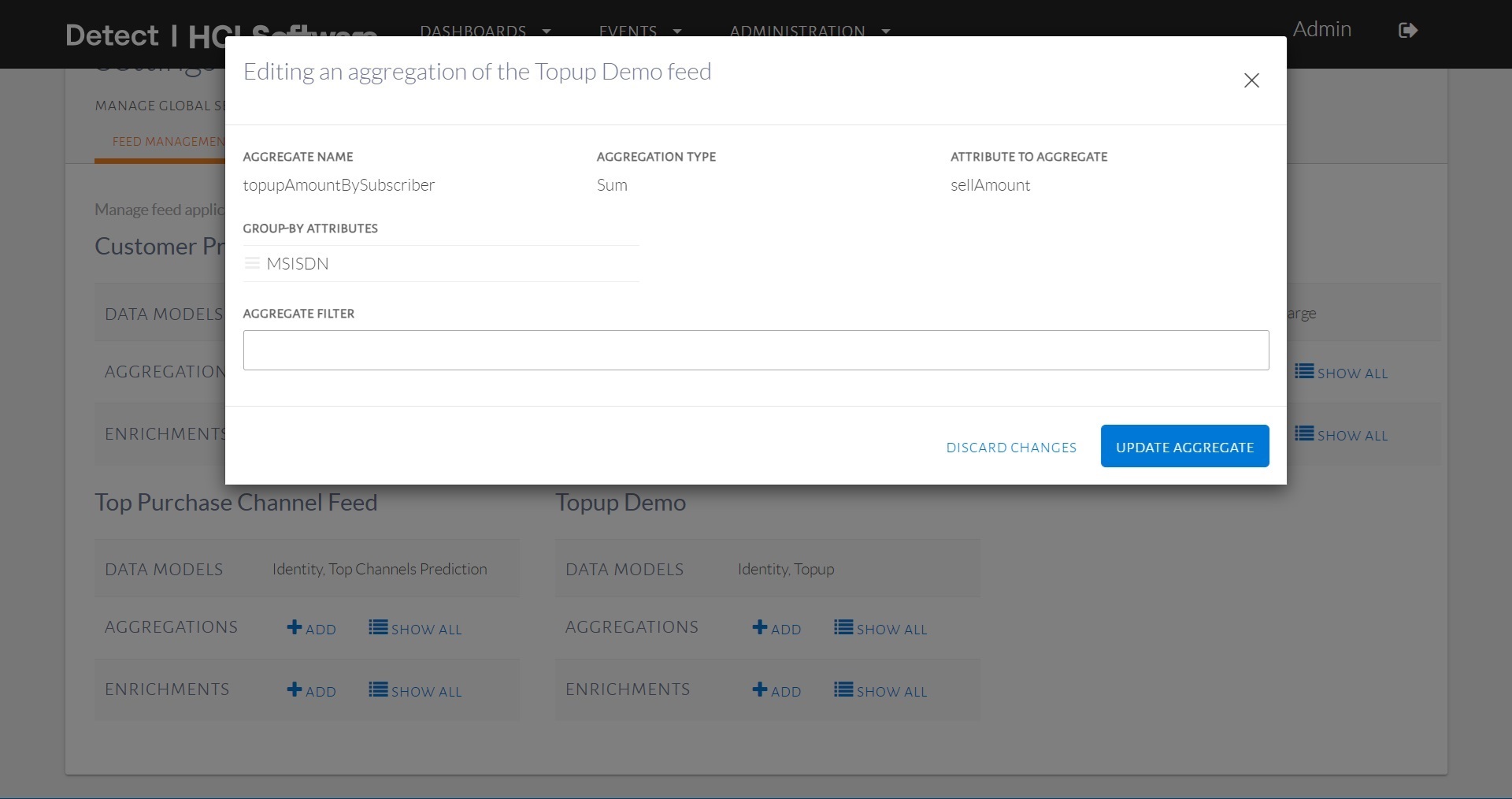
Editing an aggregate.
This aggregate is designed to count the number of calls by subscriber over various
time windows (e.g., currentDay, lastDay,
etc.).
topupAmountBySubscriber, i.e. the aggregate Name,
is the name that is used to refer to the aggregate when using it in a trigger.
The Aggregationtype, in this case Sum, is used to
accumulate the topup amounts, and the group-by attribute, in this case,
MSISDN, is used to produce per-user tallies, since it
identifies individual subscribers.
Additional group-by attributes can be added in a manner similar to the group-by clause used in traditional relational database management system (RDBMS) query languages.
A filter condition can also be used when only a subset of tuples is to be considered for an aggregation.
For instance, if the incoming tuples in the feed contain a Boolean
isDroppedCall, indicating a dropped call, then one can
calculate droppedCallsBySubscriber by using
isDroppedCall equals to True as a filter
condition with the MSISDN as the group-by attribute and
Count as the aggregation type.
To add a new aggregate, we need to click on Add button for that feed
application. A dialog with form needs to be filled by filling Aggregate
Name, Aggregation Type, Attribute to
Aggregate, Group by Attribute and Aggregation
Filter:
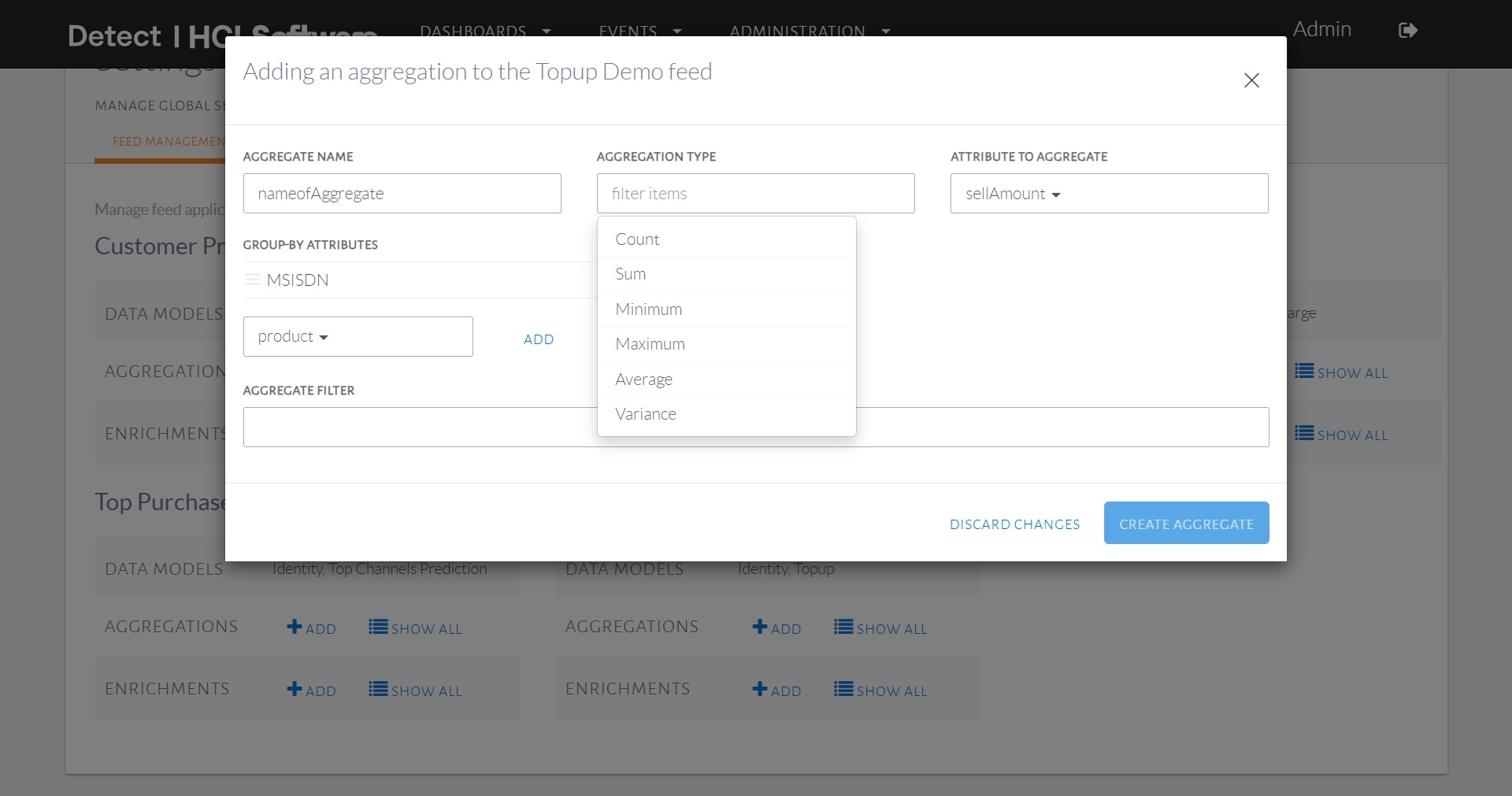
Adding new aggregate to a feed.
The list of enrichments associated with a feed can be seen by clicking on the
Show button in the Enrichments row. The
enrichments associated with the Topup Demo feed can be seen
below:
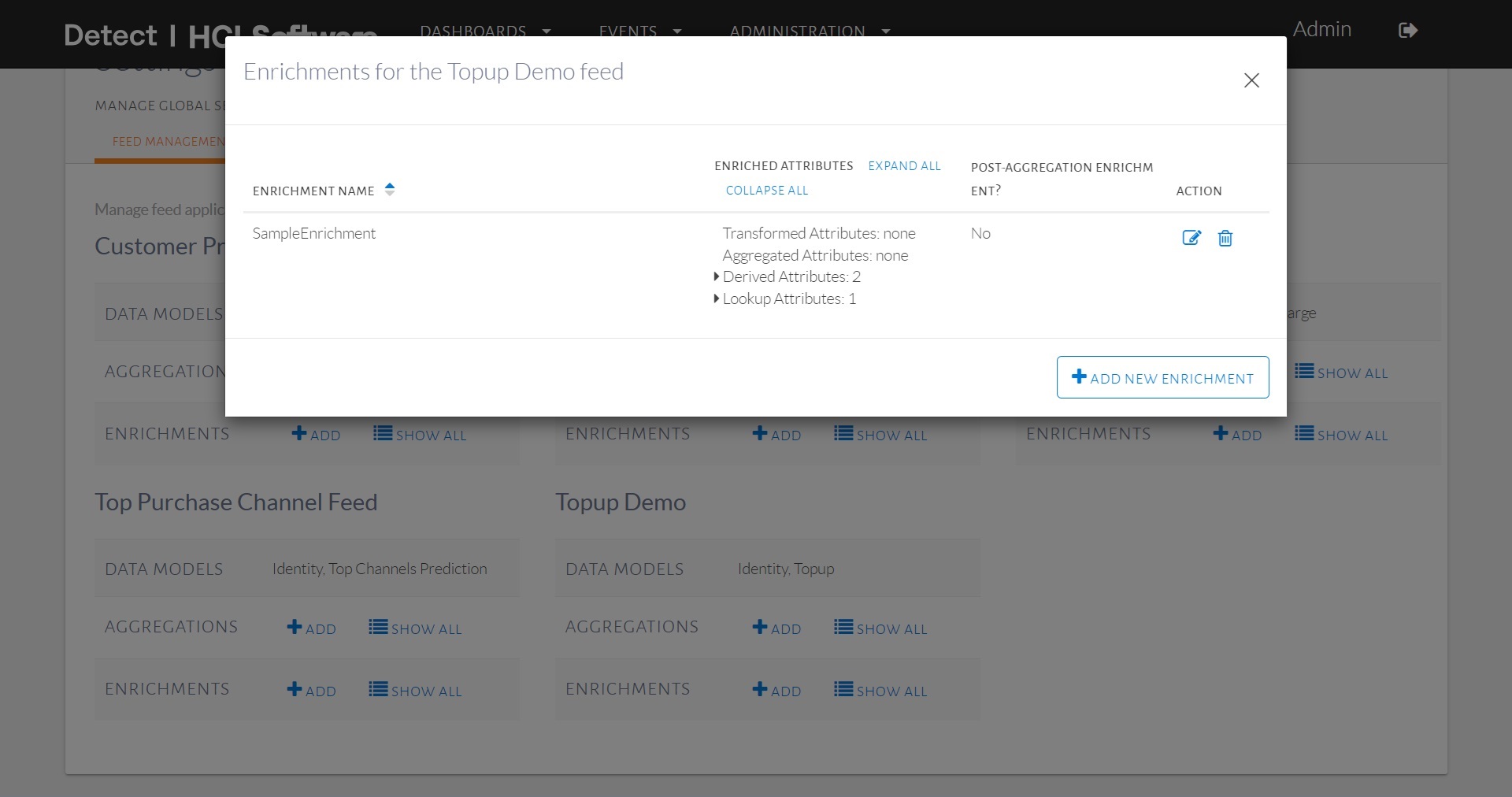
The enrichments associated with the TopupDemo
feed.
HCL Detect supports 4 kinds of enrichments:
- The transformed attributes enrichment enables one to add attributes to the tuple that have either a constant value or a value that can easily be derived from an UEL expression. Such transformed attribute may be needed by other enrichments or retained as an attribute in the enriched tuple. Note that retaining and forwarding the constant attributes as part of the output tuple from the enrichment step is optional.
- The lookup-based enrichment, which retrieves attributes from the profile
store and possibly add them to the outgoing tuple. Note that retaining and
forwarding the looked up attributes as part of the output tuple from the
enrichment step is optional. We have to first select a key attribute present in
the tuple, the associate
Pinpointtable will be listed inLookup Tabledrop-down, finally we have to select the attribute from the lookup table to be looked up. - The aggregate-based enrichment, which fetches data from
FastPastand possibly adds such attributes to the outgoing tuple. As part of configuring an aggregated attribute, it is necessary to (1) select an aggregate from the list of available aggregates for the feed, (2) select the window length unit, which can beMinute,Hour,Day,MonthorYear, (3) select the period which can be one ofCurrentorLastand (4) optionally selectWindow length, which can be used to indicate that only a subset of an aggregate is to be used. For instance, when theDaywindow length unit and theLastperiod withWindow Lengthset to 7 is chosen, the aggregated value for the last 7 days can be computed. Note that when using theMinutewindow length unit,Window Lengthneeds to be multiple of 10-minute i.e., backend configured sub-hour buckets length. Similarly to lookup-based enrichment, aggregate-based enrichment attributes may or may not be retained and forwarded as part of the output tuple. - The derived attributes enrichment, which enables the execution of an external Python function. One such a function takes in a tuple (as well as any other required additional parameters, if any), performs a user-defined computation, and produces a result. This function invocation's return value can then be retained and forwarded as part of an outgoing tuple. This capability can be used, for instance, to invoke a scoring function on an incoming tuple, which computes a score (e.g., based on previously mined data) that can then be added as an attribute to the corresponding outgoing tuple. The derived attributes enrichment are basically of three types, i.e., enrichment function based, expression based and scorer function based. expression based takes an UEL expression explained in Miscellaneous » UEL section.
The interface for editing enrichments is shown below:
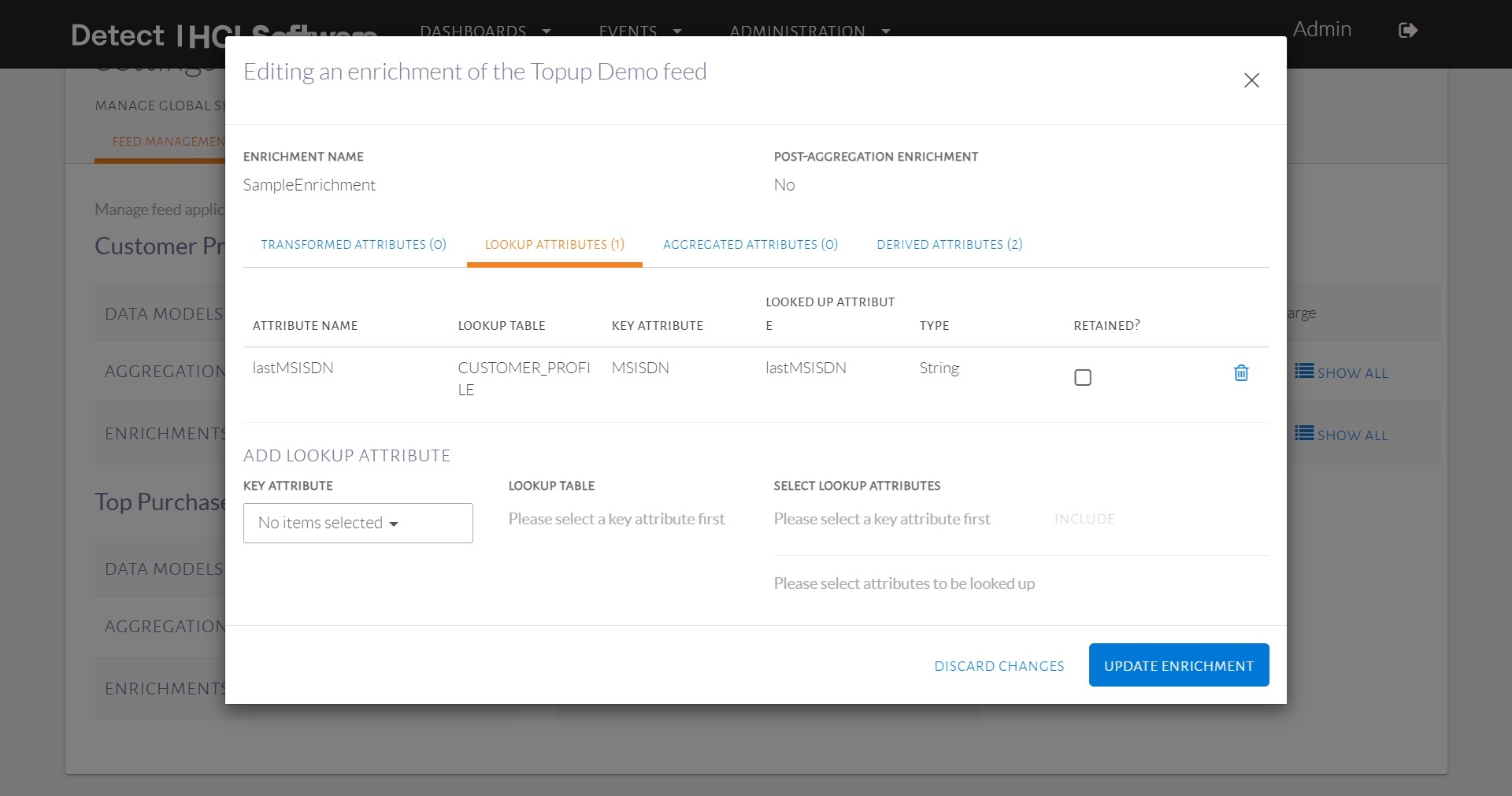
Interface for editing enrichments.
The interface for editing derived attribute type enrichments is shown below:
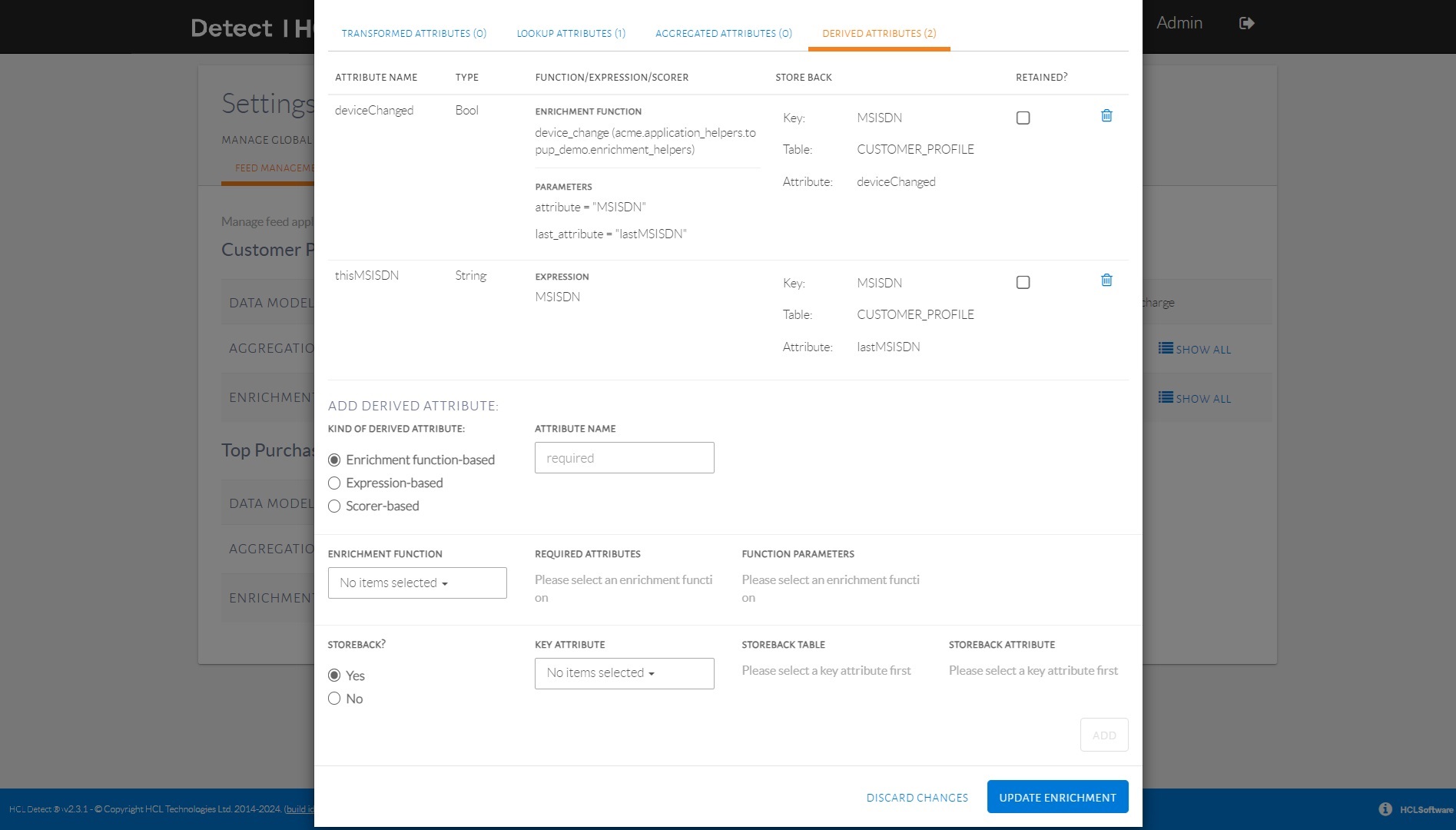
Interface for editing derived attribute type enrichments.
Enrichment operations can be configured to before aggregations are performed or after
aggregations are performed. The value of a enriched aggregate-based attribute
may change based on whether it configured to run before or after the aggregation
operation. We can choose this while creating an enrichment by checking the
Post-Aggregation Enrichment check-bit as shown in the below
image:
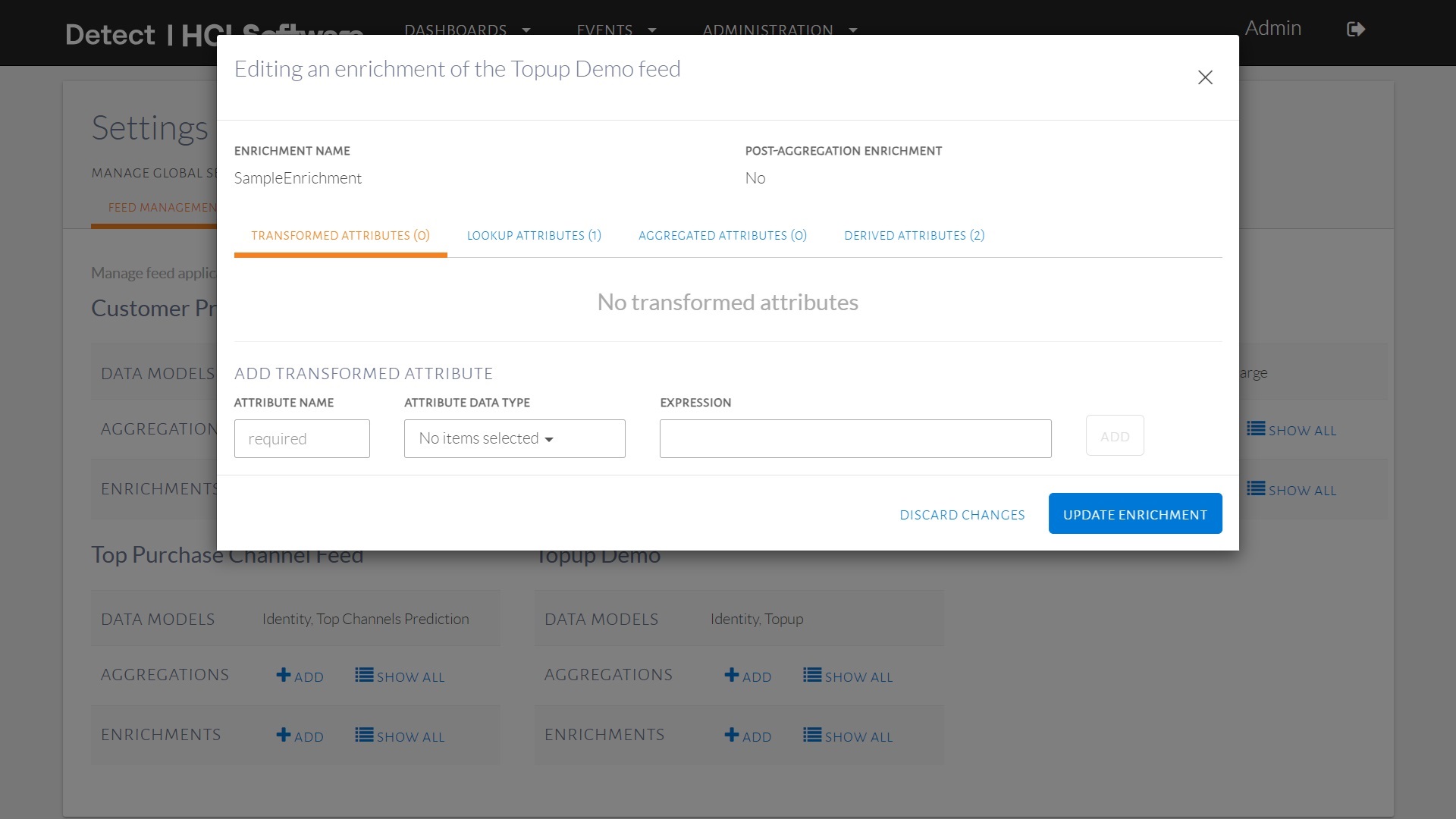
Interface for creating a new enrichment.