Deploying CDP S3 Sink Connector
This section provides detailed instructions on how to deploy HCL CDP S3 Sink Connector using the Devtron in the OpenShift.
Prerequisites:
Make sure to create a s2-sink-connector secret with required data in the HashiCorp vault before deploying the CDP S3 Sink Connector.
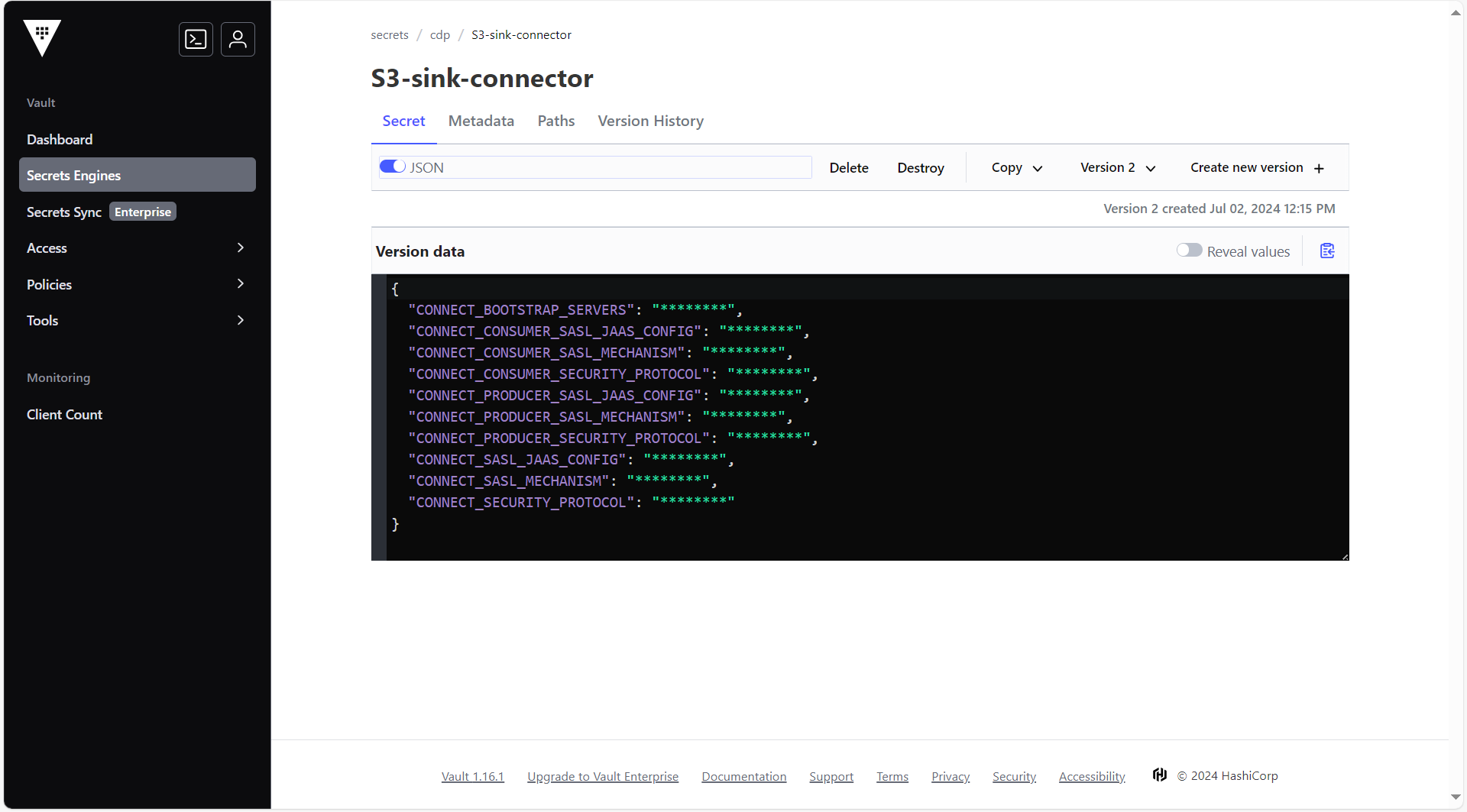
To create the s2-sink-connector secret in the HashiCorp Vault, follow the steps below:
- Create a s2-sink-connector secret sample key and value in the s2-sink-connector
secret, and update ConfigMaps data with actual
values.
{
  "CONNECT_BOOTSTRAP_SERVERS": <CONNECT_BOOTSTRAP_SERVERS>,
  "CONNECT_CONSUMER_SASL_JAAS_CONFIG": <CONNECT_CONSUMER_SASL_JAAS_CONFIG>,
  "CONNECT_CONSUMER_SASL_MECHANISM": <CONNECT_CONSUMER_SASL_MECHANISM>,
  "CONNECT_CONSUMER_SECURITY_PROTOCOL": <CONNECT_CONSUMER_SECURITY_PROTOCOL>,
  "CONNECT_PRODUCER_SASL_JAAS_CONFIG": <CONNECT_PRODUCER_SASL_JAAS_CONFIG>,
  "CONNECT_PRODUCER_SASL_MECHANISM": <CONNECT_PRODUCER_SASL_MECHANISM>,
  "CONNECT_PRODUCER_SECURITY_PROTOCOL": <CONNECT_PRODUCER_SECURITY_PROTOCOL>,
  "CONNECT_SASL_JAAS_CONFIG": <CONNECT_SASL_JAAS_CONFIG>,
  "CONNECT_SASL_MECHANISM": <CONNECT_SASL_MECHANISM>,
  "CONNECT_SECURITY_PROTOCOL": <CONNECT_SECURITY_PROTOCOL>
}
Deploying CDP S3 Sink Connector
To deploy the CDP S3 Sink Connector, follow the steps below:
- Navigate to the Devtron Chart Store, and select the cdp-psql-api chart to
deploy.
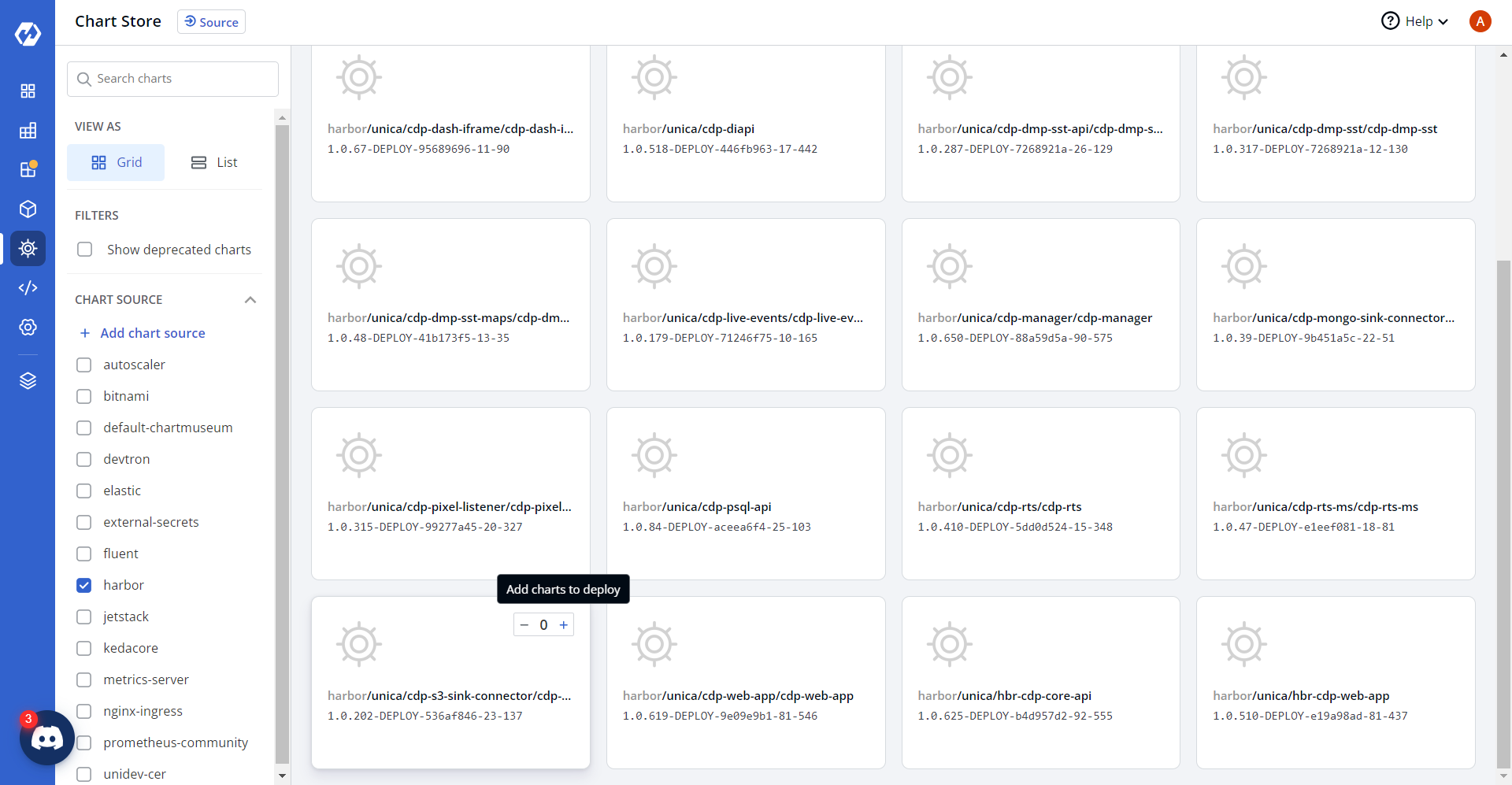
- Now, configure and deploy the CDP S3 Sink Connector charts.
.png)
- In the YAML section, update the ConfigMap using below details, and deploy
the
charts.
CONNECT_CONFIG_STORAGE_REPLICATION_FACTOR: "2"
CONNECT_CONFIG_STORAGE_TOPIC: _s3-sink-connect-configs
CONNECT_CONNECTIONS_MAX_IDLE_MS: "-1"
CONNECT_GROUP_ID: s3-sink-connect
CONNECT_KEY_CONVERTER: org.apache.kafka.connect.storage.StringConverter
CONNECT_LISTENERS: http://0.0.0.0:8083
CONNECT_LOG4J_APPENDER_STDOUT_LAYOUT_CONVERSIONPATTERN: '[%d] %p %X{connector.context}%m
        (%c:%L)%n'
CONNECT_LOG4J_LOGGERS: org.apache.kafka.connect.runtime.rest=WARN,org.reflections=ERROR
CONNECT_LOG4J_ROOT_LOGLEVEL: INFO
CONNECT_OFFSET_STORAGE_REPLICATION_FACTOR: "2"
CONNECT_OFFSET_STORAGE_TOPIC: _s3-sink-connect-offsets
CONNECT_PLUGIN_PATH: /usr/share/java,/usr/share/confluent-hub-components
CONNECT_REPLICATION_FACTOR: "2"
CONNECT_REQUEST_TIMEOUT_MS: "20000"
CONNECT_RETRY_BACKOFF_MS: "500"
CONNECT_SSL_ENDPOINT_IDENTIFICATION_ALGORITHM: https
CONNECT_STATUS_STORAGE_REPLICATION_FACTOR: "2"
CONNECT_STATUS_STORAGE_TOPIC: _s3-sink-connect-status
CONNECT_VALUE_CONVERTER: io.confluent.connect.avro.AvroConverter
CONNECT_VALUE_CONVERTER_BASIC_AUTH_CREDENTIALS_SOURCE: USER_INFO
CONNECT_VALUE_CONVERTER_SCHEMA_REGISTRY_BASIC_AUTH_USER_INFO: ""
CONNECT_VALUE_CONVERTER_SCHEMA_REGISTRY_URL: https://aws.confluent.cloud
CONNECT_VALUE_CONVERTER_SCHEMAS_ENABLE: "true"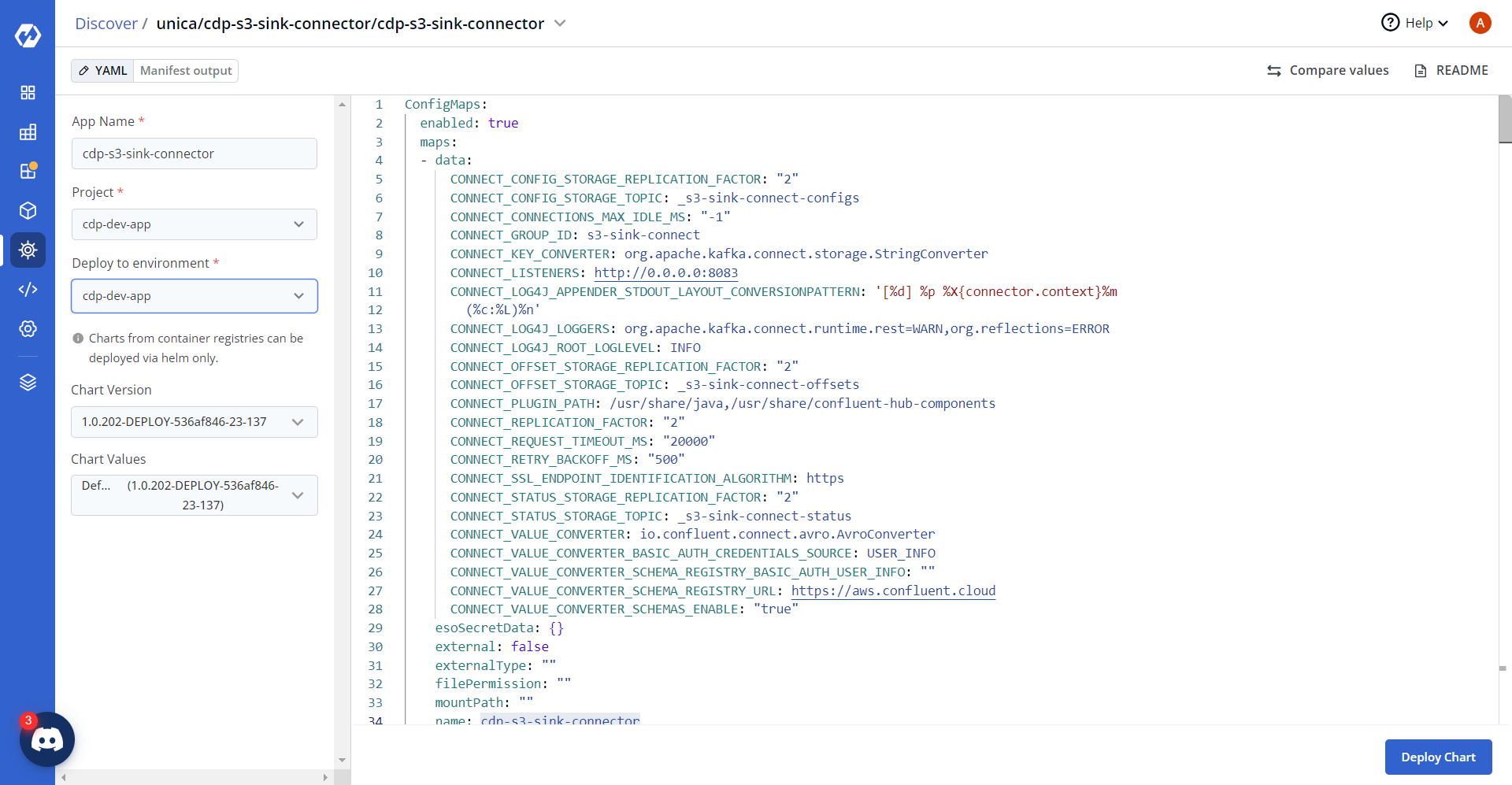
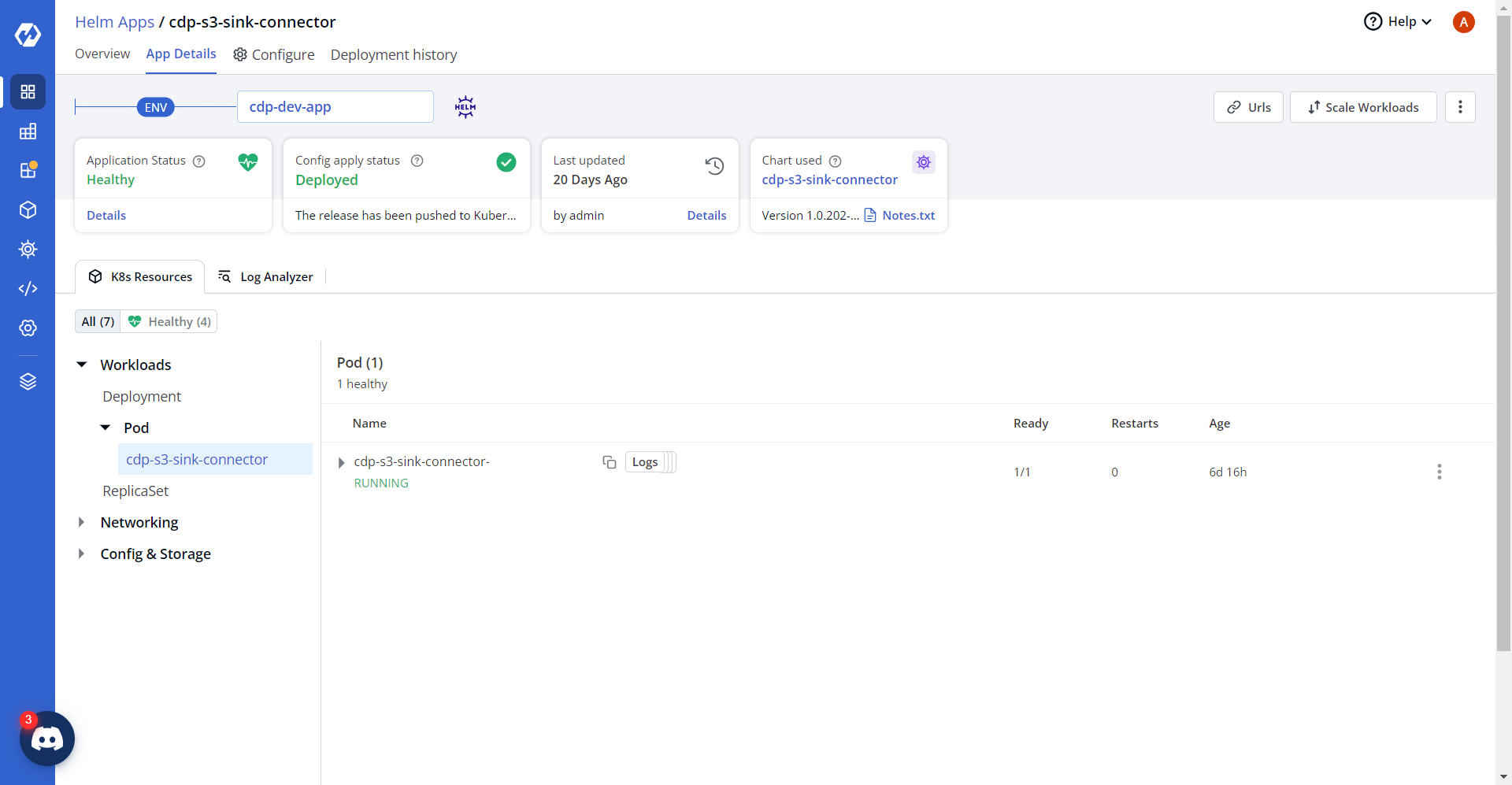
- On successful deployment, validate the deployment as shown below.