Tika attachment indexing statistics
Statistics are now available that provide administrators with a list of statistics for the attachments that were full-text indexed for a given database. Administrators can control whether or not the statistics are generated by using a notes.ini setting. If enabled, the statistics are displayed on the server console once the indexing of the database completes.
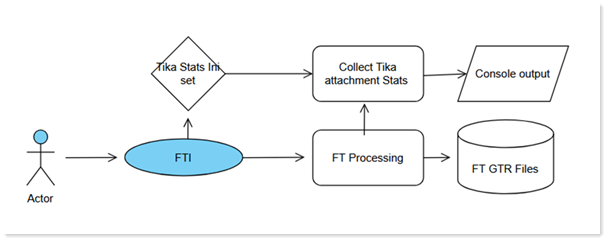
The available statistics are as follows:
- Total count of attachments processed
- Total count processed per attachment type
- Average download speed from Tika
- Average attachment transfer speed to Tika
- Larger attachment transfer time to Tika
- Total failed attachment processing by Tika
- Peak download speed from Tika
- Largest attachment file size
- Largest attachment noteid processed
Note: These statistics are displayed per database; they do not
persist.
To enable attachment indexing statistics for a database, use the following notes.ini
setting:
- DEBUG_FT_TIKA_ENABLE_EXTENDED_STATS=1
For more information on attachment indexing, see Controlling attachment indexing on servers.