
Installation features
Domino 14.5 provides the following installation and upgrade enhancements.
InstallAnywhere upgrade
In Domino 14.5, InstallAnywhere has been upgraded to 2024 R1 as the installer for Domino on all platforms.
Windows Installer extractor upgrade
The AllClient kit extractor has been upgraded to handle larger kit sizes to avoid out of disk space errors. This extractor will launch an updated window, shown in the following screenshot.
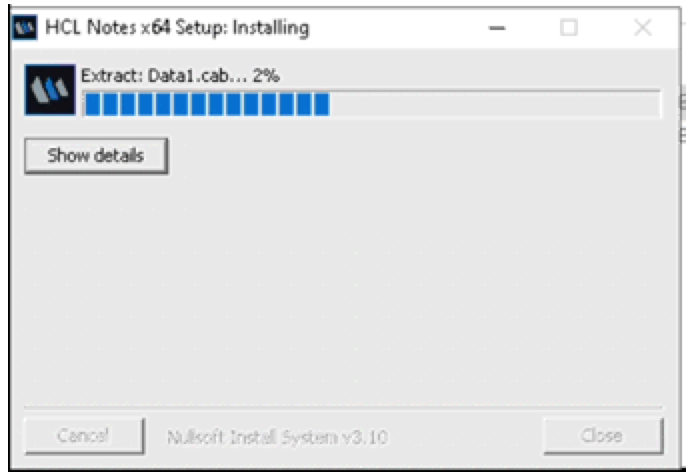
There are no changes in functionality and all existing install features and command line options will continue to work.
Notes InstallShield upgrade
The Notes client for Windows now uses InstallShield 2023 R1.
AutoUpdate for software installs
Domino 14.0 allowed you to conveniently download software and distribute it to Domino servers. You can now use AutoUpdate to automatically update Domino on Windows and Linux servers.
AutoUpdate can only update Domino to 14.5 or later releases. To use it, make sure the Status field on the Product Updates tab of the Domino directory profile is set to Notify, Download and Update (see Enabling AutoUpdate).
For detailed information on this auto install feature, see Updating software on target Domino servers or deployment groups.
To use AutoUpdate to automatically download software from My HCLSoftware (MHS), you must have a My HCLSoftware Software account that has a valid license for the requested software. In addition, you must have accepted the license agreement on MHS for any software you wish to download.
An attempt to download software from MHS using AutoUpdate could fail with a status of "There are unaccepted license agreements." If this happens, you must log on to MHS and attempt to download the software manually. MHS will prompt you to accept the license agreement. You only have to accept the license once, and thereafter AutoUpdate can download any software covered by the license.
AIX for AutoUpdate
The Domino AutoUpdate feature expands its support of the AIX platform.
- In addition to previous support for AIX servers to run the AutoUpdate task, they are now supported as download or designated servers, and as Target servers for distributed downloads.
- AIX servers are NOT supported as Target servers for installations.
For more information, see Downloading, distributing, and installing software using AutoUpdate.
AutoUpdate general enhancements
- New icons added in views and forms to indicate if a server role is Domain Admin server and/or AutoUpdate Designated/Download server.
- System templates get automatically updated with template setup when the Domino Admin Server is set. For more information, see Configuring the Global Configuration Document.
- Enhanced command line options (-sd, -adm, -mt) for the design task that can work in conjunction with AutoUpdate. For more information, see Synchronizing databases with master templates.
- Updated system database list (dominosystemdbs.ind file). For more information, see Using indirect files to run database maintenance tasks.
Verse install path change
During a Domino server installation, the default Verse installation location is the program directory (formerly the Domino Data directory).
Use cases for upgrading to Domino 14.5 are as follows:
- If a newer version of Verse is available, the Verse jar files are deleted from the data directory and the new files from the kit are installed to the program directory.
- If the latest available version of Verse is the same, the Verse jar files are moved to the program directory.
- If a newer version of Verse is available, your existing Verse jar files are deleted and the new files from the kit are installed to the program directory.
- If the latest available version of Verse is the same, your existing Verse jar files are restored in the program directory.
For more information on installing Verse, see the Verse® 3.2.4 documentation.