Presentation Designer limitations
Take note of the following limitations when using Presentation Designer:
Templates
- Presentation Designer can only be used to view or edit presentation templates. For more information, refer to the Editing a presentation template topic.
- Presentation templates cannot be reused across designs. Create a new template for each design.
- Override stylesheet components must only be used for the presentation template they were created for.
-
Blueprint Presentation Templates are not supported. Adding the
<!-- BluePrint Template -->markup in your presentation template results in an error: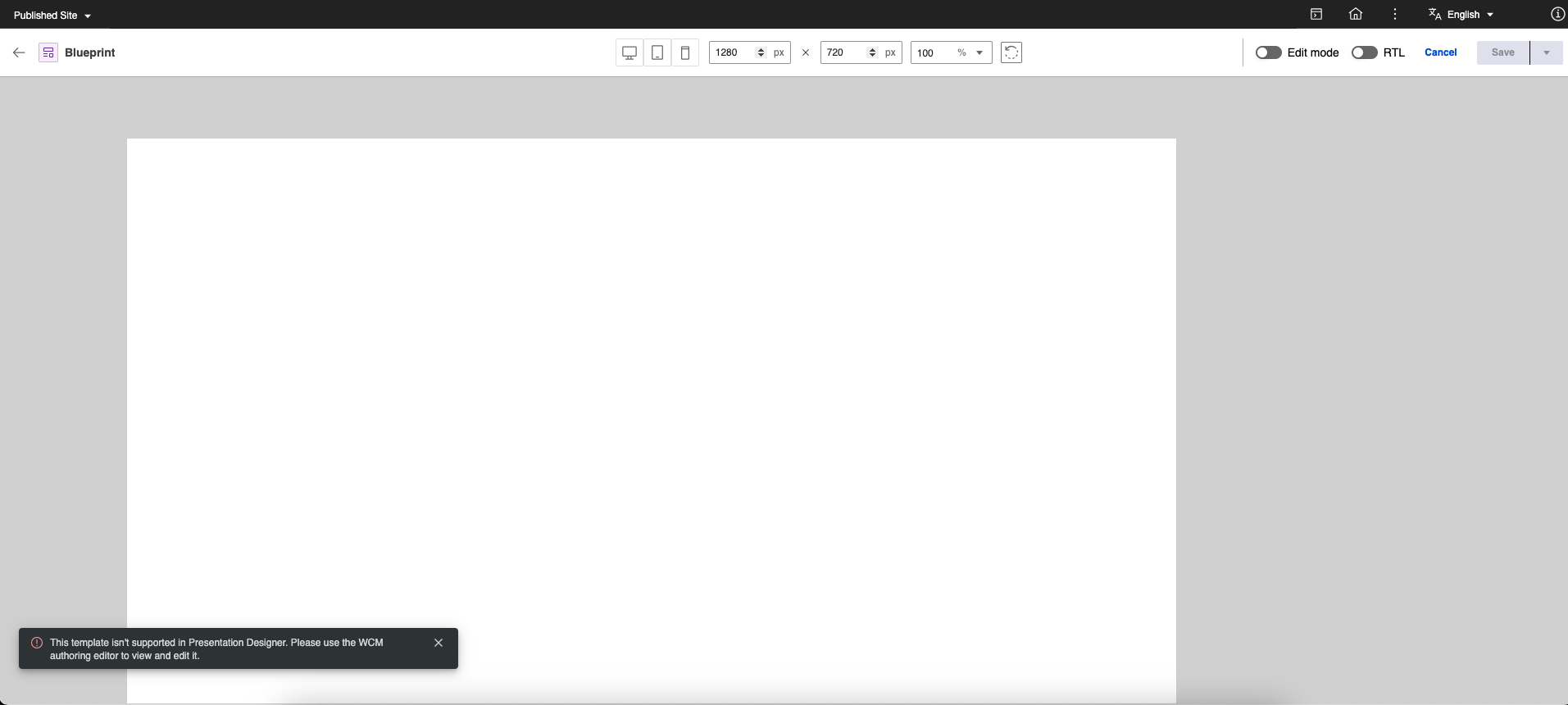
Interface
- Undoing and redoing changes is not supported.
- Reusing styles from a theme is not supported.
- Adding scripts or custom markup is not supported.
- WCM tags and attributes are not supported. Presentation Designer supports specific user elements. For more information, refer to User elements.
Localization and preview
- Right-to-left layouts are not supported. Elements are not optimized for languages that require right-to-left layout.
- English is the only supported language.
- Previewing templates requires selecting a content item as context.
CSS and styling
- Using external CSS is not supported. For details on styling options and stylesheet management, refer to Styling options, Default and override stylesheet and Handling multiple stylesheets.
- Adding breakpoints for media queries is not supported.
- The Paragraph format and Text decoration cannot be set dynamically using media queries.
- Static Grid elements do not support Rows, Columns, Row span, or Column span properties in override stylesheets.
- External stylesheets and style tags imported outside Default and Override stylesheets or Authoring stylesheet components are not supported.
- The Style items panel only displays resolved styles from Default and Override stylesheets. Custom styles from other components render on the canvas but do not appear in the Style items panel.
- Custom classes cannot be applied in the Presentation Designer interface. Add custom classes directly to the element class attribute in Authoring markup.
- ID selectors, universal selectors, combinators, attribute selectors, pseudo-classes, pseudo-elements, and at-rules in Default and Override stylesheets can cause unexpected behavior when opening or updating templates in Presentation Designer.
Element positioning
- User elements with a fixed position and a top value of 10px can overlap the header. The canvas uses a root div structure integrated with document markup rather than an isolated iframe.