Running HCL OneTest™ API tests
You can use HCL OneTest™ UI Extension for HCL OneTest™ API to run HCL OneTest™ API tests.
You can install both the products on the same machine, establish the connection, and run HCL OneTest™ API tests. See Testing with HCL OneTest™ API.
You also have the option to just import the projects to HCL OneTest™ Performance HCL OneTest™ API, add the tests to a compound test to run them. You can either use HCL OneTest™ Performance Agent or HCL OneTest™ API Agent to generate the load. You need a compound test that contains the HCL OneTest™ API tests.
Setting environment variable
To run the tests with HCL OneTest™ API Agent, set the environment variable INTEGRATION_TESTER_AGENT_HOME and point it to the HCL OneTest™ API Agent installation directory.
INTEGRATION_TESTER_AGENT_HOME = C:\Program Files\HCL\HCLProducts\AgentINTEGRATION_TESTER_AGENT_HOME=/opt/HCL/HOT-API-Agent
export INTEGRATION_TESTER_AGENT_HOME
echo $INTEGRATION_TESTER_AGENT_HOME
Running the compound test
- Click Run Compound Test.
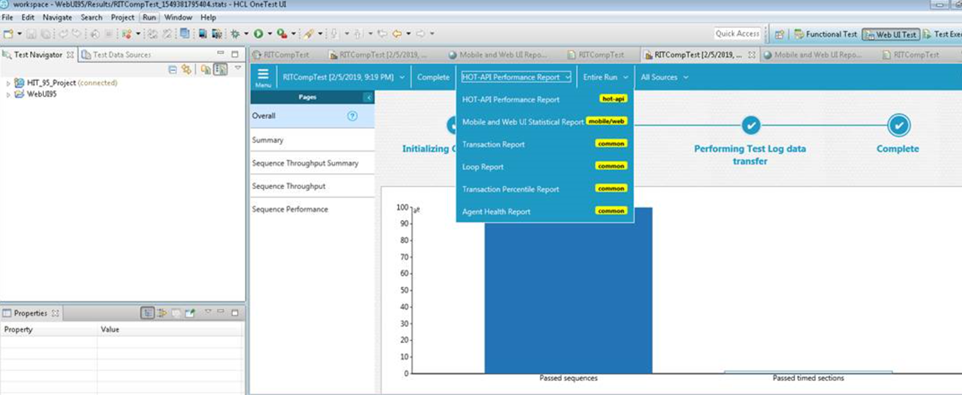
After the run completes, the HCL OneTest™ API report displays statistics on the executed sequences and Timed Sections if some are defined in the tests.