Create a Tiny Editors Services specific SSL configuration
This task outlines the process for creating a Tiny Editors Services specific SSL configuration from the web-aware trust store. This procedure includes updating the application.conf to add the SSL configuration attributes.
Before you begin
- An existing application.conf for the Tiny Editors Services is required. See: Create an application.conf for the Tiny Editors Services.
- A suitable trust store is required. See: Create a web-aware trust store for the Tiny Editors Services for details.
Procedure
-
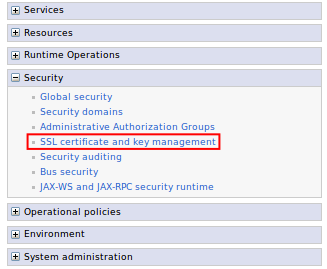
Expand Security and click the SSL certificate and key management link.
-
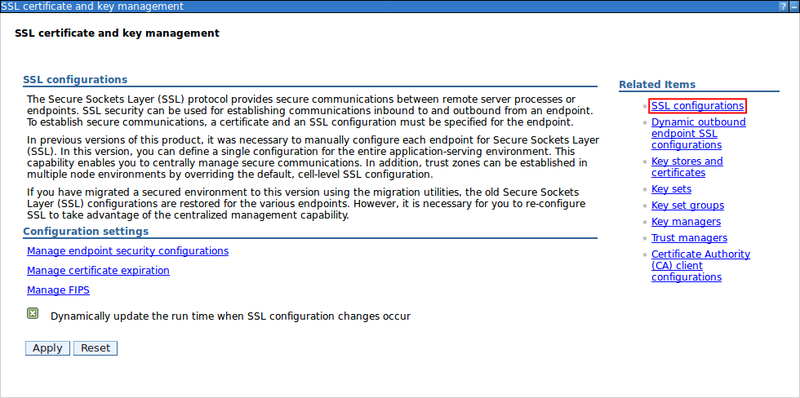
Click the SSL Configurations link.
-
Click New.

-
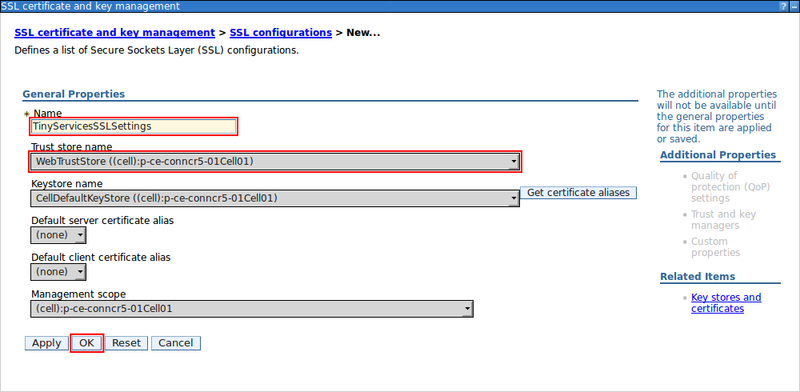
Define the SSL configuration.
- Enter a Name for the Tiny Editors Servers SSL configuration
- From the Trust store name list, Select the Tiny Editors Services trust store.
- Click OK.
-
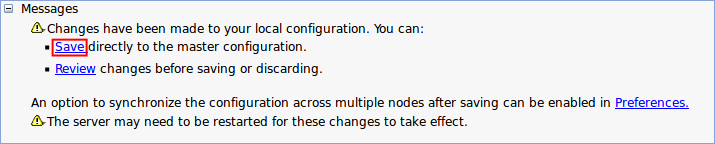
Click the Save link.