Use the Manage Download Plug-ins dashboard to oversee and
manage download plug-ins in your deployment.
You can use the Manage Download Plug-ins dashboard to register, unregister, configure,
and upgrade the download plug-ins for different patch vendors.
You must subscribe to the Patching Support site to gain access to this dashboard. To view
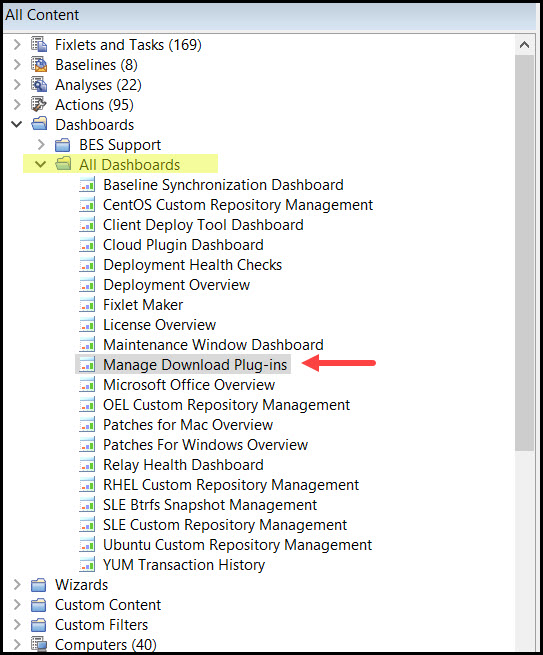
the Manage Download Plug-ins dashboard, go to All Content domain > All Dashboards > Manage Download Plug-ins.Figure 1. Patch Management navigation tree
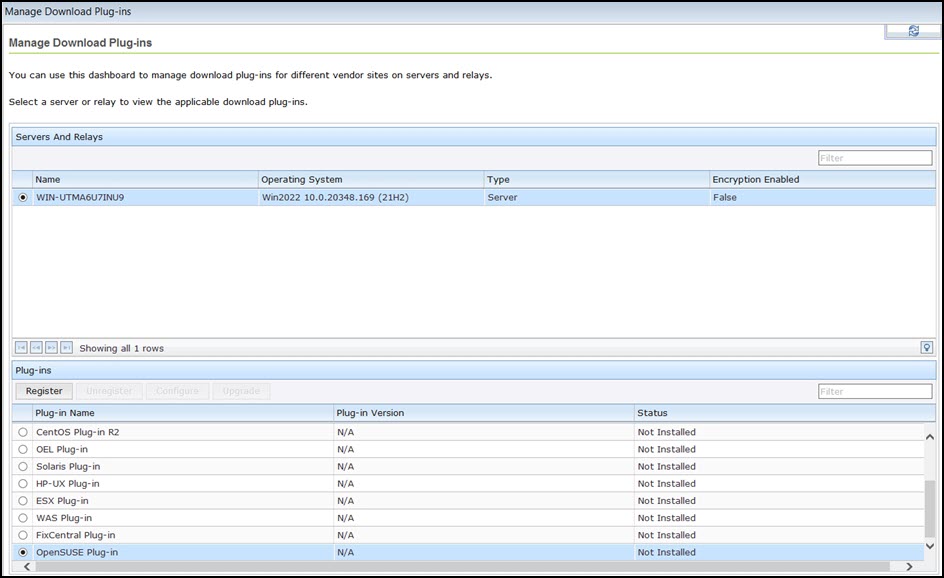
The dashboard displays all the servers and windows-only relays in your deployment. Select
a server or relay to view all the plug-ins for that computer. The dashboard shows you
also the version and status for each plug-in in one consolidated view.Figure 2. Manage Download Plug-ins dashboard
The dashboard has a live keyword search capability. You can search based on the naming
convention of the servers, relays, and plug-ins.
Note: If you
install the download plug-in on BigFix relays, you must also
install it on the BigFix server to avoid download issues.